Glossy Heart Oil Tutorial for Procreate
Paint a glossy oil-style heart in Procreate with free files and a short guided video using Twotap’s oil brush feel.
Download the free files
Procreate-ready, yours to keep
A glossy heart is a fast oil-brush warm-up: big form, clear highlight, satisfying finish. This free tutorial includes files so you can complete it in one sitting.
Follow the video and keep the shine intentional. Pair it with the Oil Brush Set when you want the full kit.
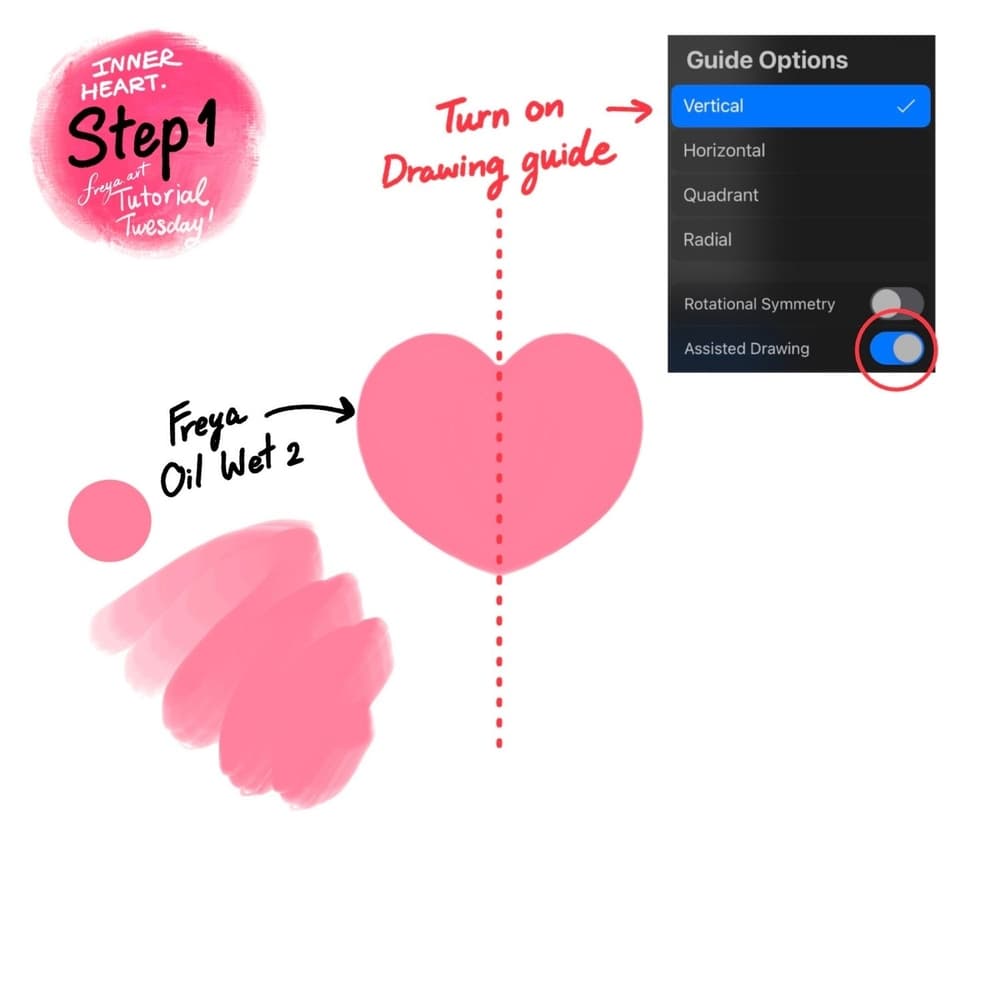
Step 1 (Inner Heart): Create a 3000 x 3000-pixel canvas. We’ll start with the inner heart first. Create a new layer and turn on the Drawing Guide. Tap on Options and choose Vertical and make sure that drawing assist is turned on. Then using the Twotap Oil Wet No. 2, draw a light pink heart shape.
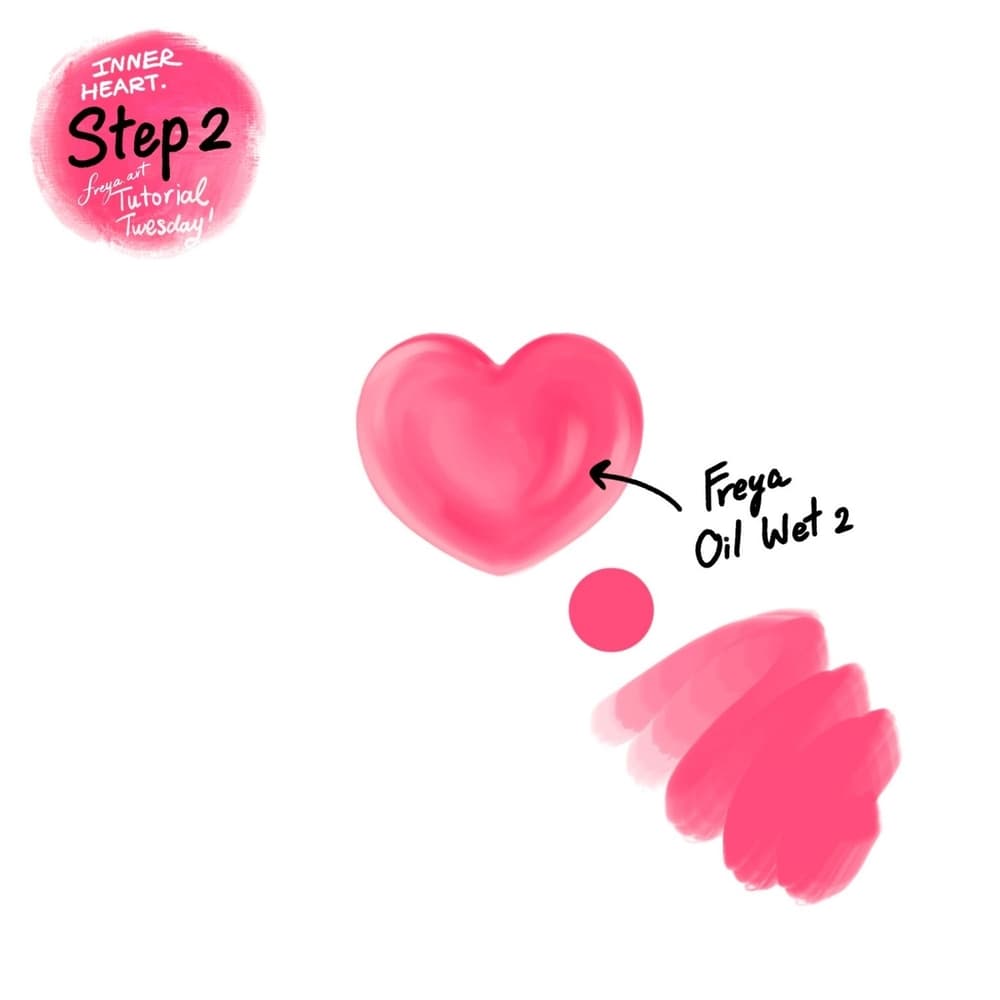
Step 2 (Inner Heart): Add a clipping mask on top of the heart base layer, then using the same brush but in a deeper pink color, add some color variation.
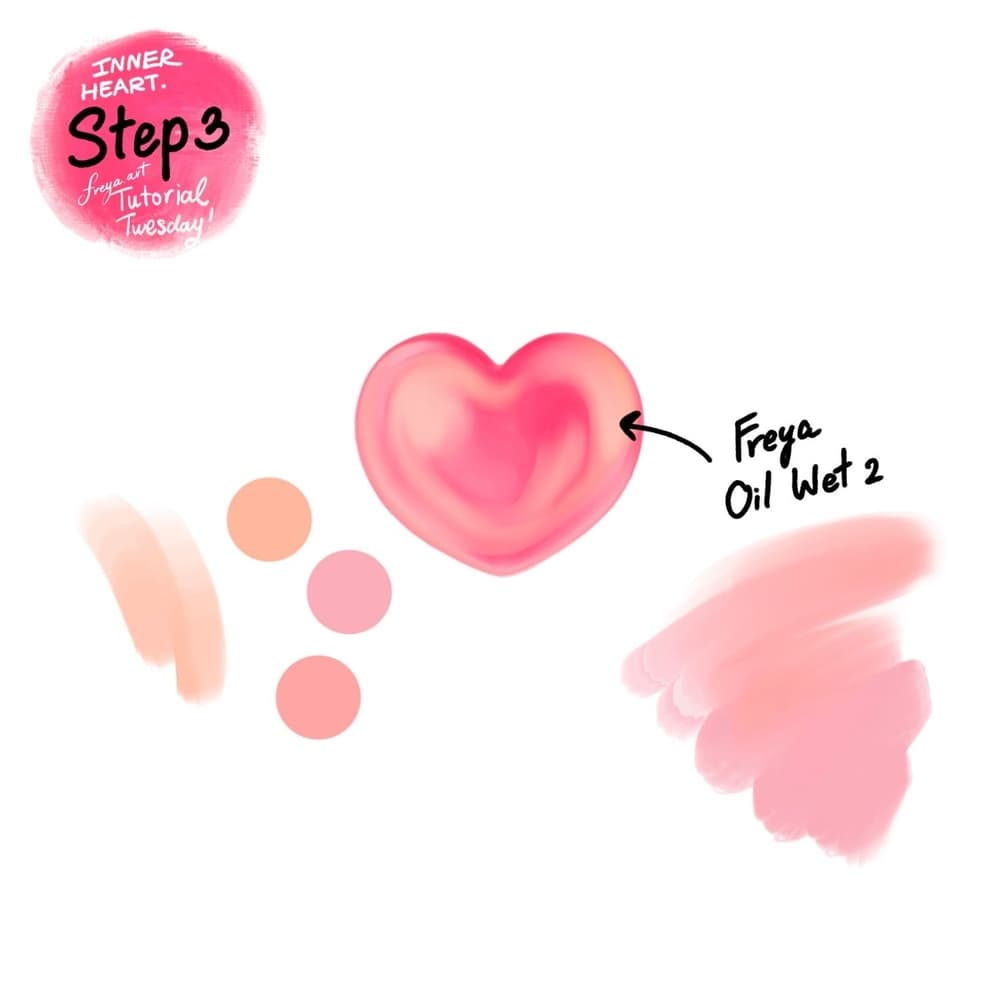
Step 3 (Inner Heart): Add another clipping mask layer and using the same brush, add some peach color around the heart to give it some depth.
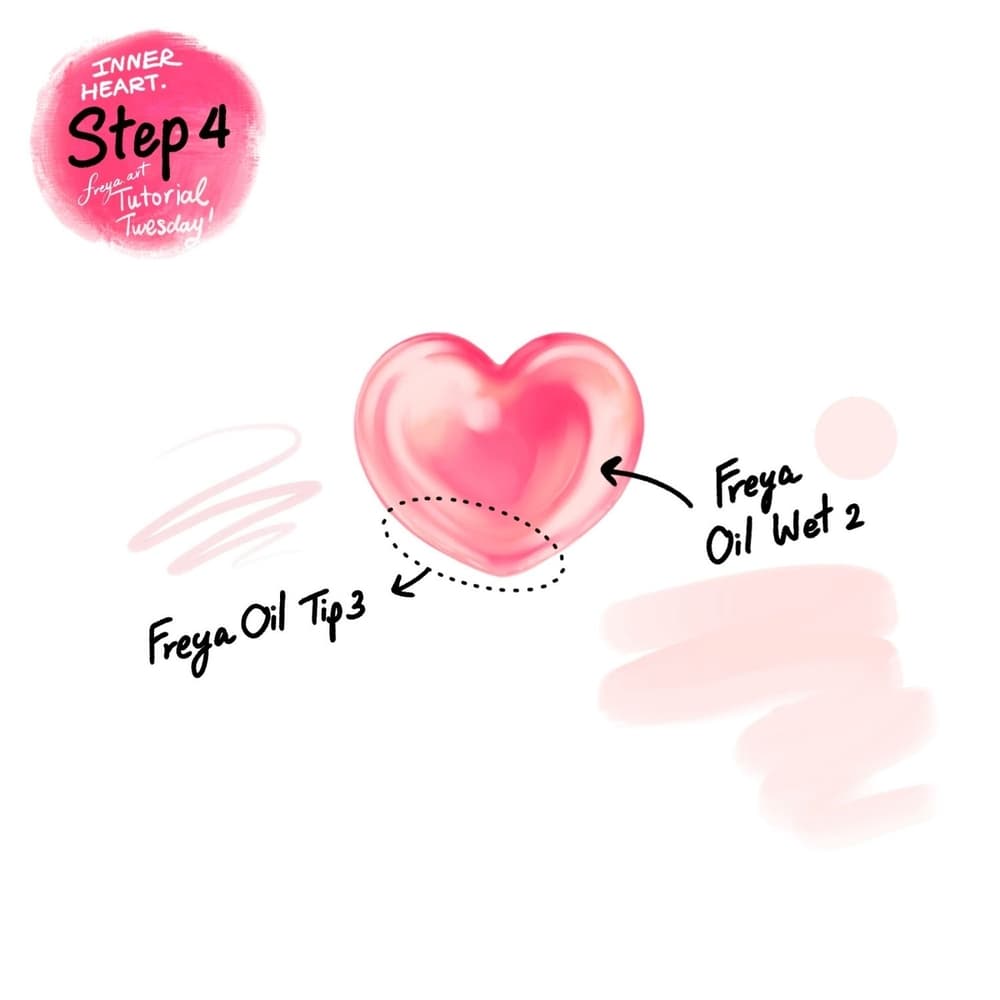
Step 4 (Inner Heart): Add another clipping mask layer and continue adding more details using the same brush. Use Twotap Oil Tip No. 3 to add some fine texture around the edge of the heart.
Group the Inner heart layers together. To do this, tap on a layer and swipe to the right, do this again to the other layers you need to group. They will turn blue to show that they’ve been selected. When you select multiple layers, you will see the Group option appear on the top right of the Layers panel. Tap it to gather your selected layers into a Group. Be careful not to merge or flatten them.
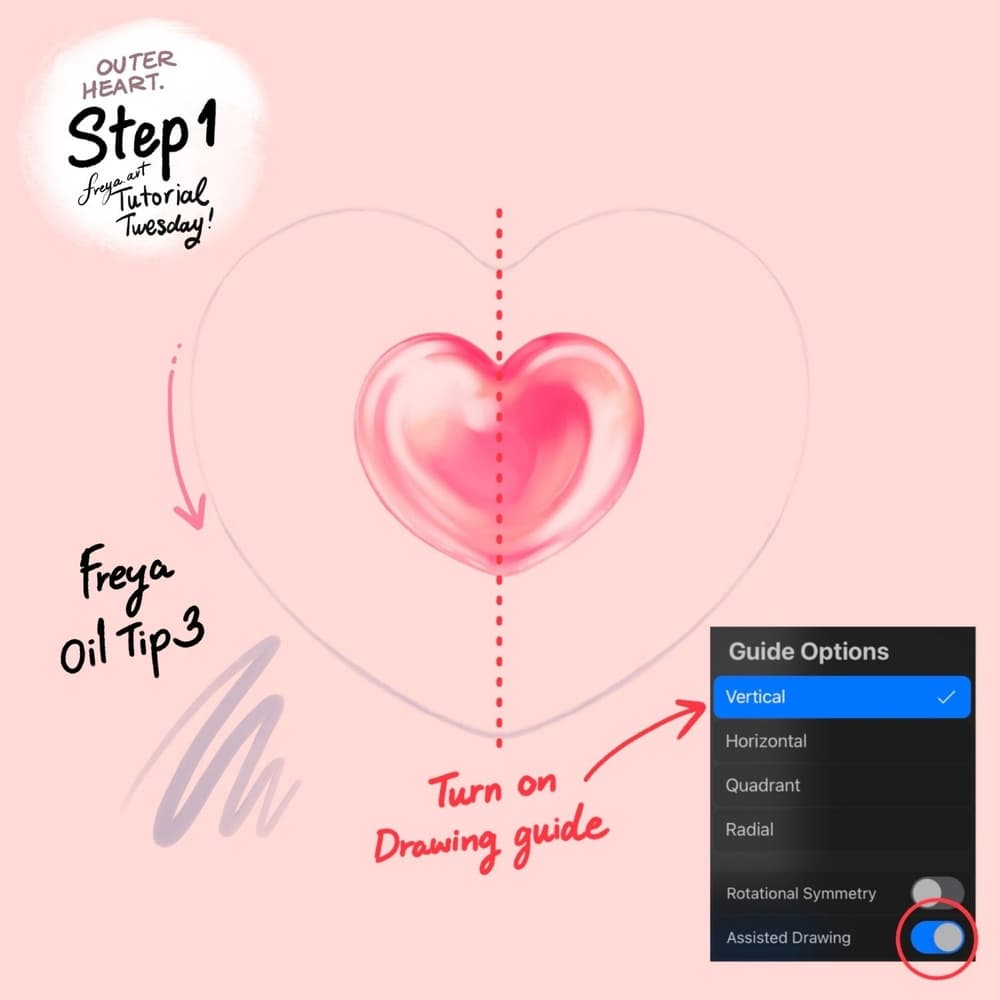
Step 1 (Outer Heart): Now let’s work on the outer heart. Make sure these new layers are not inside the inner heart group. So just like earlier, create a new layer and turn on the Drawing Guide. Tap on Options and choose Vertical and make sure that drawing assist is turned on. Then using the Twotap Oil Tip No. 3, draw a purple-grey heart outline.
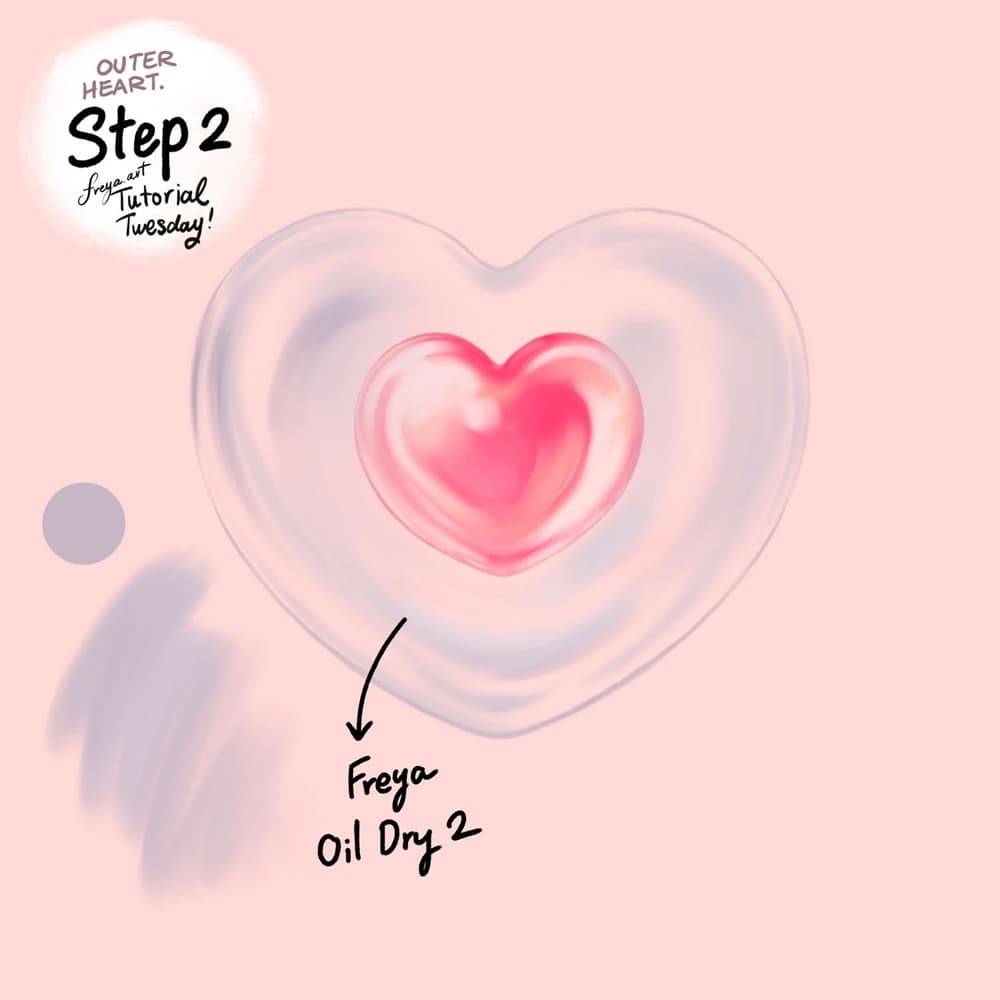
Step 2 (outer heart): Add a clipping mask layer, and this time we’re going to fill some parts of the outer heart using Twotap Oil Dry No. 2. Don’t fill the entire thing, because we want it to look transparent like a balloon.
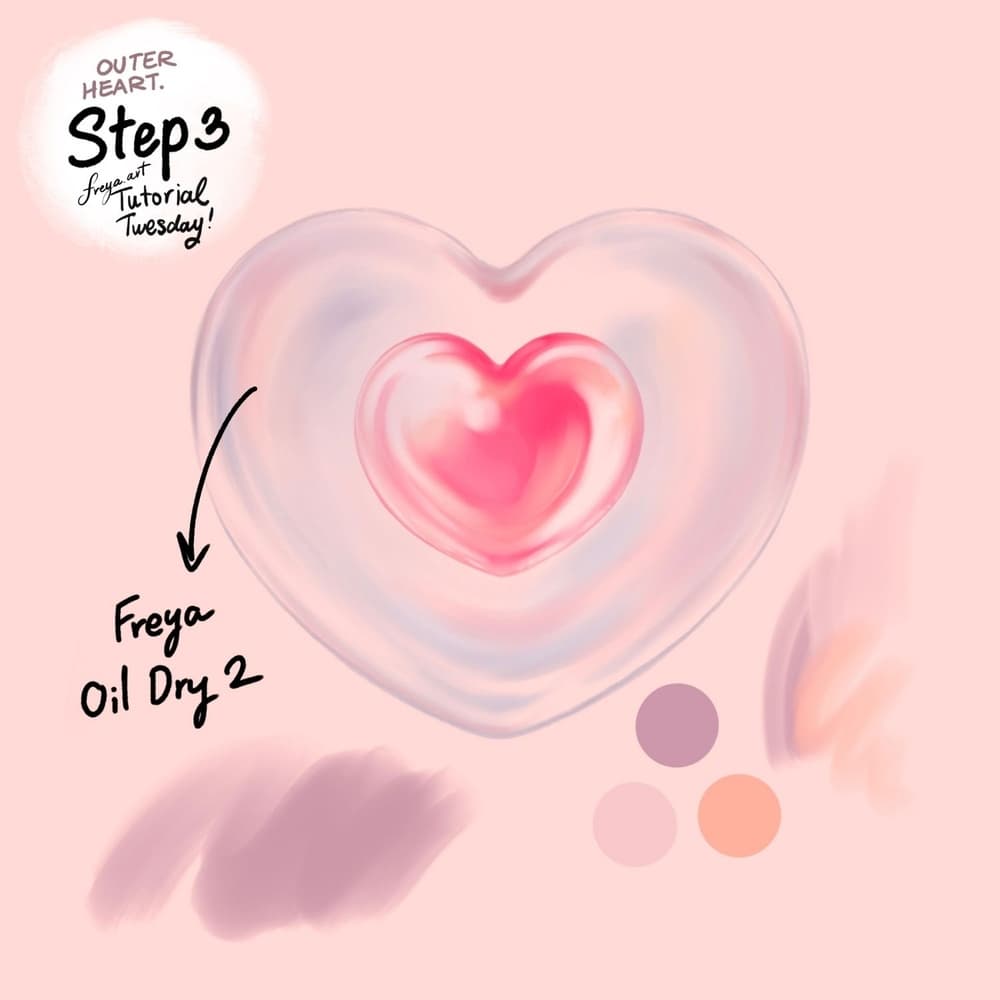
Step 3 (Outer Heart): Add another clipping mask layer and using the same brush, add some some more strokes but with using the different colors to create depth.
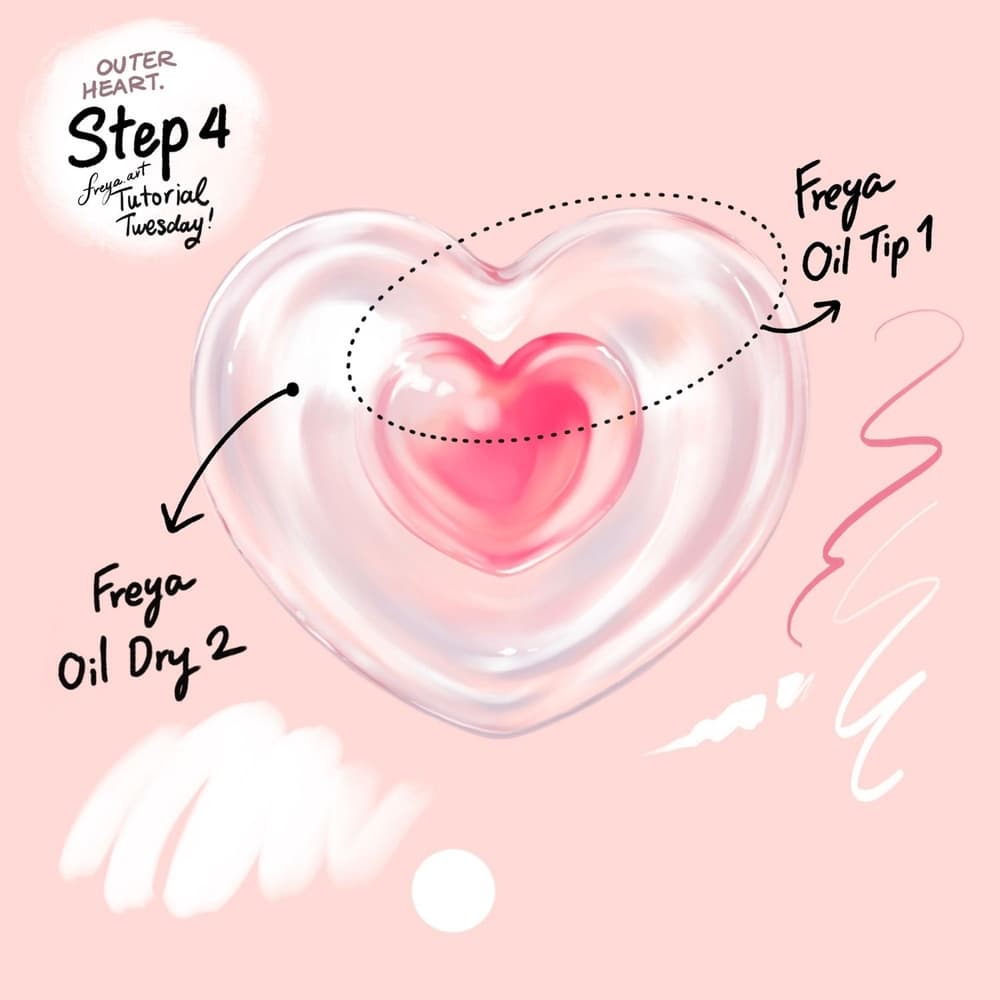
Step 4 (Outer Heart): Add another clipping mask layer and add some highlight using the same brush, in a very light pink color. This will give your outer heart the glossy look. Finally, use the Twotap Oil Tip No. 1 to add some fine details. Group these layers again so that you have the inner heart group and the outer heart group. This will make it easier to edit or animate later if you decide to do so later.
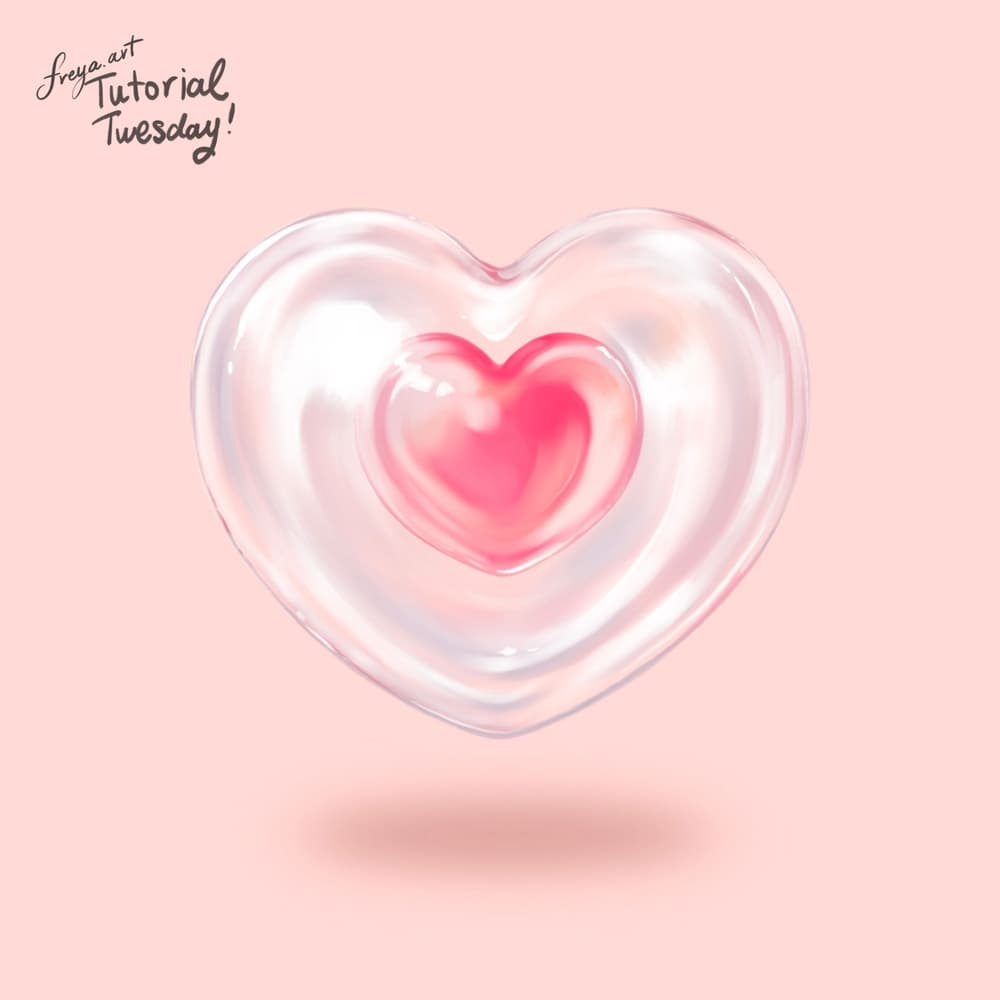
Export your heart and try a second version in a different hue. For longer oil projects, browse Twotap’s courses.


