Oil-Paint Apple Tutorial for Procreate
Paint a classic oil-style apple in Procreate with free files and a guided video. A clear intro to Twotap’s oil brush feel.
Download the free files
Procreate-ready, yours to keep
An apple is the cleanest way to practice oil-style form in Procreate: one subject, clear light, and room for thick strokes. This free tutorial includes files so you can match the demo as you paint.
Follow the video and keep your value structure simple. For the matching oil brushes, see the Oil Brush Set.
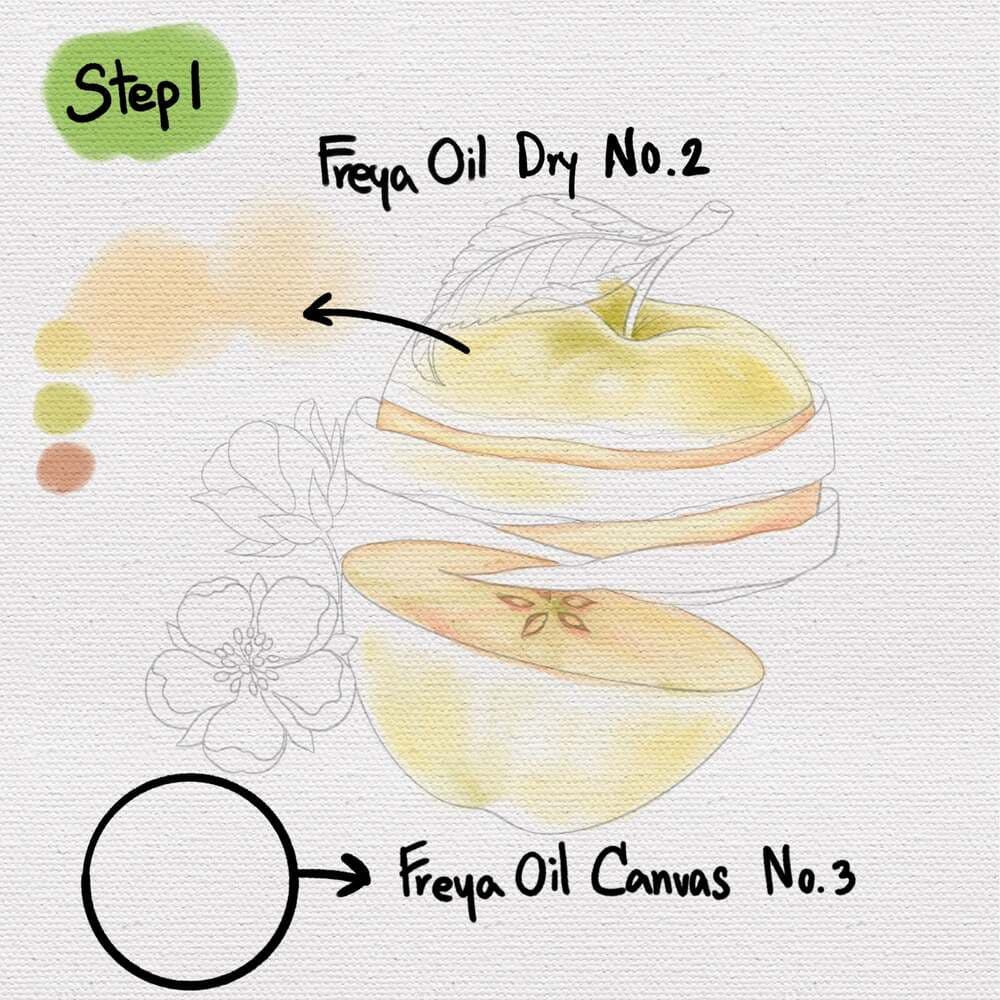
Step 1: Sketch out the composition using a 6B or a peppermint brush. Lower the opacity of the layer, rename it as sketch and lock it. Now swipe a layer of Twotap Oil Canvas No. 3 in a light grey color. On another layer, start adding the base colors using Twotap Oil Dry No. 2. Ideally have a separate layer for each area so it'll be easier to clip layers later.
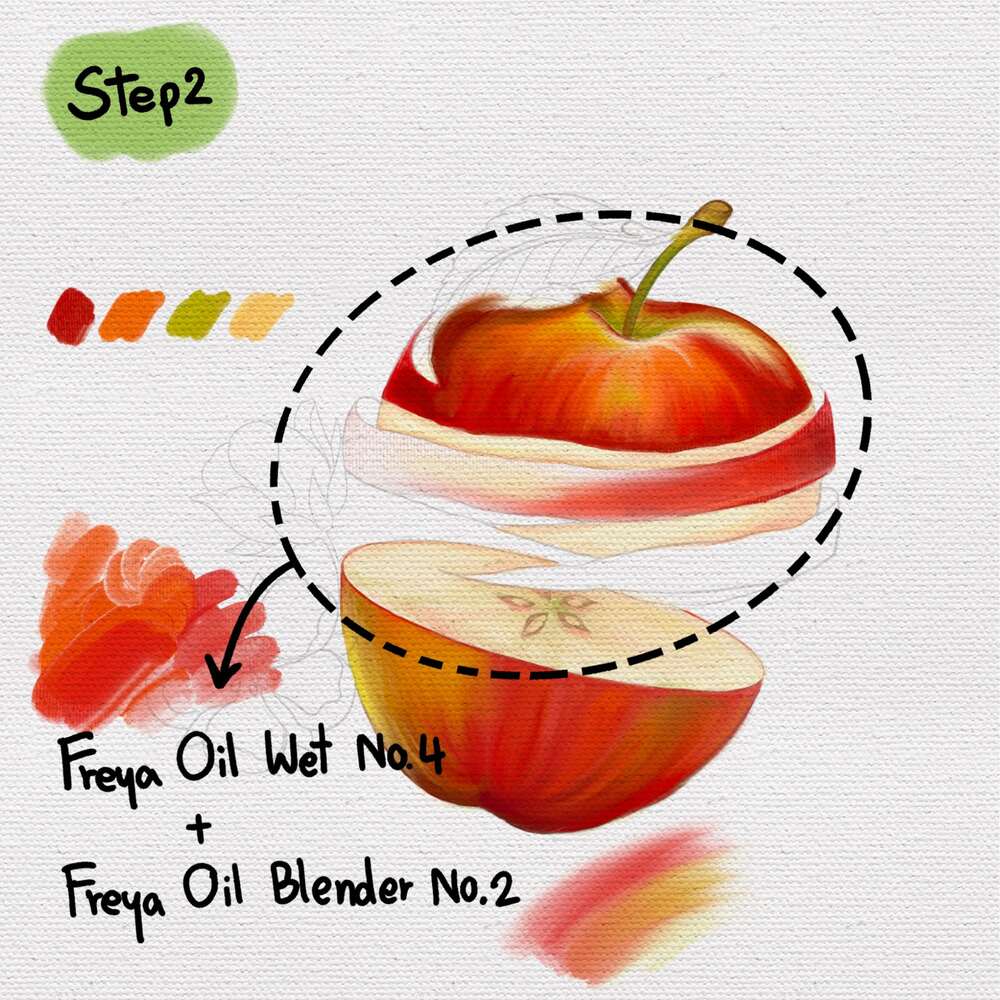
Step 2: Slowly add gradient colors to the top half of your apple using Twotap Oil Wet on Wet No. 4 and Twotap Oil Blender No. 2 Add a bit of light green and yellow highlights on top.
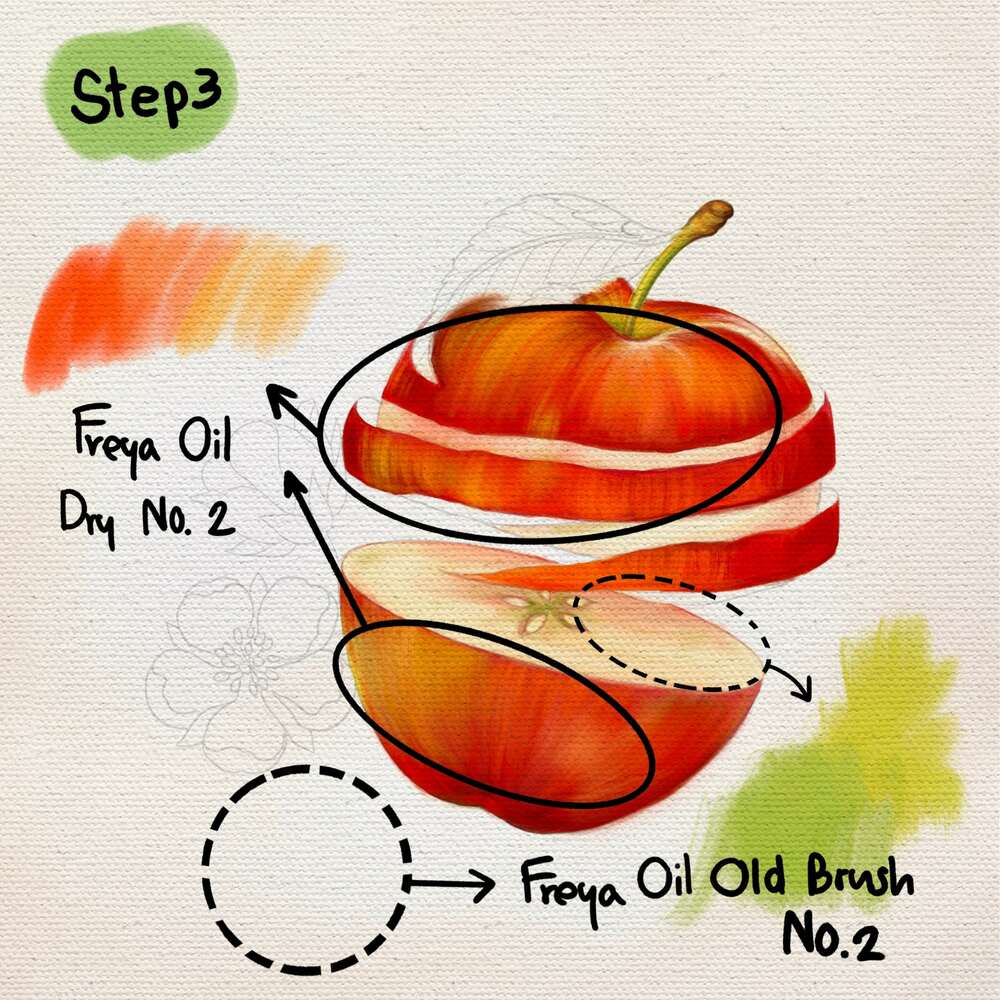
Step 3: Use a clipping mask to add details and texture to your layers, using the Twotap Oil Dry No. 2 and Twotap Oil Old Brush No. 2.
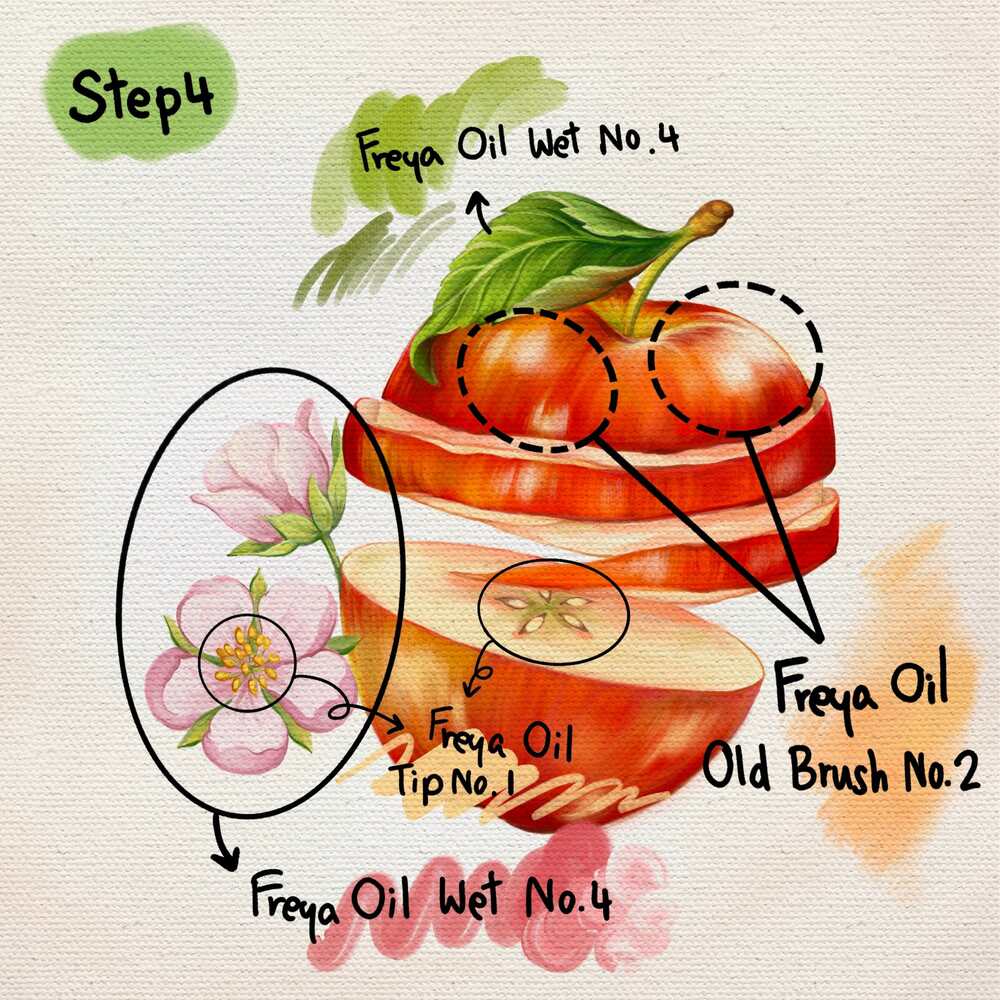
Step 4: Color in the flowers using Twotap Oil Wet No. 4. Then add the final details by using Twotap Oil Wet No. 4 and Twotap Oil Old Brush No. 2. For the seeds and flower details, add depth by adding highlights. Use the Twotap Oil Tip No. 1.
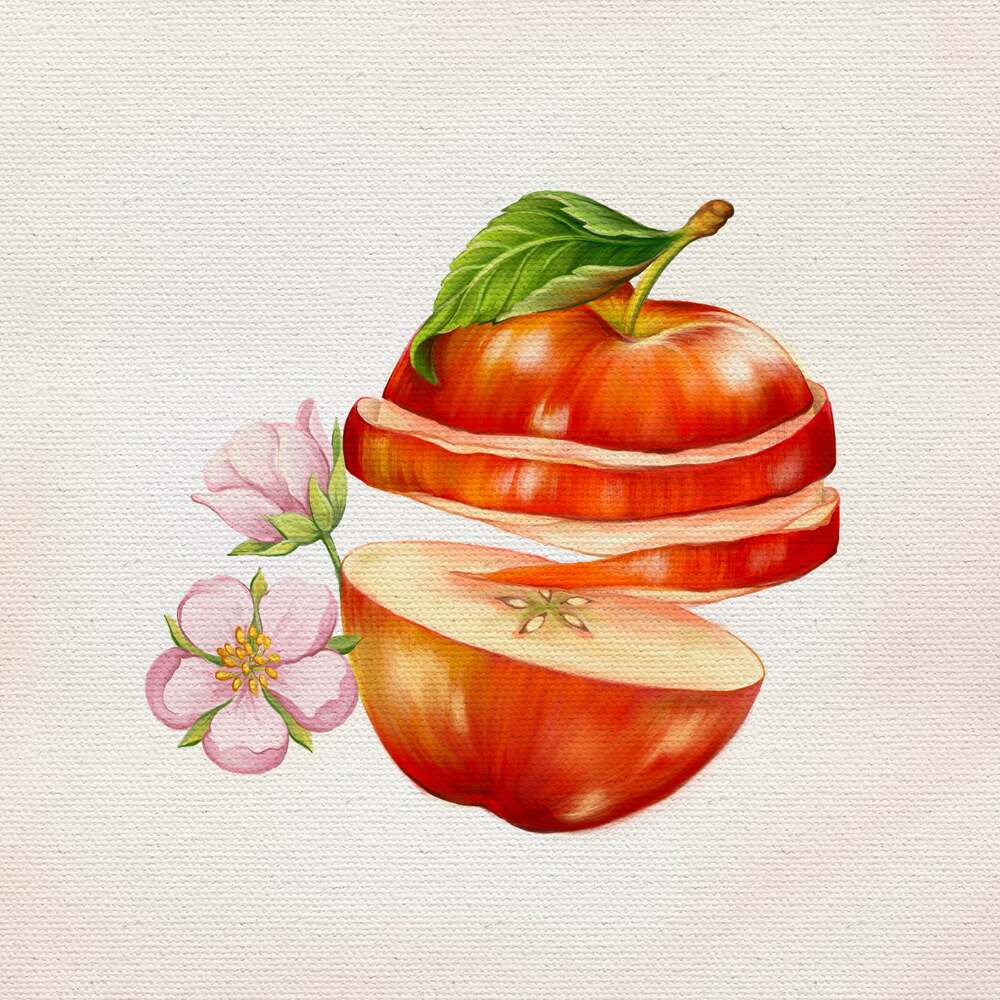
Nice finish. Try a second apple under cooler light, or continue with more painting projects in Twotap’s courses.


