Watercolor Owl Tutorial for Procreate
Paint a watercolor owl in Procreate with free Twotap files. Soft edges, readable feathers, and a finish you can share.
Download the free files
Procreate-ready, yours to keep
This free watercolor owl tutorial is built for Procreate painters who want soft edges and readable feather shapes. Download the free files before you start so the sketch and palette match the lesson.
Follow the video wash by wash. If you want the brush set used across these demos, visit the Ultimate Watercolor Brush Set.
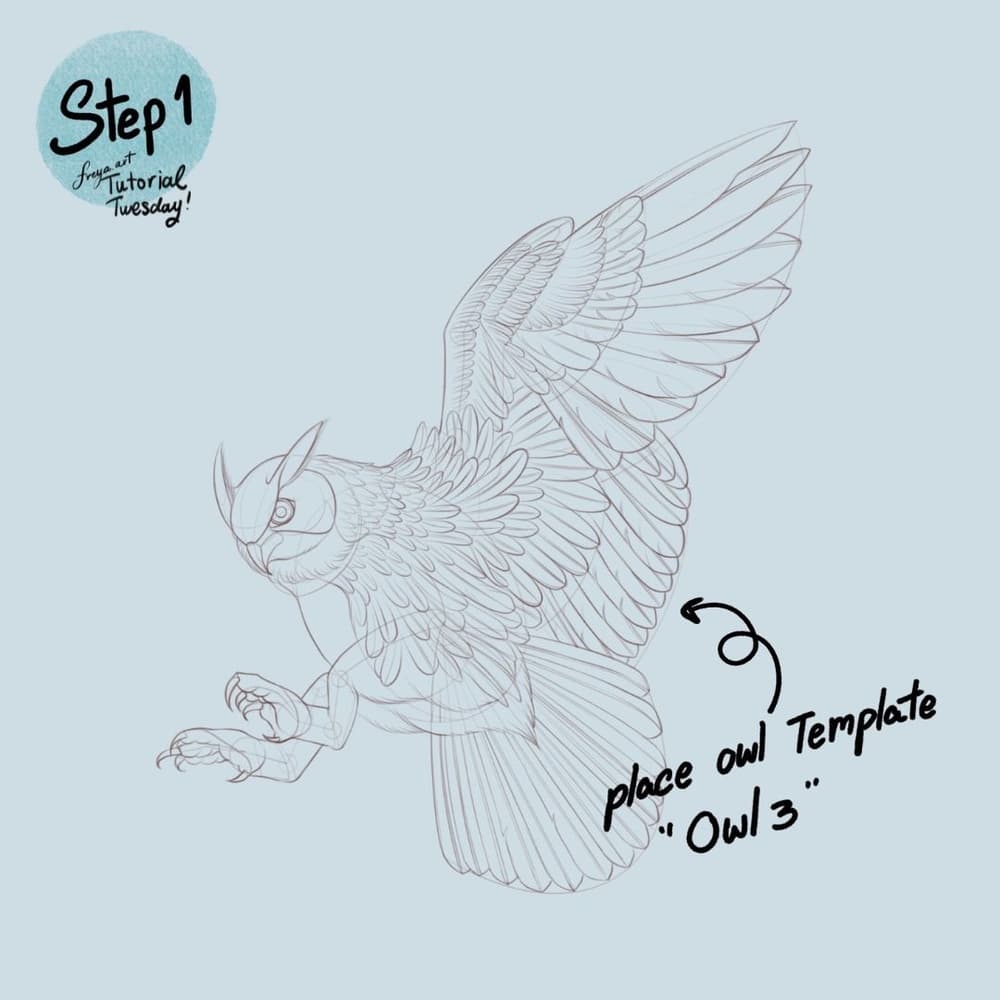
Step 1: Sketch out the your design with the Peppermint brush or 6B brush. In this illustration, we used one of the template brushes. Set the background color to a light muted color.
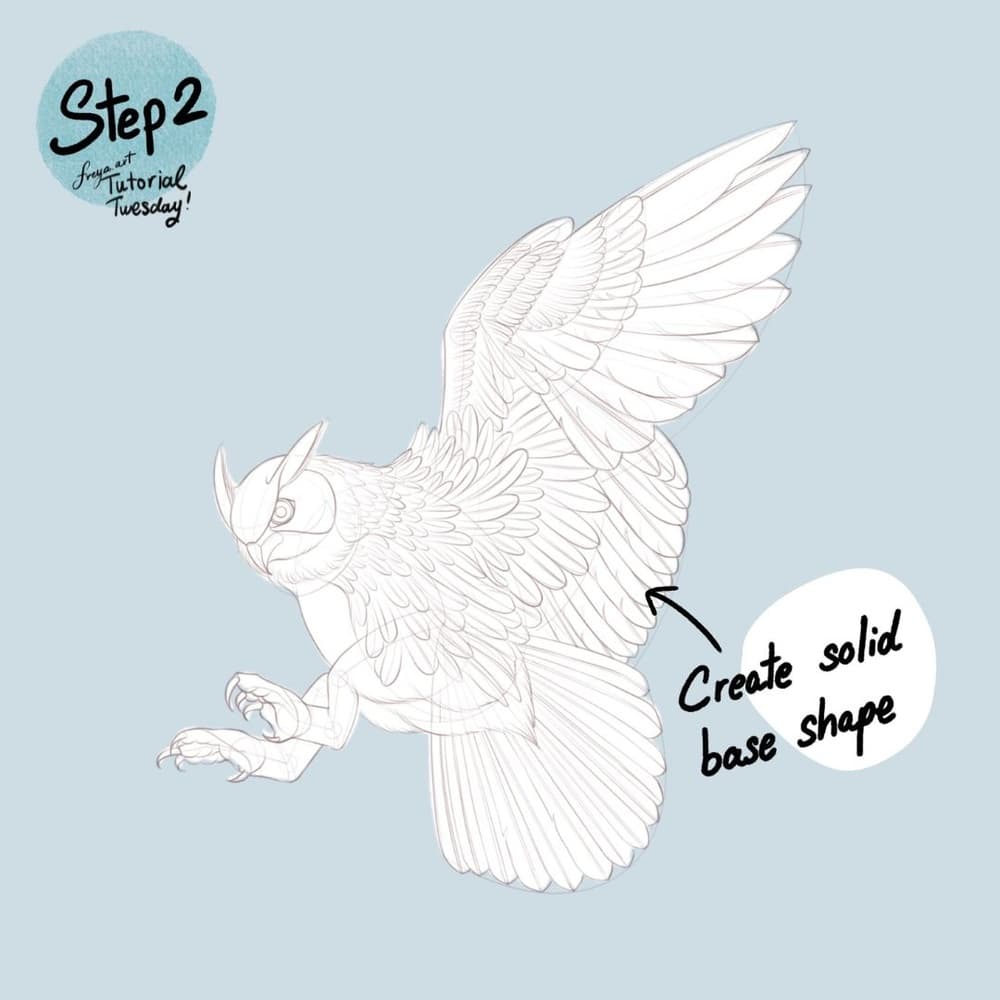
Step 2: Next, add another layer and create a solid white shape under the sketch or template. This will allow us to clip succeeding layers for cleaner coloring and shading later.
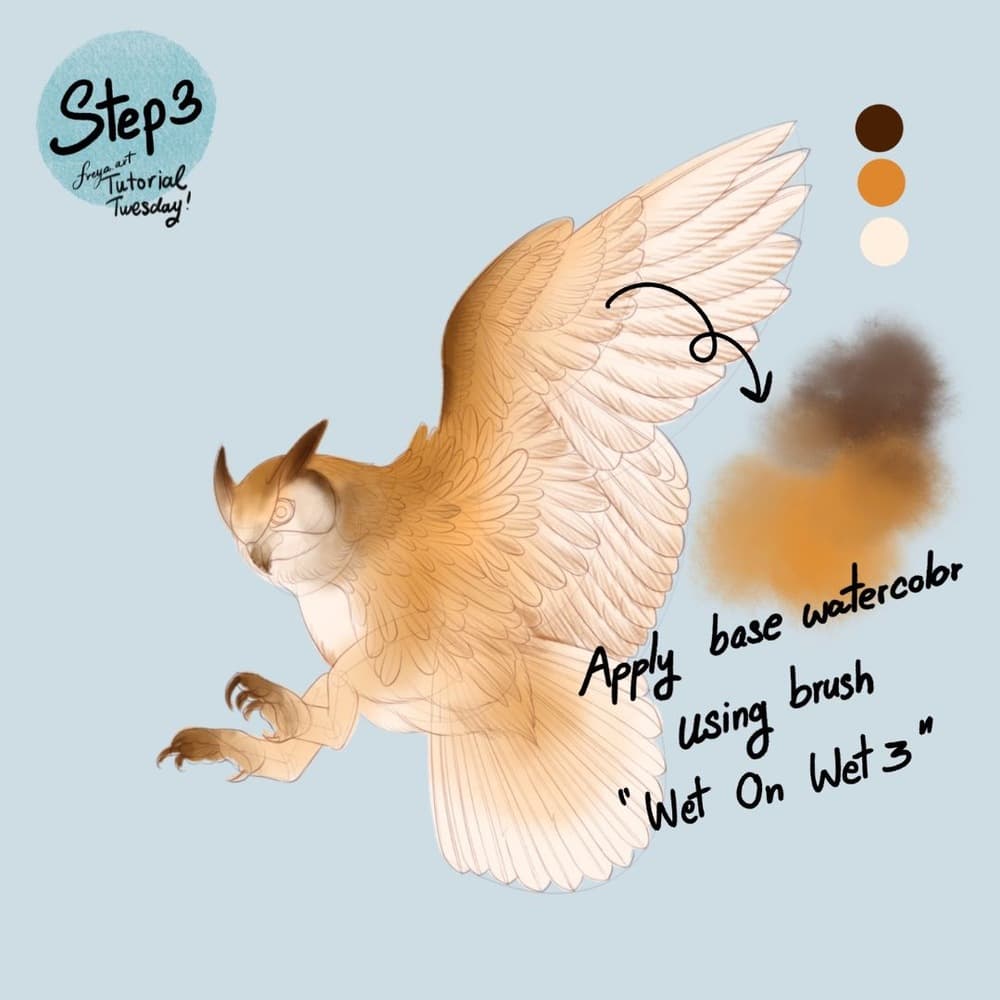
Step 3: Now add a base layer of color using the Wet on Wet Brush No. 3. Make sure to set this as a clipping mask to the white solid base layer. You can work on different layers per color.
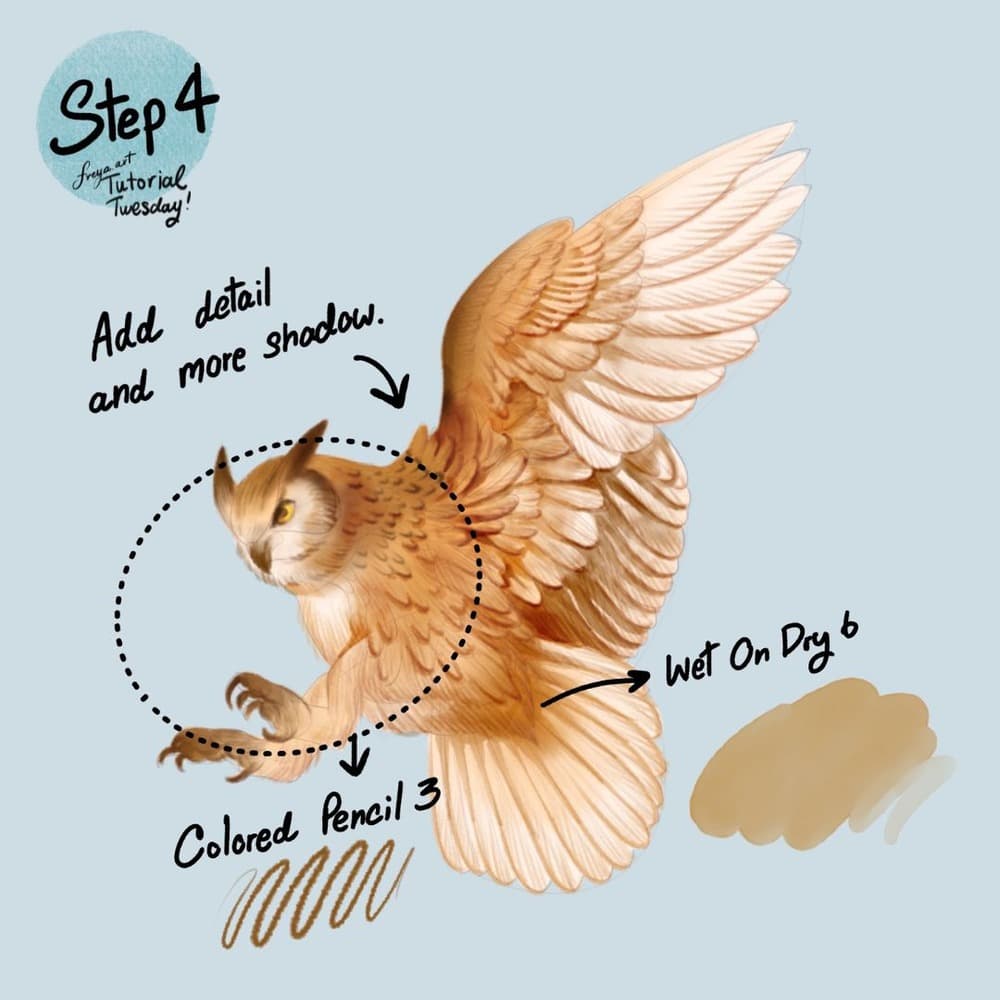
Step 4: In another layer, add details and more shadow using the Colored Pencil Brush No. 3 and Wet on Dry No. 6
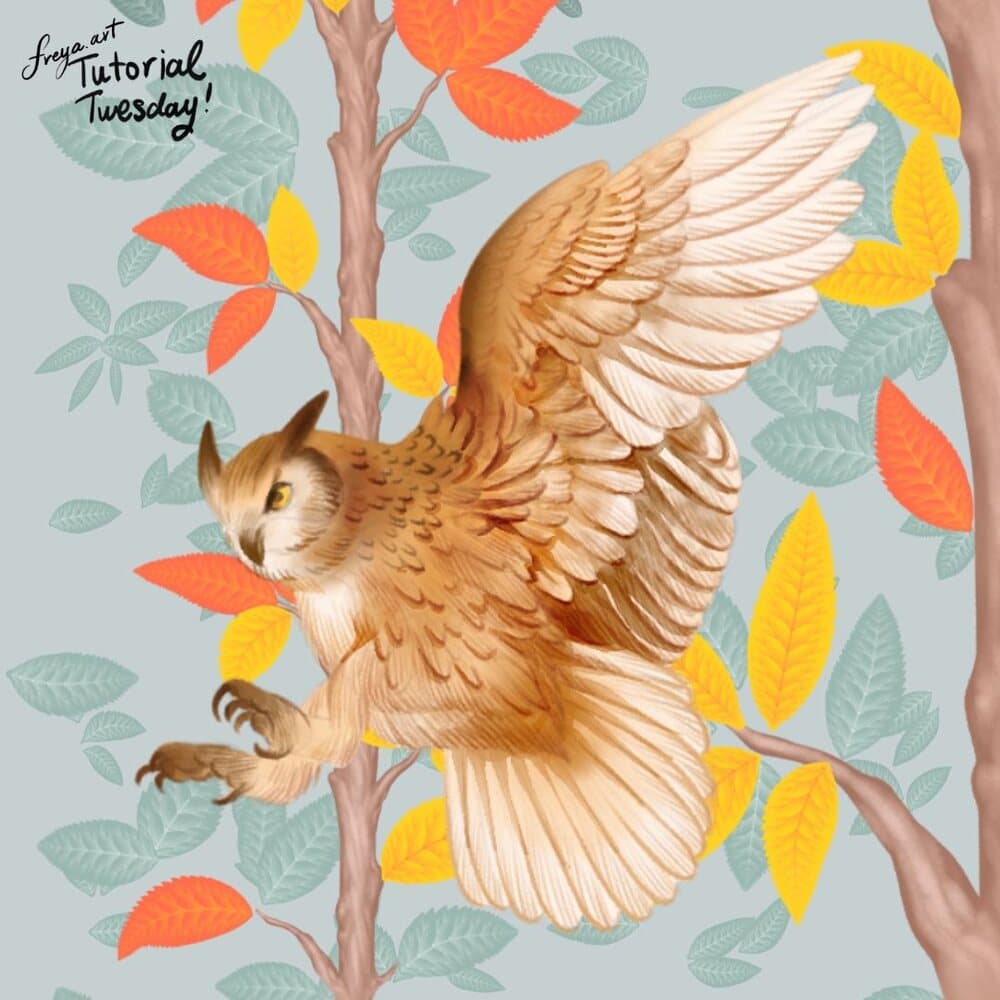
Now that you're done with this illustration, group the layers and label the group as "OWL".
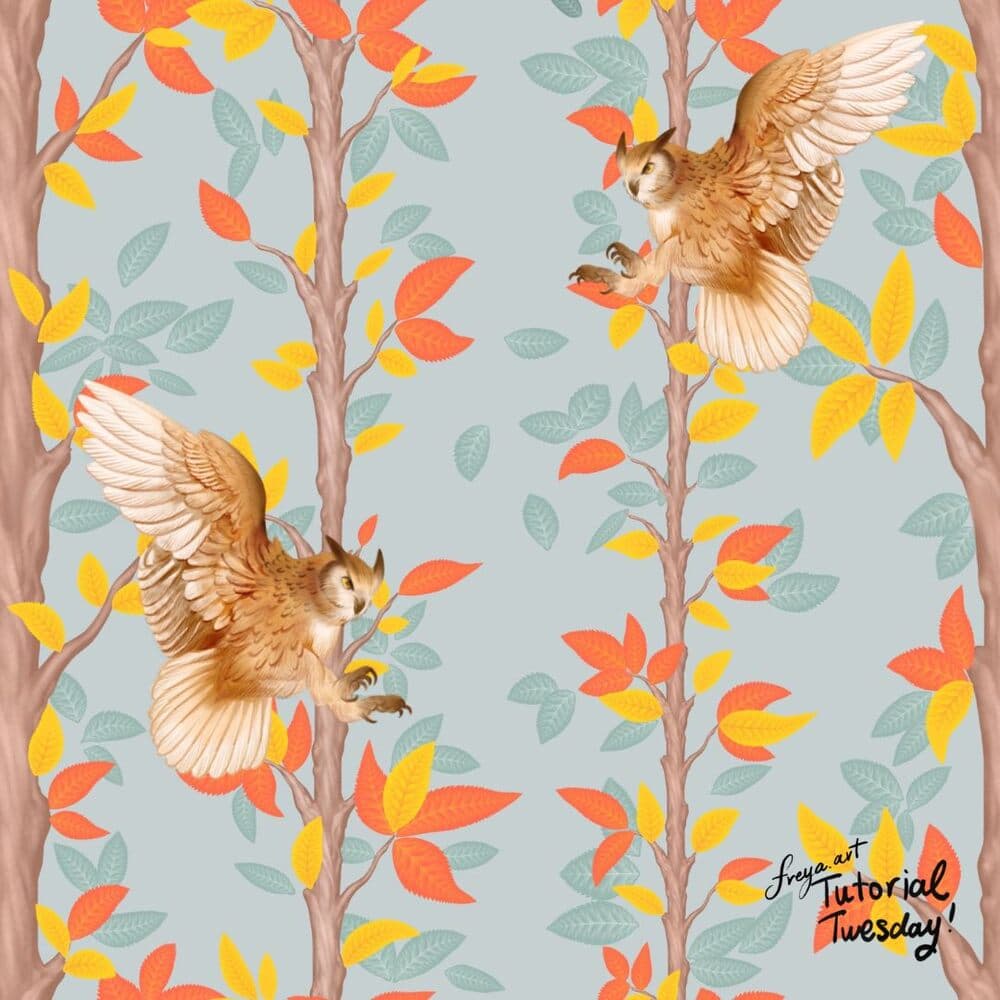
You can then choose to add a background to your illustration. Here we used some of the branch and leaves brushes from the Effortless Flower Brush Set. Once the look felt right, we create a pattern by duplicating everything into a new canvas.
Try it. We’d love to see your version. If you share your version, tag Twotap @twotap.art in case you share it on Instagram.
Your owl study is complete. Save a version with the sketch layer on for teaching notes, then explore more watercolor practice in Twotap’s courses.
Keep the watercolor streak going with the Ultimate Watercolor Brush Set, or join a guided course from the catalog.


