Free Watercolor Rose Tutorial for Procreate
Paint a watercolor rose in Procreate with free files, then continue with Twotap’s watercolor brushes and courses.
Download the free files
Procreate-ready, yours to keep
Want a soft watercolor rose on your iPad without guessing every wash? This free tutorial walks you through the full piece in Procreate, with a downloadable sketch, color palette, and PDF so you can paint along.
Grab the files below, open the video, and work step by step. When you want the same brushes we use here, browse the Ultimate Watercolor Brush Set.
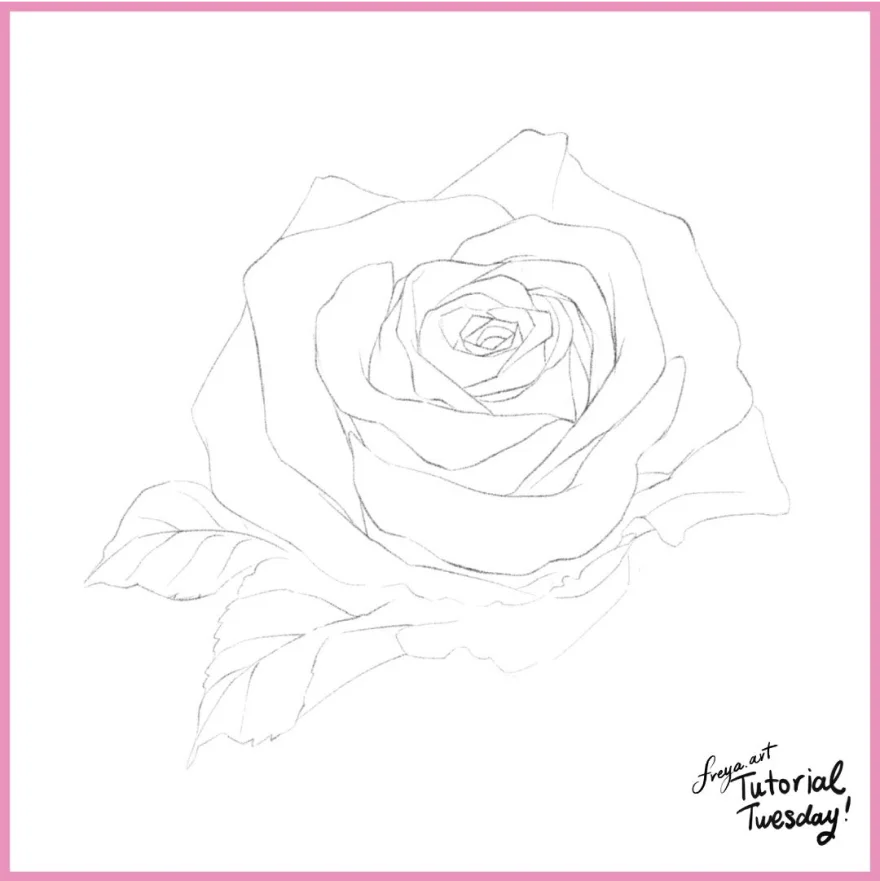
First, sketch out the composition using the Peppermint or 6B brush. Once you're done, lower the opacity and lock this layer.
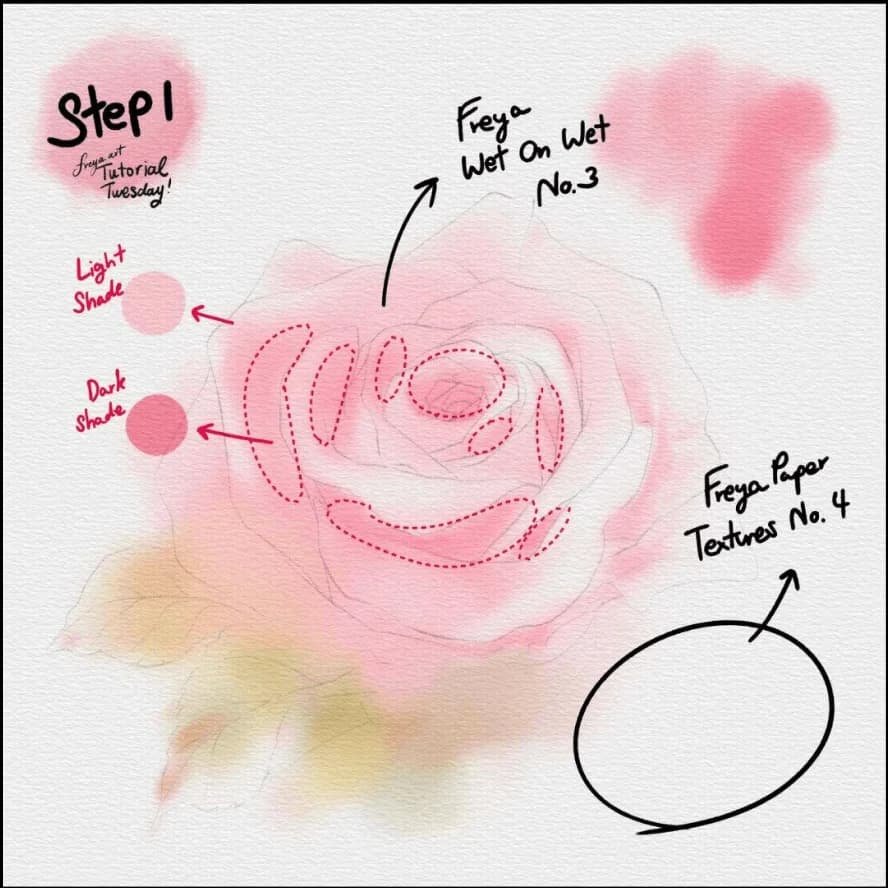
Step 1: Now add a paper background using Twotap Paper Texture No. 4 in a light grey color. Set the layer to Linear Burn and lock this layer. This layer should be on top of all the succeeding layers so that its texture will apply to the entire artwork. Add another layer, set it as a clipping mask, and start coloring the base using Twotap Wet on Wet No. 3. Lighter shades to the outer areas, darker shades in between petals and under folds.
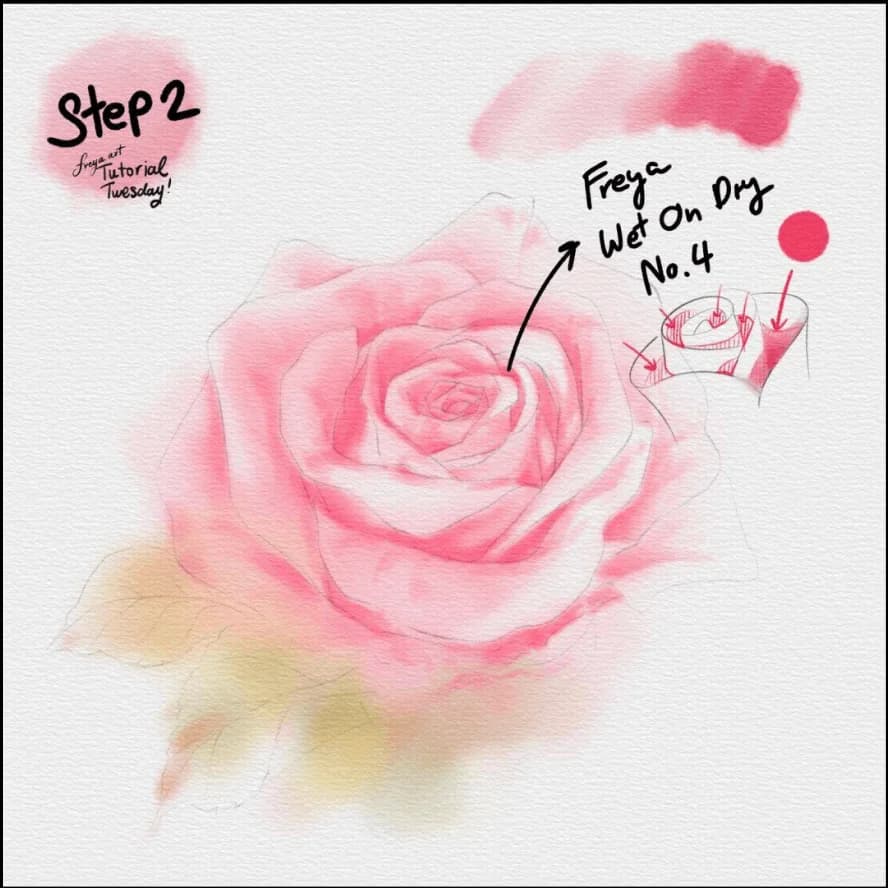
Step 2: Add a clipping mask layer and using Twotap Wet on Dry No. 4 brush, continue adding more emphasis in between petals to add depth.
Step 3: Add a clipping mask layer and using Twotap Wet on Dry No. 4 brush, continue adding more emphasis in between petals to add depth.
You now have a finished watercolor rose you can drop into a larger illustration or leave as a study. If you want more guided flower work, explore our Procreate courses or keep practicing with more free tutorials on the Twotap blog.
Liked this free rose? Keep the momentum with the Ultimate Watercolor Brush Set, or pick a guided path in the Twotap course catalog.


