Poodle Pet Portrait Tutorial for Procreate
Paint a fluffy poodle portrait in Procreate with free files. A free step toward Twotap’s pet portrait path.
Download the free files
Procreate-ready, yours to keep
Pet portraits convert practice into something people actually commission. This free poodle tutorial walks a clear Procreate path with downloadable files so you can focus on shapes and fur read.
Follow the video, keep layers tidy, and resist detailing whiskers too early. When you want the full pet workflow, see Pet Portraits and the Fur Brush Set.
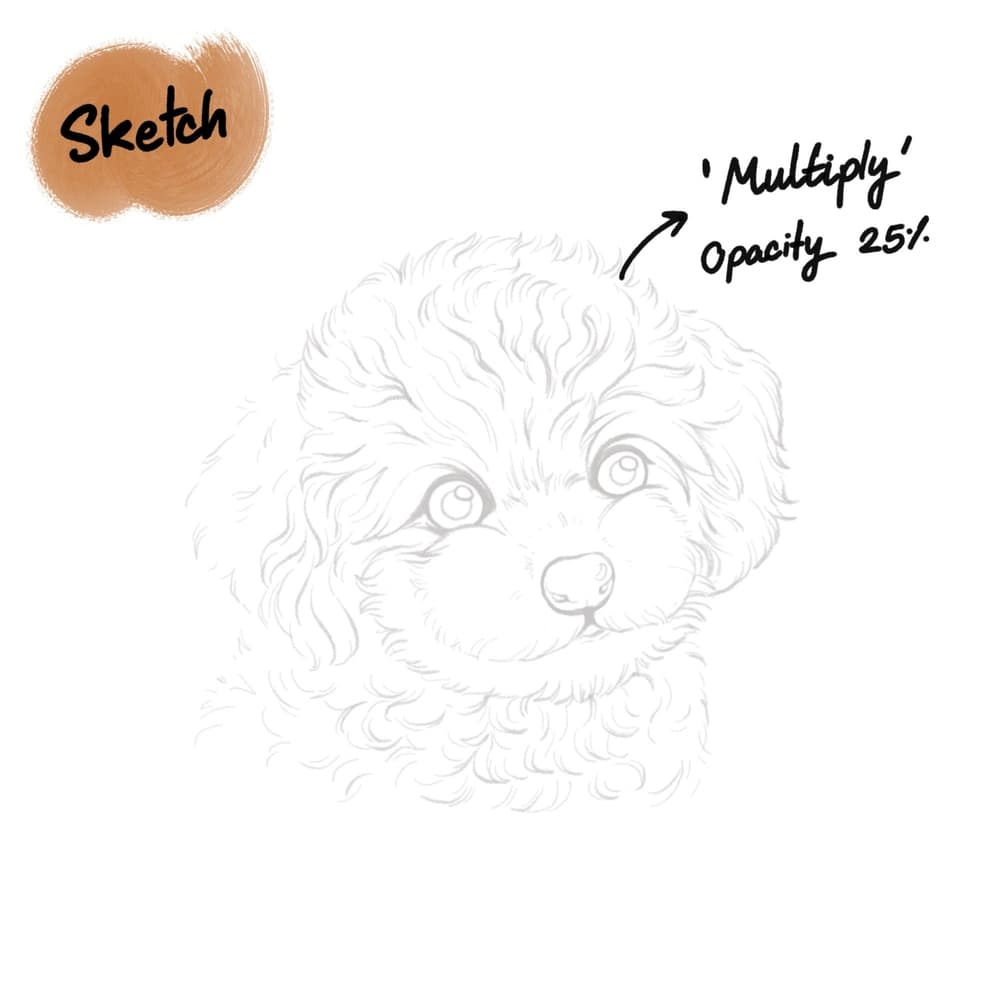
Let’s start by creating a 3000 x 3000 pixel canvas. Download the sketch file to your photos app and import it to Procreate. Once imported, tap on the sketch layer and the letter “N”, scroll up the options and choose Multiply. Then lower the opacity to 25%. Lock this layer so we don’t accidentally color over it. In our Pet Portrait Purrfection Course, we teach students to draft the sketch using a connect-the-dots technique. But for this tutorial, you can just use the sketch we provided.
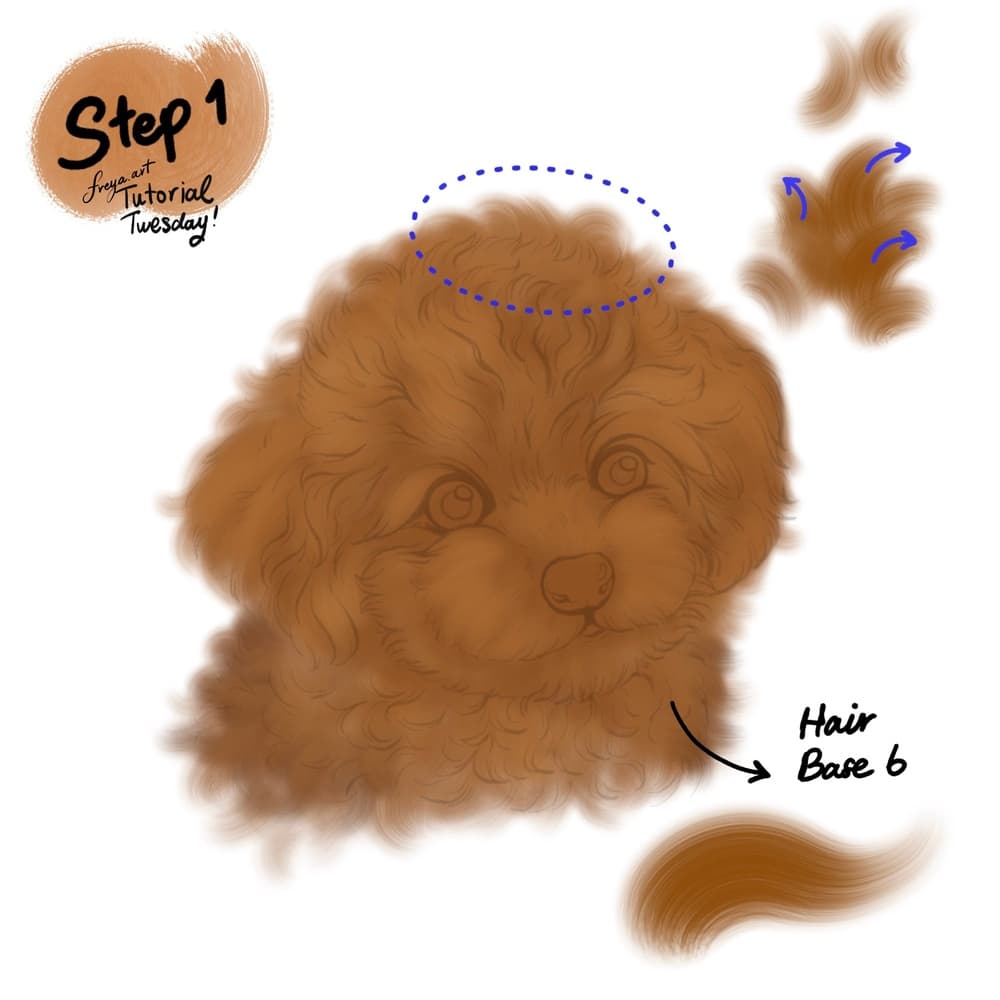
Step 1: Add a new layer under the sketch layer. Choose the brown color and then use the Hair Base No. 6 brush to create your base color.
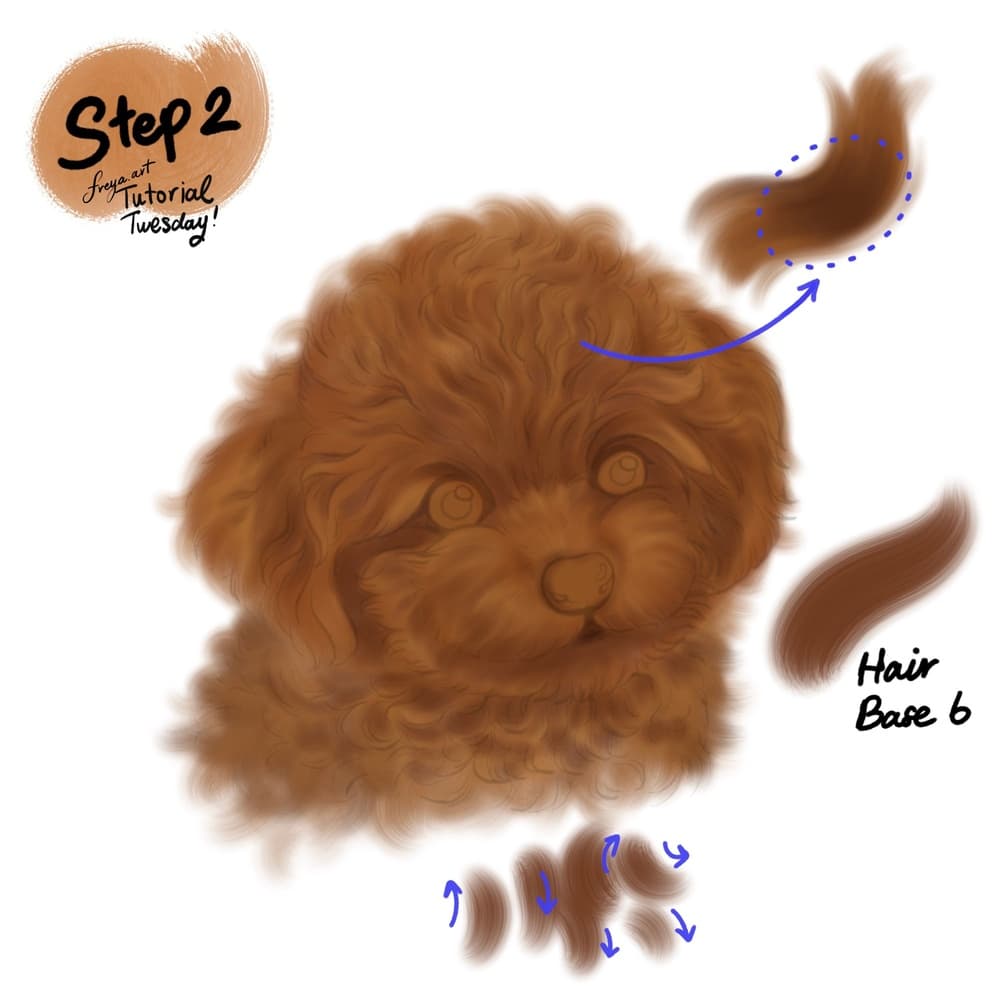
Step 2: Add another layer and set it as a clipping mask on top of the base layer. Using the same brush, start by adding shadow areas around the eyes, mouth, and some parts of the neck and ear flaps. Once you have the base colors mapped out, you can go ahead and turn off the sketch layer.
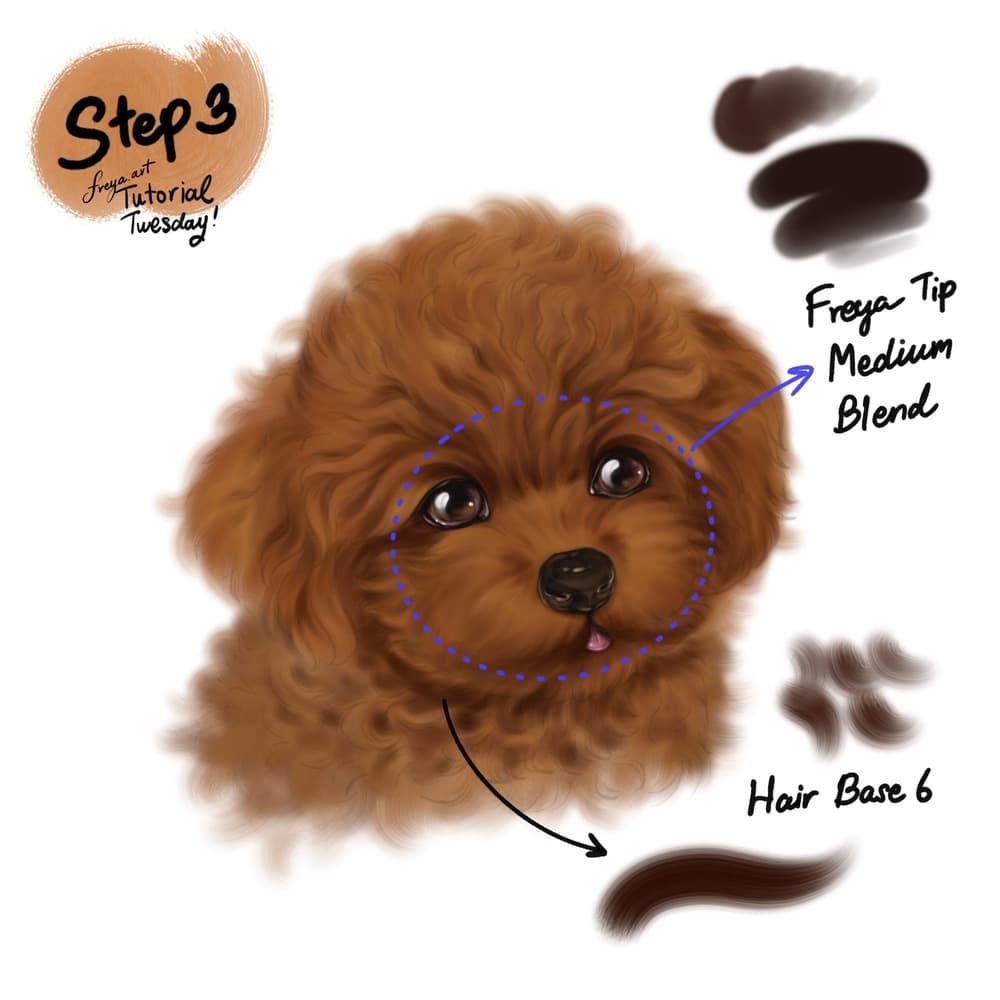
Step 3: Add a new clipping mask layer. Using the same brush, add even darker tones to the fur under the neck. Paint with a curling motion outward. Then use Twotap Tip Medium Blend to paint the eyes, nose, and tongue. Add catchlights to the eyes using a white color.
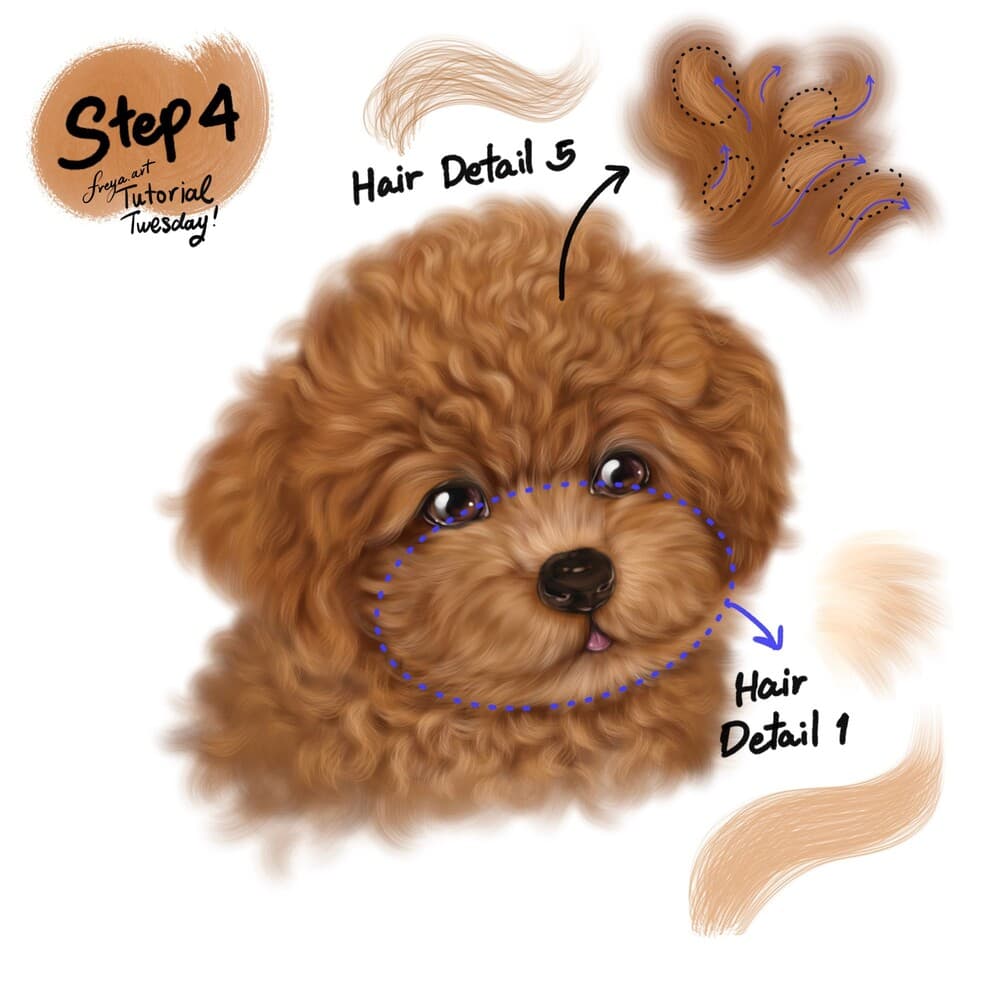
Step 4: Now add another layer, using Hair Detail No. 5 add the highlights to the top of the head. It’s still curly but direction is upward and outward. Use Hair Detail No. 1 to add highlight to the snout. The fur should move outward from the nose.
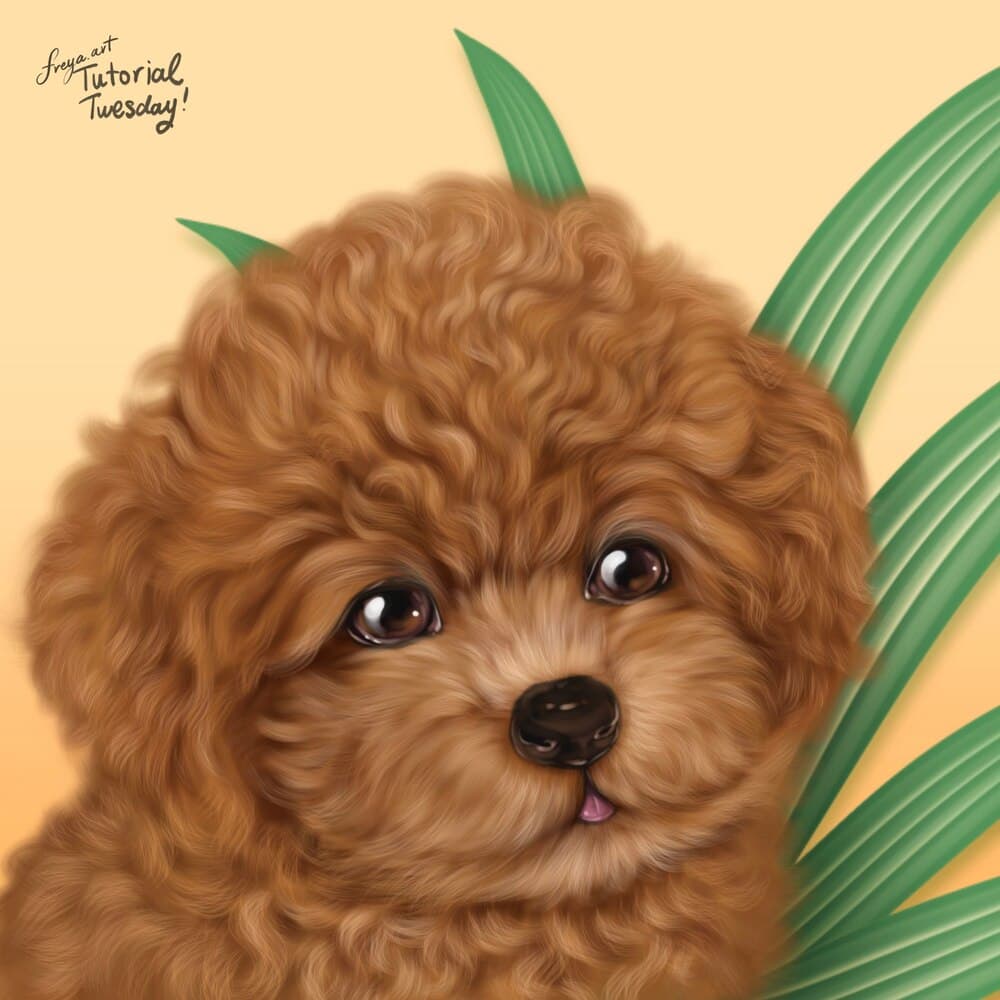
And there you have it! You can keep it as is, or have fun with the background by adding leaves or drawing pet toys. If you enjoyed this short tutorial, please check out our Pet Portrait Purrfection course for a more in-depth way to draw pet portraits from scratch.
Your poodle study is done. Try the same structure with a client photo crop, or continue with more Twotap pet lessons via courses.


