Artistic Lettering Tutorial for Procreate
Practice expressive lettering in Procreate with free files and a guided demo built around Twotap’s Artistic Lettering brushes.
Download the free files
Procreate-ready, yours to keep
Lettering feels better when you practice strokes before full words. This free tutorial gives you a clear Procreate lettering demo plus downloadable files so you can focus on pressure and rhythm.
Paint along with the video. When you want the brush set built for this style, open the Artistic Lettering Brush Set.
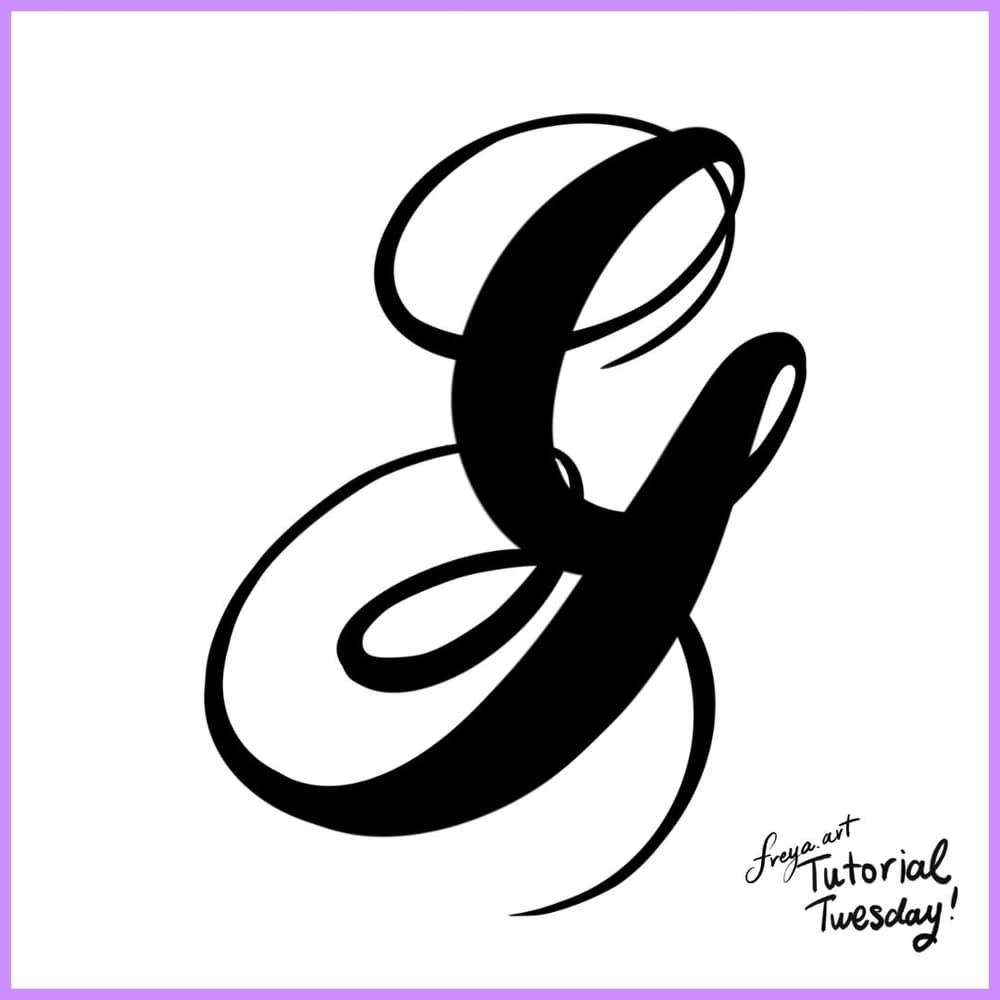
If you're not confident yet about your hand lettering, you can trace this template in the meantime.
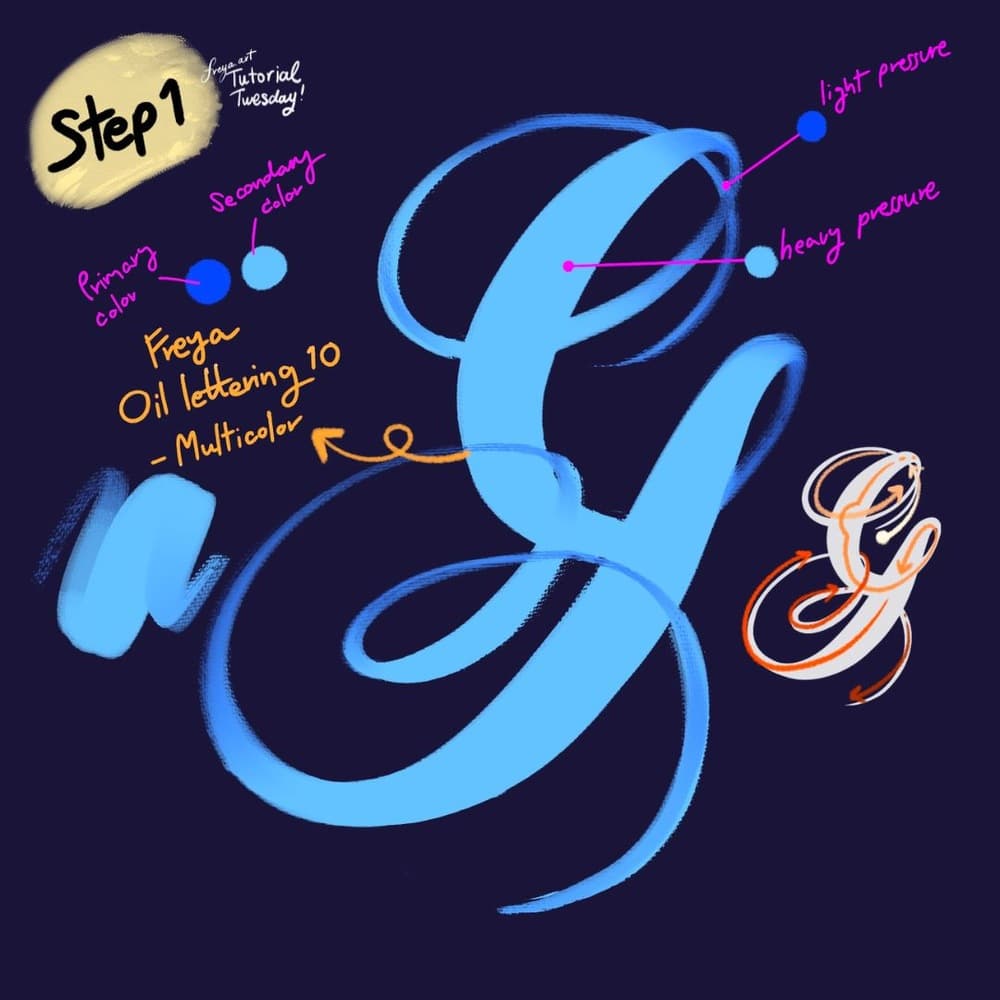
Step 1: Let's start by creating our lettering composition using the Twotap Oil Lettering No. 10 Multicolor Brush. Set your primary and secondary brush colors in the color panel. Practice using light and heavy pressure as indicated. It'll take some time but it will be worth learning.
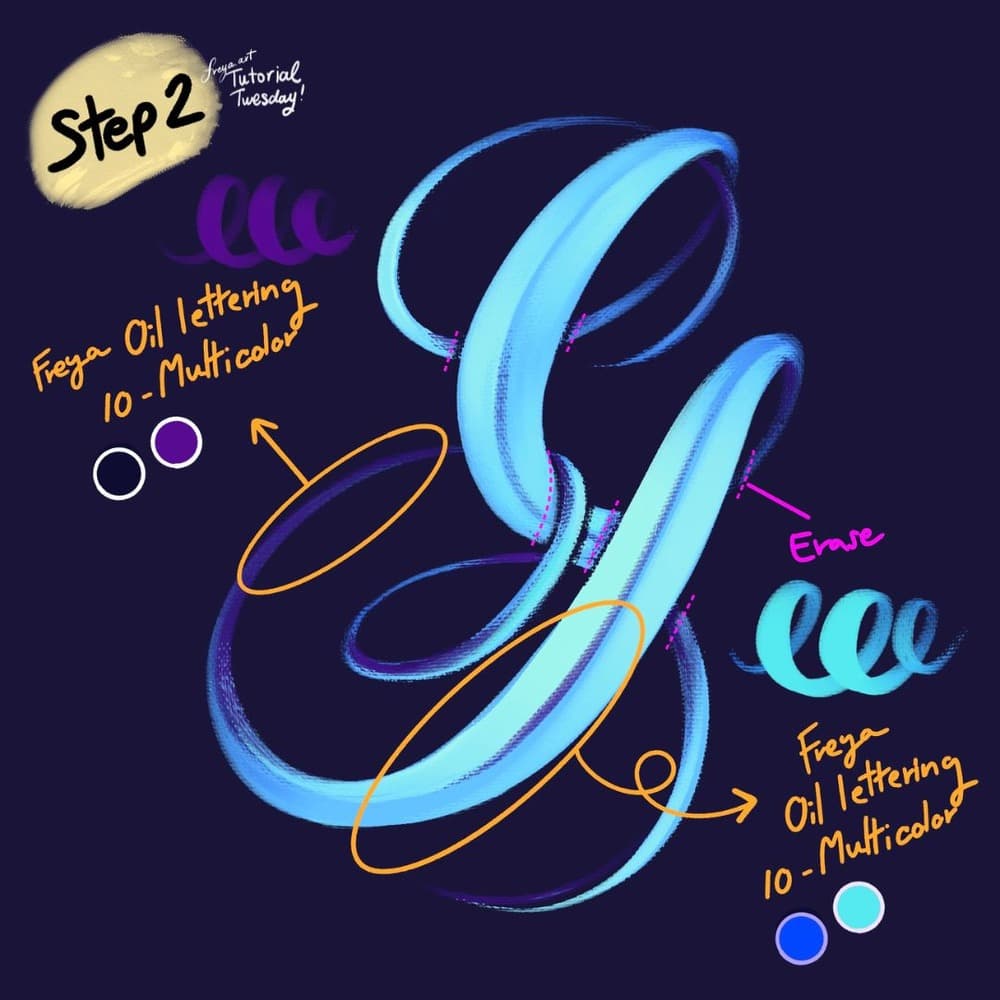
Step 2: Now erase some parts of the stroke that overlap. Using the same brush, change the primary and secondary colors. Then add a clipping mask so that you can shade parts of the letter stroke cleanly.
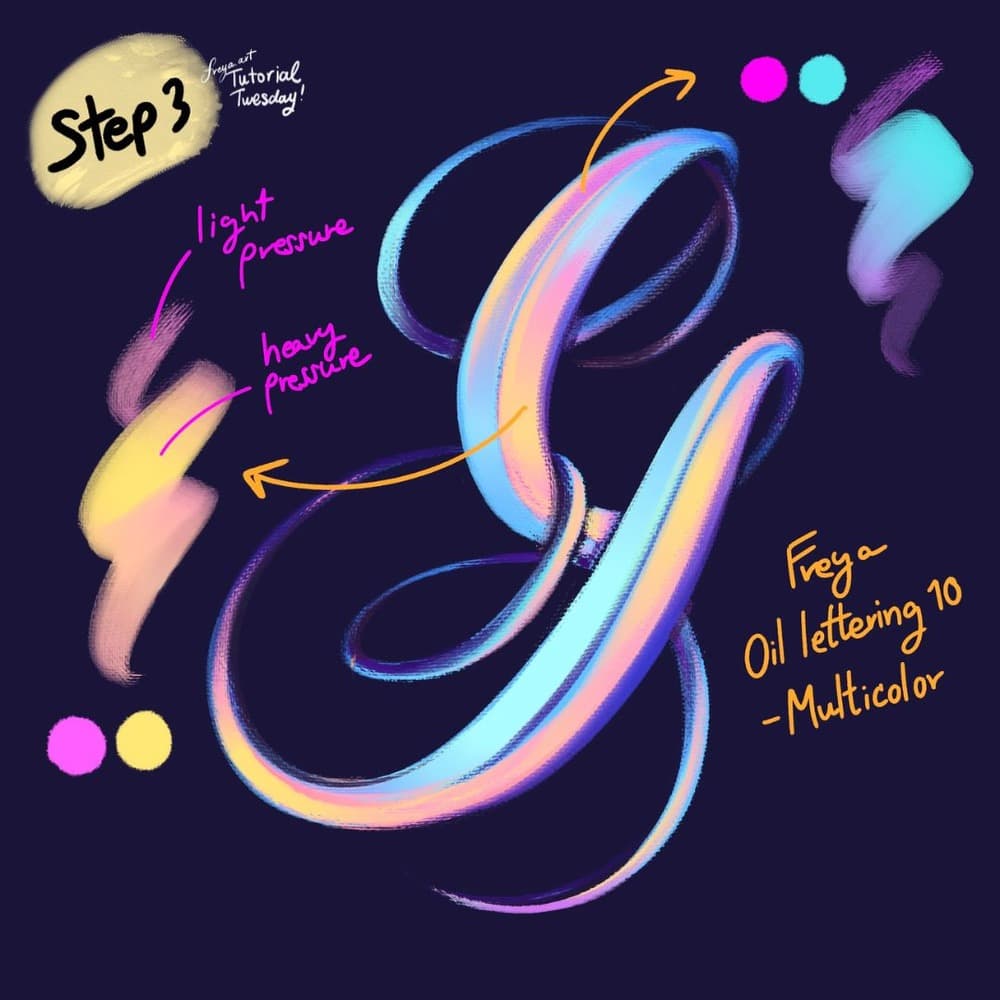
Step 3: Add another clipping mask layer, and change the primary and secondary colors again to add color accents to the shape. Use the same brush.
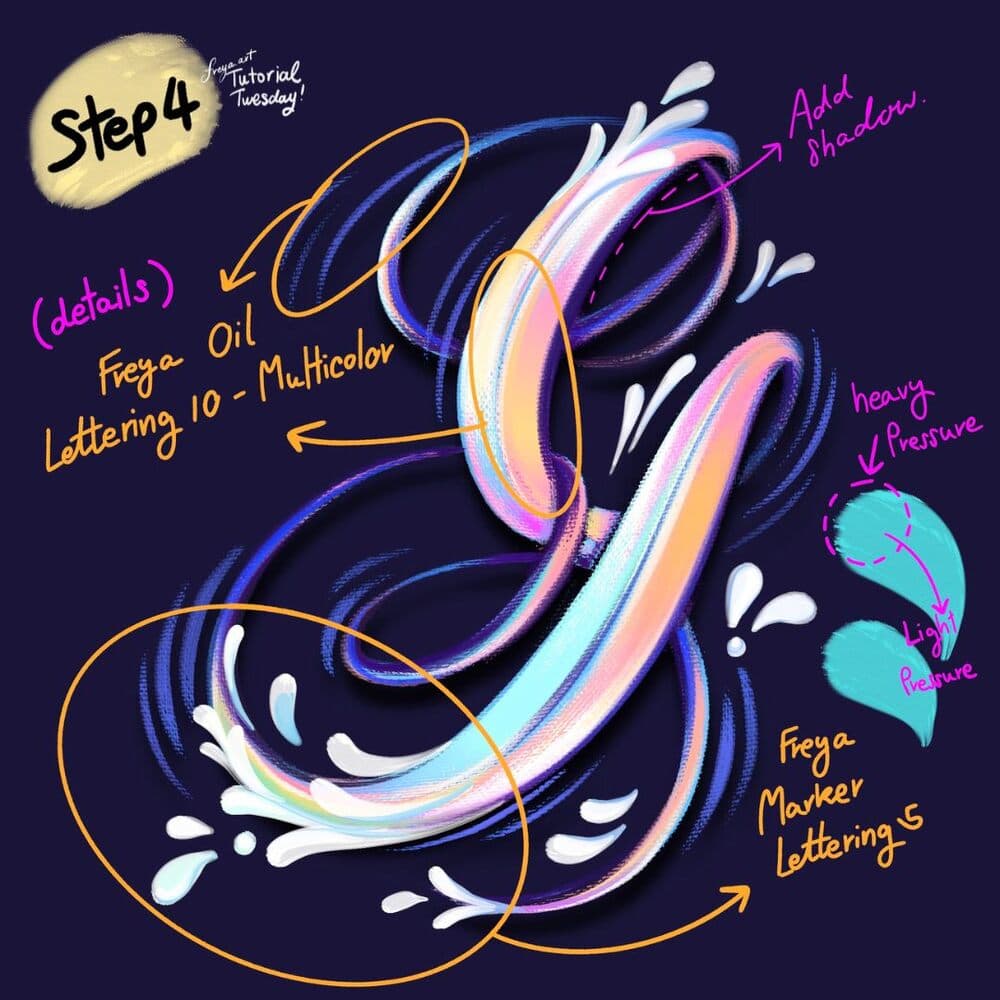
Step 4: Add another layer and using the Twotap Marker Lettering Brush No. 5, add swooshes to the letter shape. Move down from heavy to light pressure. Then with the Twotap Oil Lettering 10 - Multicolor brush, add the finishing touches and shadow in some areas of the composition.
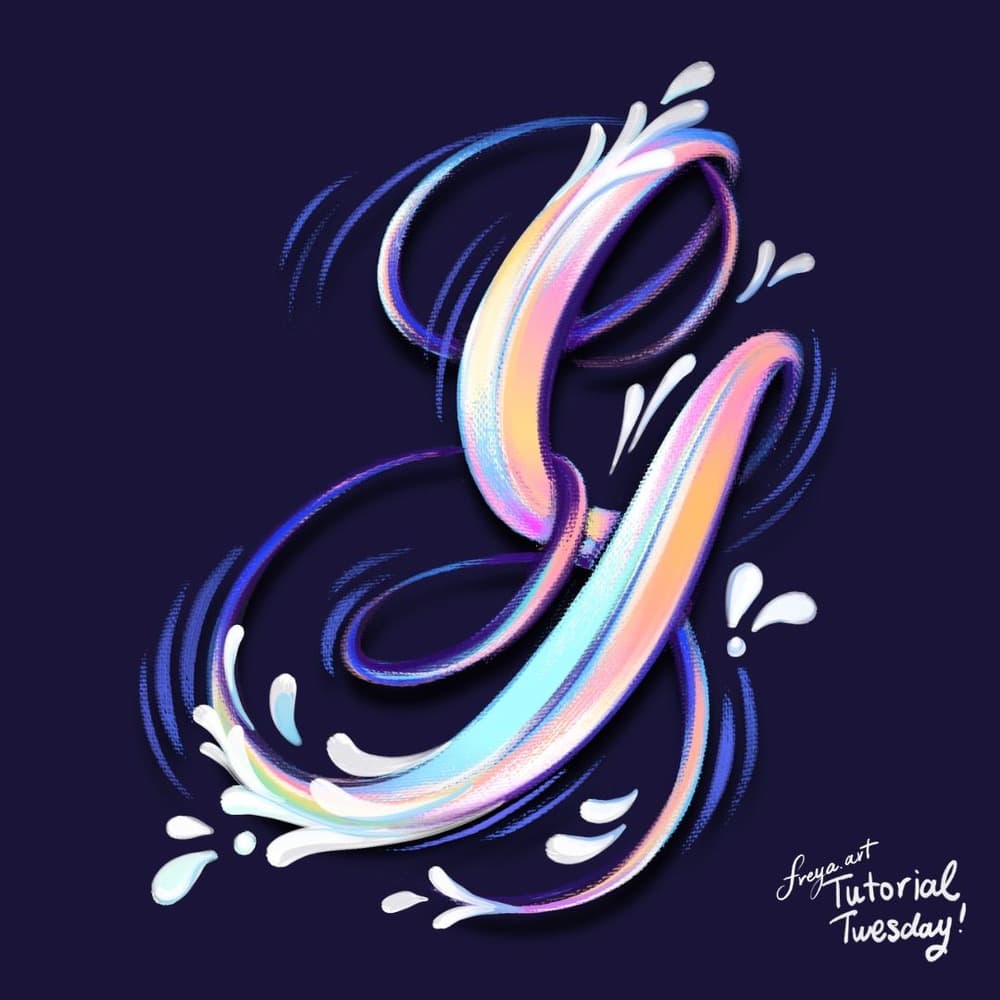
Congrats! You've just completed a lettering composition using the sampler brushes from the Twotap Artistic Lettering Brush Set. Next time, try it this technique with the a different letter. 😊
Keep a dedicated lettering practice canvas and revisit it weekly. For more lettering and illustration paths, browse Twotap courses.


