Sunflower Tutorial for Procreate
Paint a bold sunflower in Procreate with free files and a guided video. A free taste of Twotap’s flower brush workflow.
Download the free files
Procreate-ready, yours to keep
Sunflowers are a great free win: big shapes, clear values, and a finish you can share the same day. This Twotap tutorial includes downloadable files so you can paint along without guessing the sketch.
Follow the video, then try a second bloom with warmer or cooler petals. Want the brushes used here? See the Effortless Flower Brush Set.
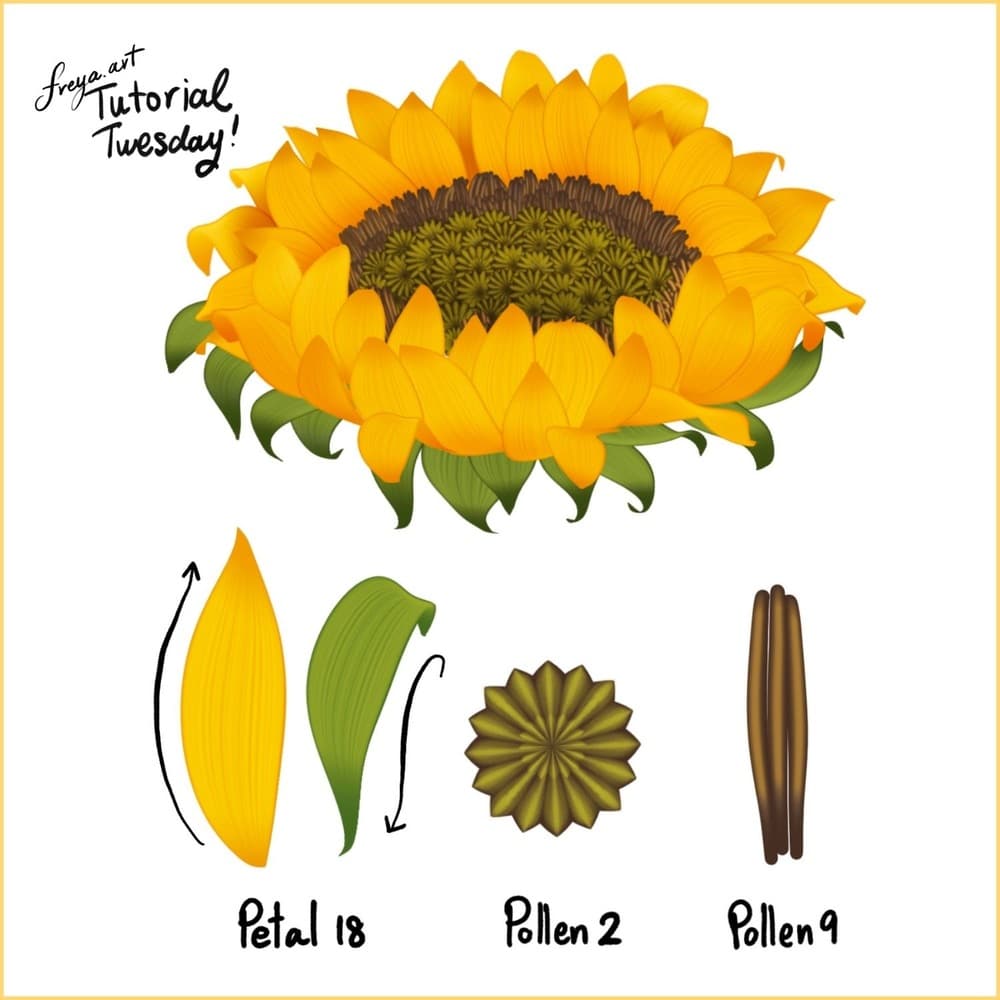
To recreate this flower, we are going to use three brushes from the Effortless Brush Set. Namely, Petal 18, Pollen 2, and Pollen 9, Make sure that your Dynamic Scaling is turned on when you're using this brush set, you can find this under Actions > Preferences.
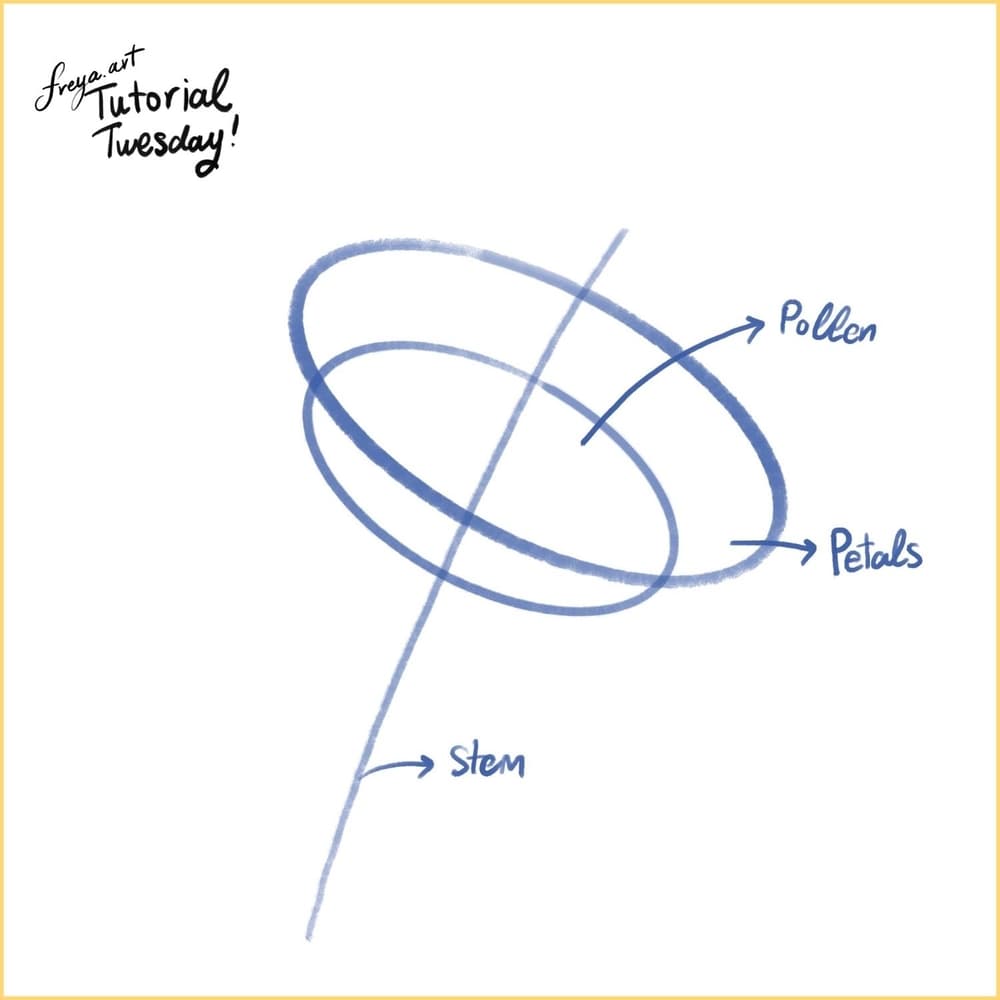
Let's start with a 3000 x 3000-pixel canvas at 300 DPI. Then roughly sketch the shape and direction of our sunflower. Lower the opacity and lock this layer. Add layers on top.
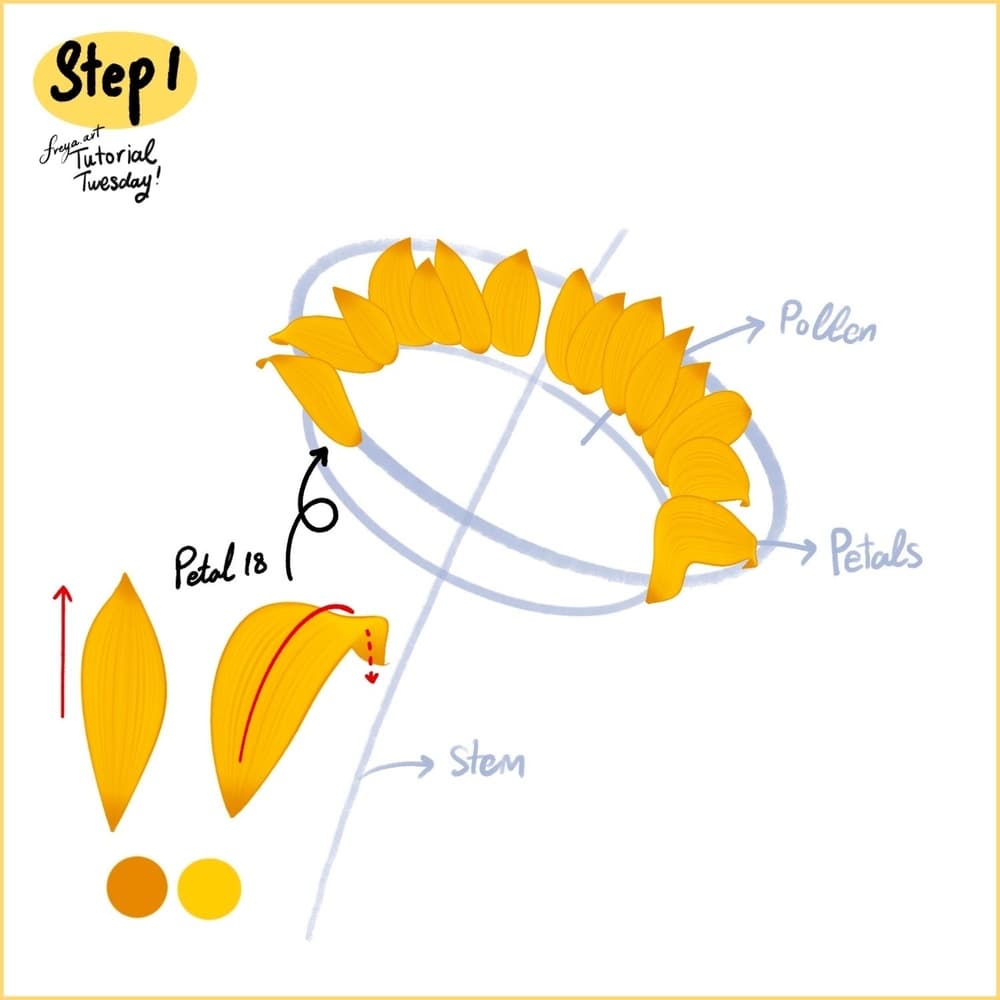
Step 1: Let's practice with the Petal 18 brush first. With this brush, the secondary color will appear when you add pressure. Practice with slight pressure from the bottom, add pressure in the middle, and then slowly ease up as you taper to the top.
To draw the petal folded over, add pressure just before you flick down. Try to draw the petals around the shape you created, leaving the middle part for the pollen. Don't draw the whole set of petals, leave the front empty for now.
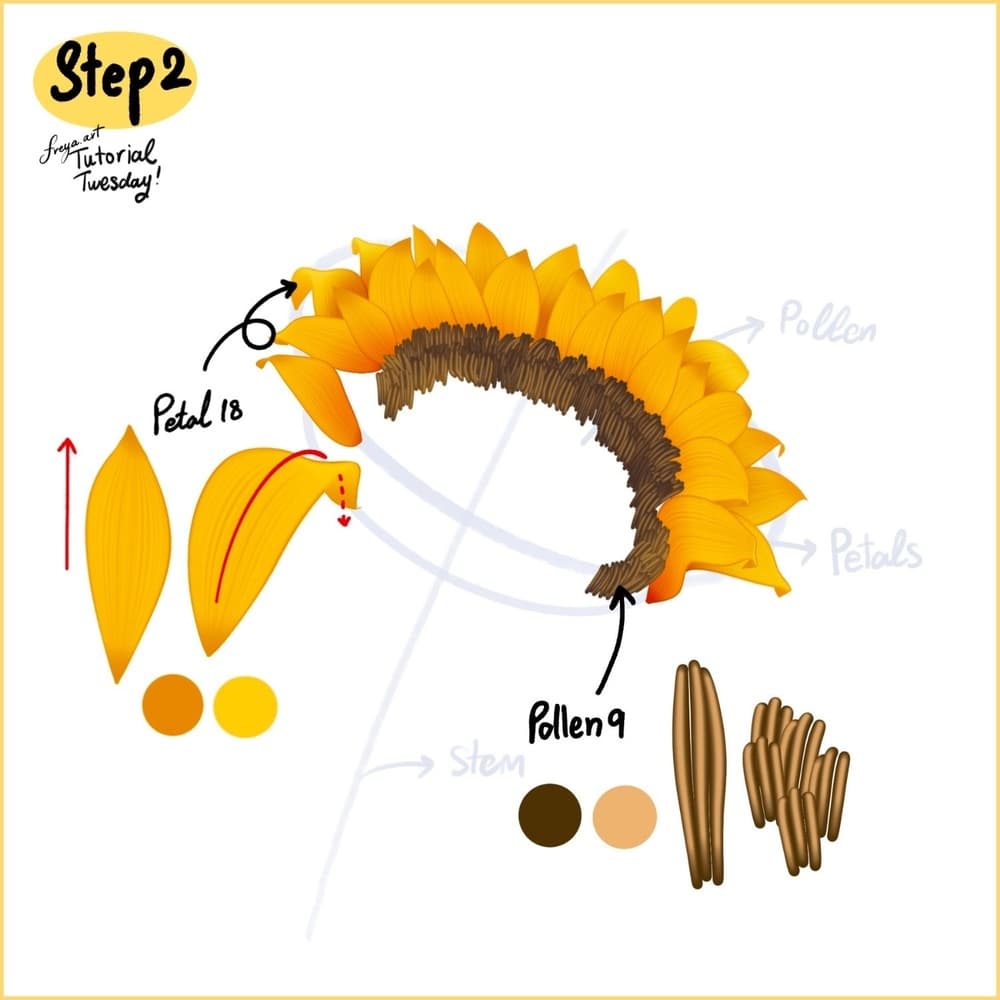
Step 2: Now add another layer for the pollen, and use the Pollen 9 brush with the dark brown and light brown color duo. Draw the pollens around the middle with each small stroke. Don't draw the entire thing, just the back part.
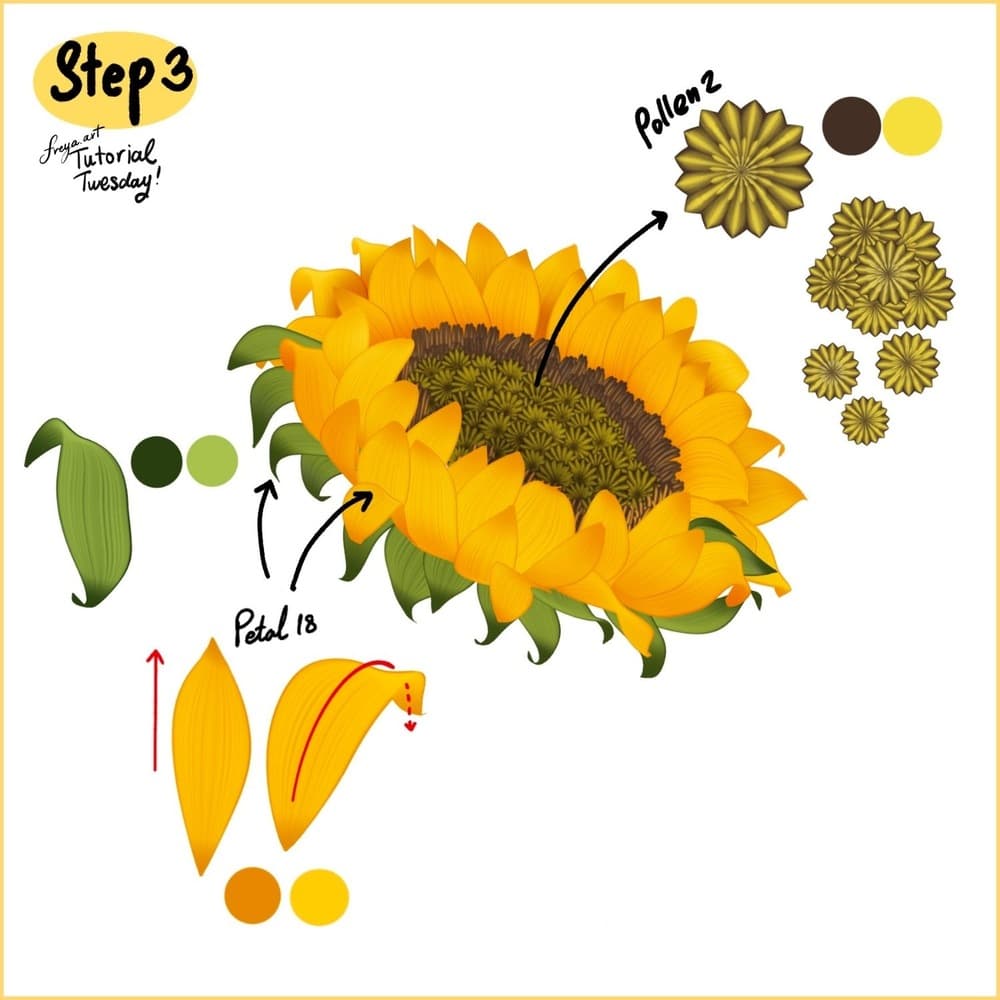
Step 3: Add more pollens using Pollen Brush No. 2, overlapping and filling the center. Then in another layer, draw the leaves and the rest of the yellow petals to complete the sunflower head. The leaves should be below the petals.
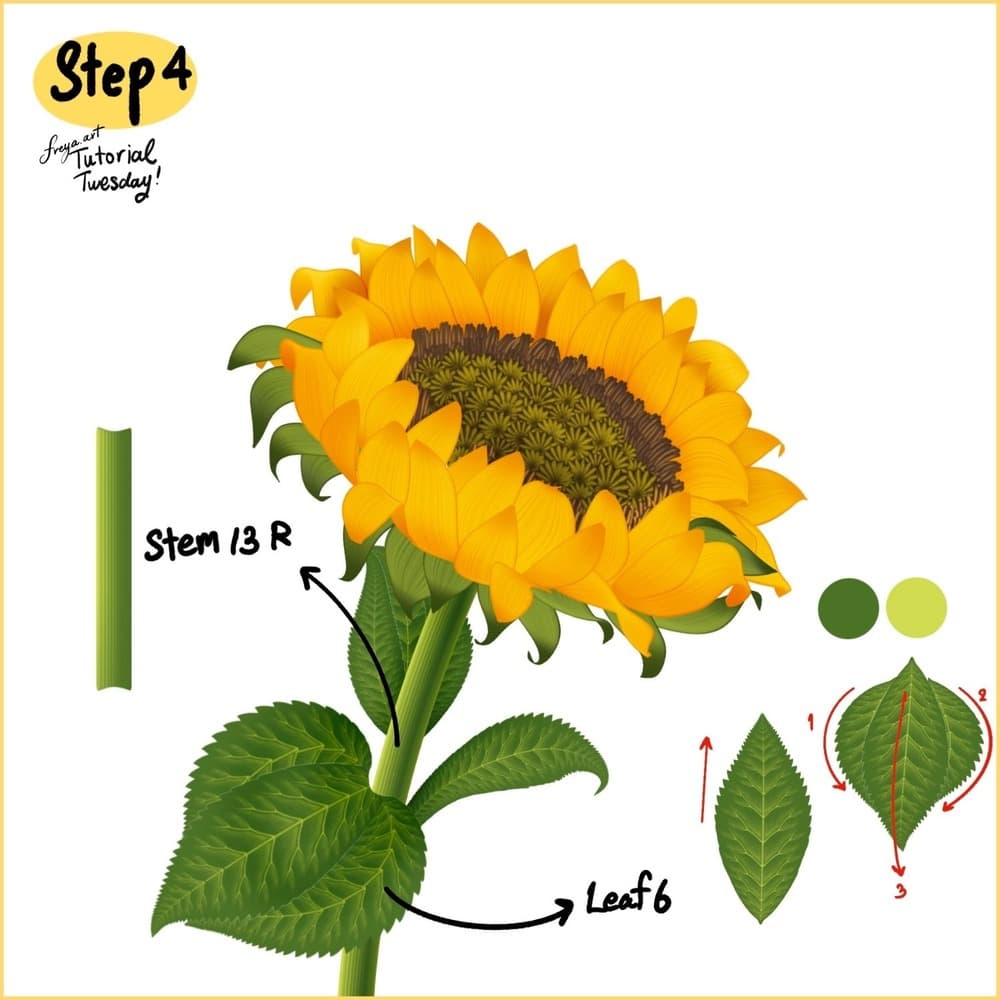
Step 4: Add a layer underneath the petals and add the stem using Stem 13 R, for the leaves, use Leaf 6 brush. Start with little pressure, smoothly add pressure so it flares in the middle and then ease up the pressure to taper off.
Your sunflower is done. Keep practicing with more free flower lessons on the Twotap blog, or go deeper in our course catalog.