Free Eustoma Tutorial for Procreate
A free Twotap eustoma tutorial with files and video. Practice soft petals, then explore the Effortless Flower Brush Set.
Download the free files
Procreate-ready, yours to keep
Eustoma petals look tricky until you break them into simple shapes. This free tutorial shows a calm, step-by-step Procreate workflow so you can finish a full bloom without overworking the edges.
Download the free files, follow the video, and use the Effortless Flower brushes if you have them in your library. Need the set? See the Effortless Flower Brush Set.
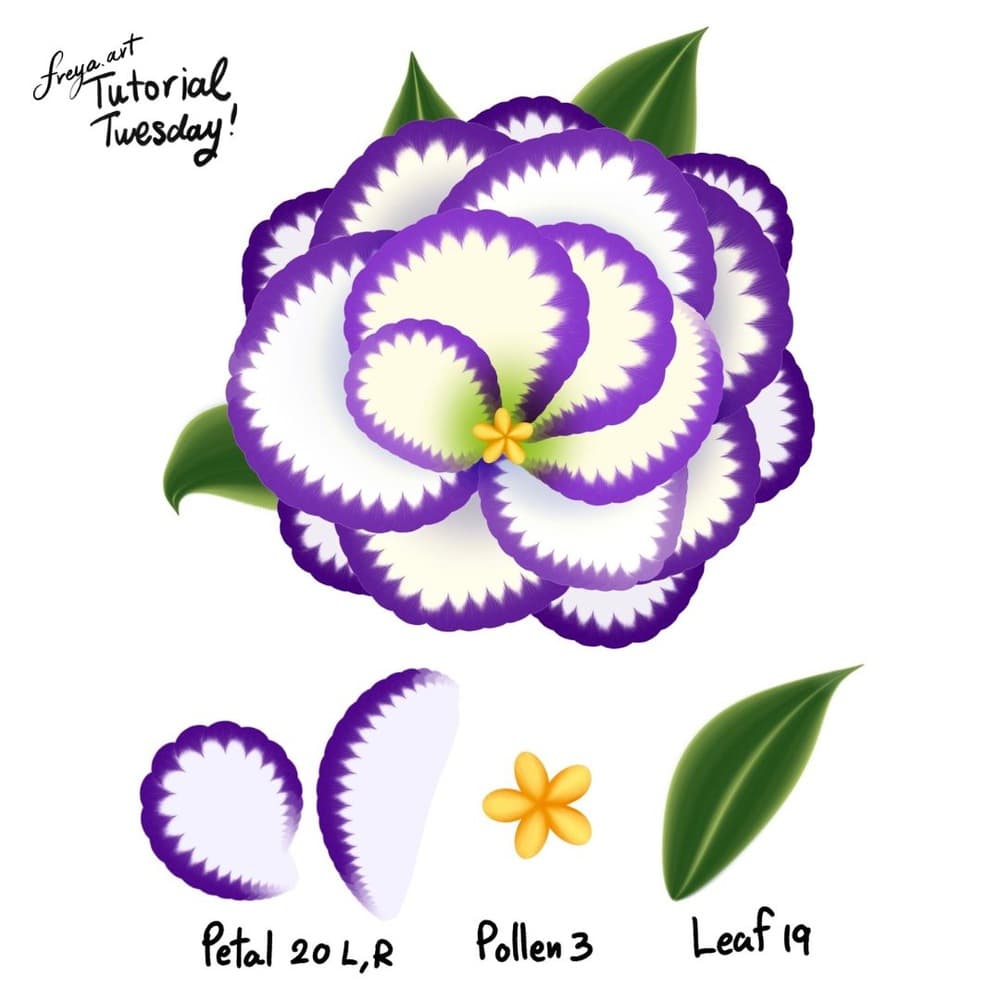
To recreate this flower, we are going to use five brushes from the Effortless Brush Set. Namely, Petal 20 (L and R), Pollen 3, Petal Shadow brush, and Leaf 19. Make sure that your Dynamic Scaling is turned on when you're using this brush set, you can find this under Actions > Preferences.
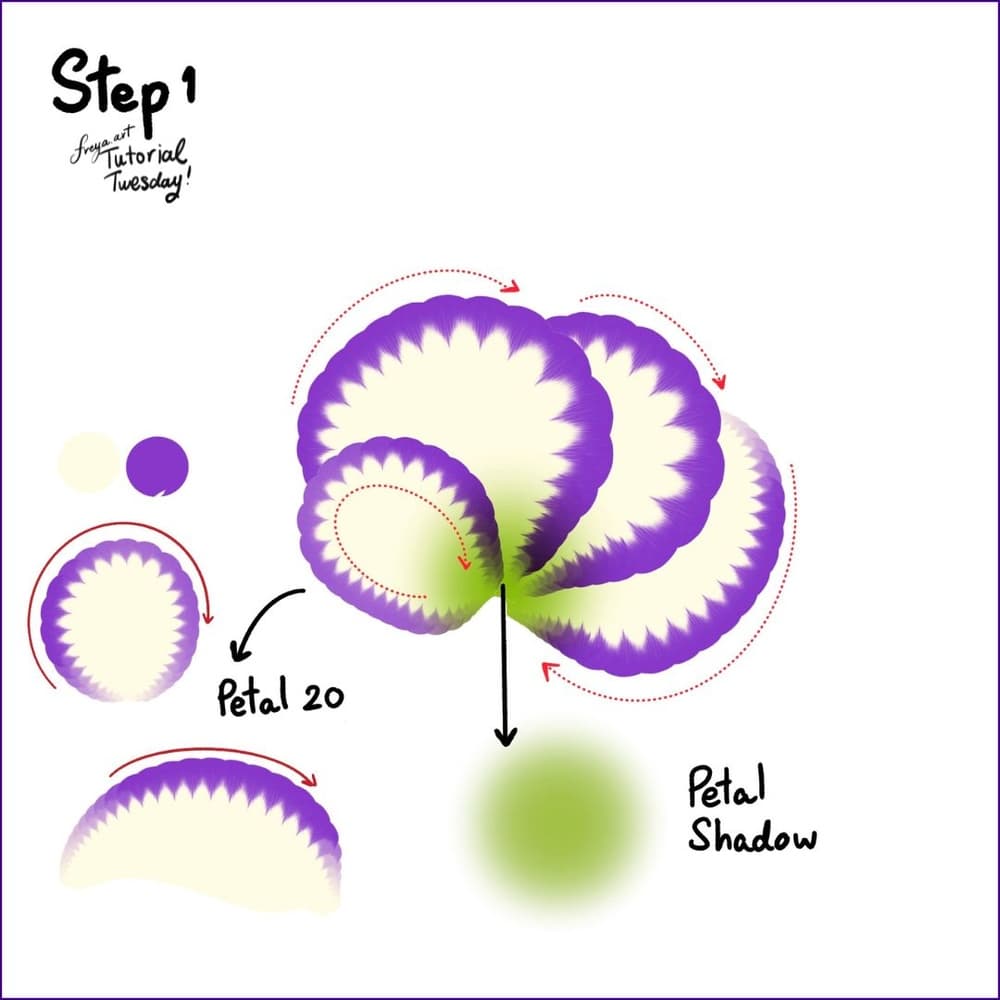
Step 1: Let's start with a 3000 x 3000-pixel canvas at 300 DPI. Set the primary (cream) and secondary (violet) colors. Add a layer and then using the Petal 20 R, draw in a clockwise motion. The more pressure you use the more pronounced the primary color will be. Add a bit of green in the middle using the Petal Shadow Brush.
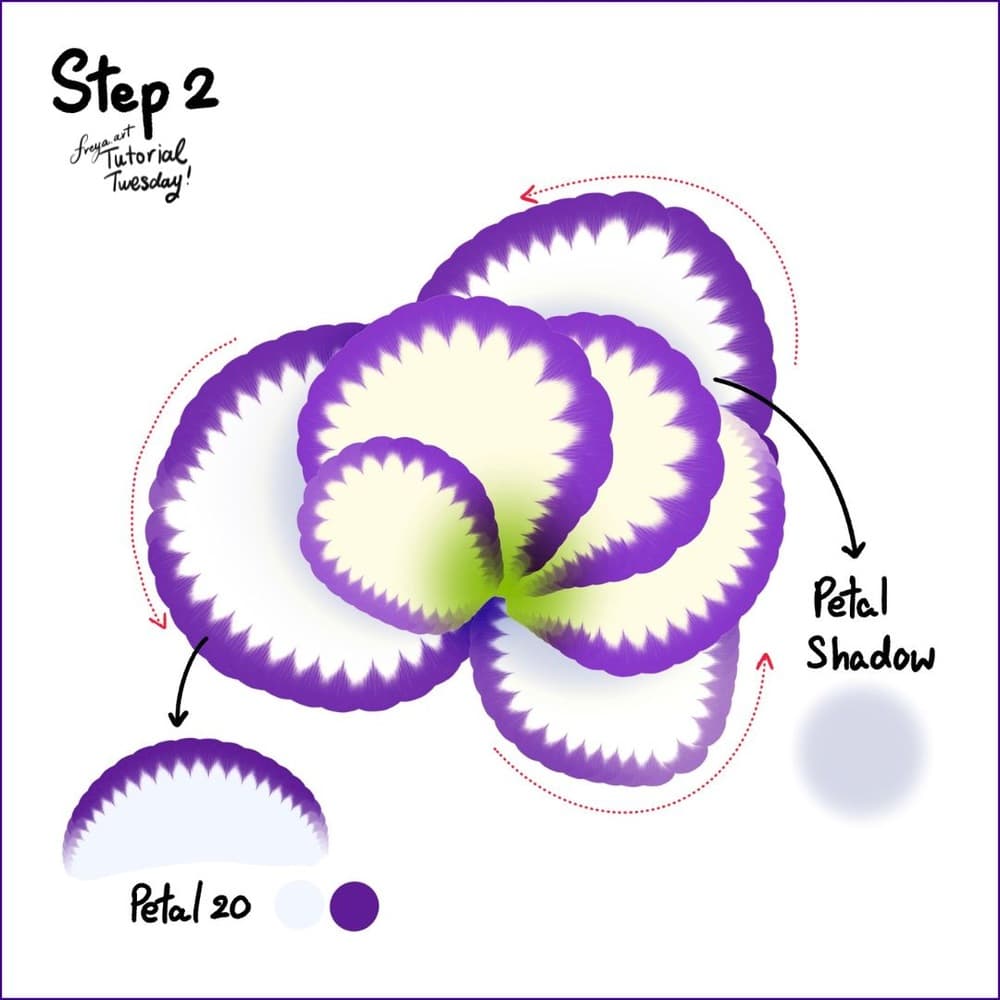
Step 2: Add another layer underneath and this time change the primary color to white. Add a petal shadow around areas where the first petals would normally cast soft shadows.
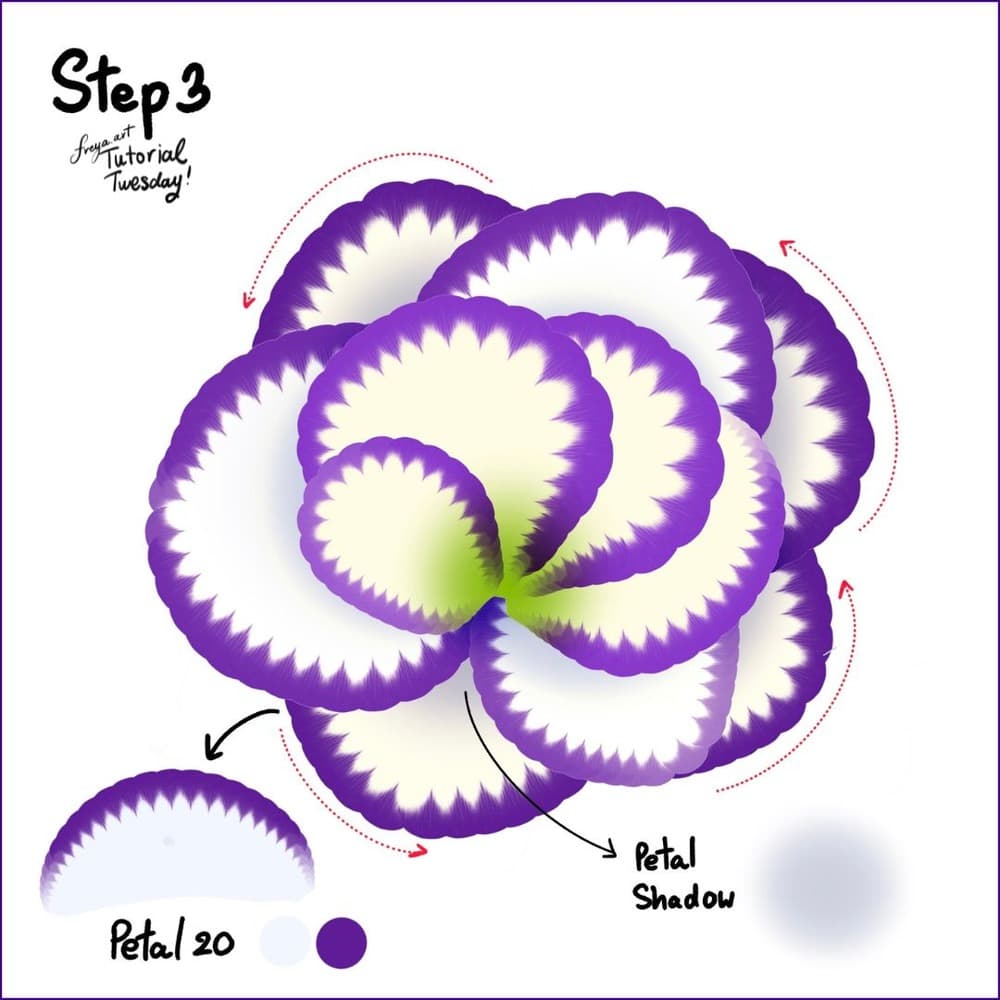
Step 3: Add another layer underneath, change the colors again, and this time add a third layer of petals in a counter-clockwise motion. Again, add a petal shadow around areas where the first petals would normally cast soft shadows.
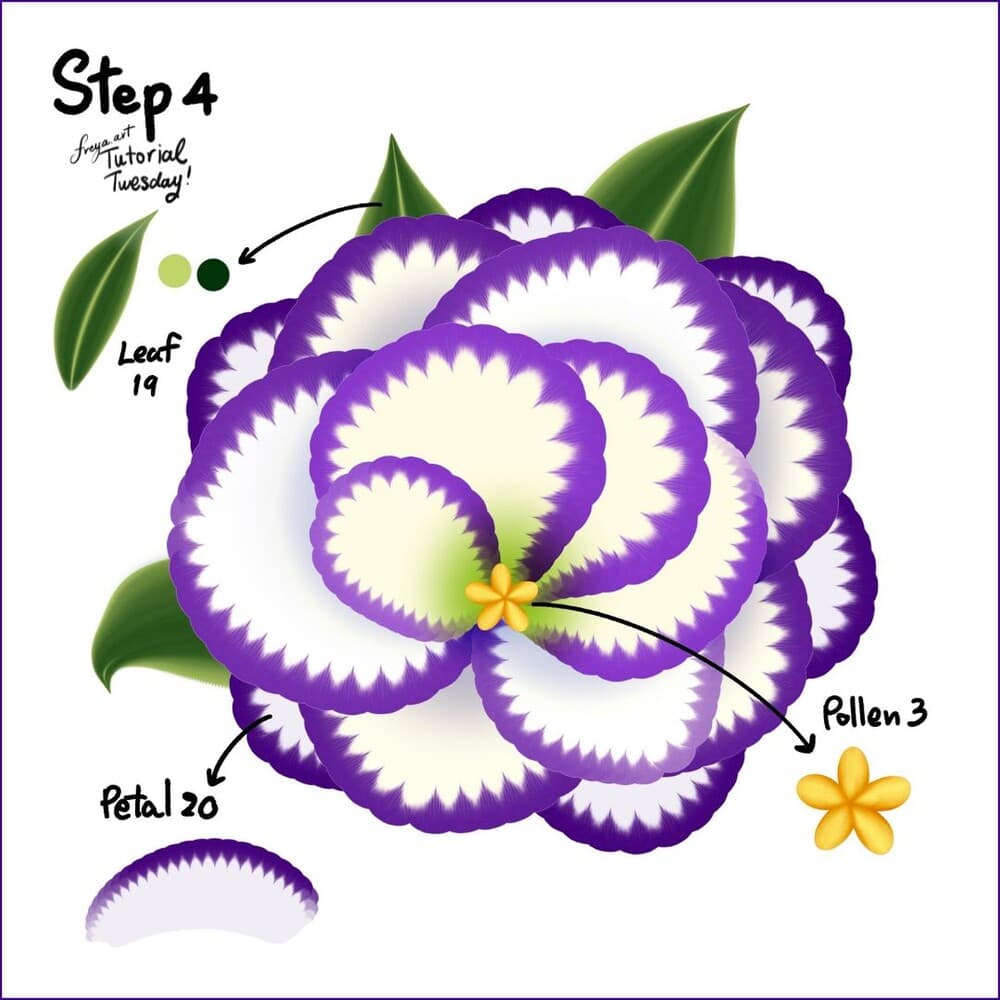
Step 4: Then on top of all the layers, add the yellow pollen using the Pollen 3 brush. Add a layer below all the petals for the leaves. Use Leaf 19.
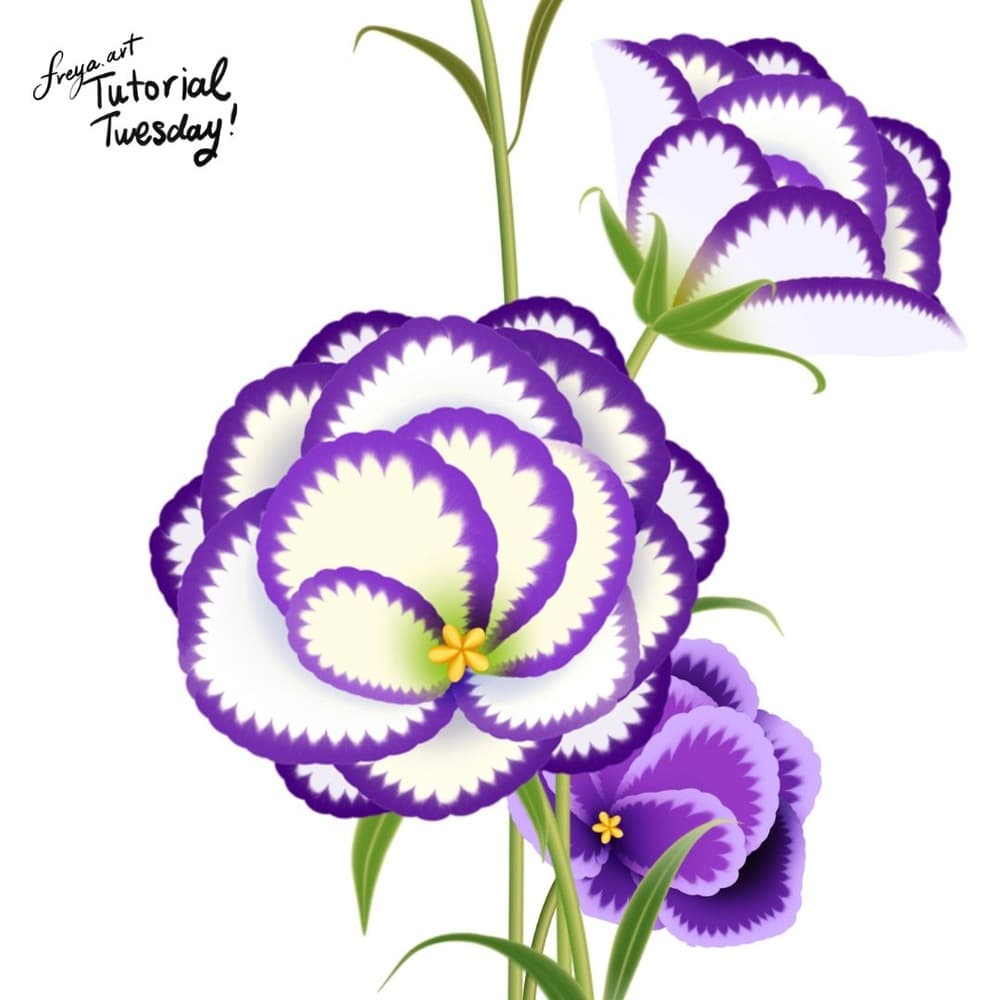
There you have it! We've just completed this Eustoma tutorial using just a handful of brushes from the Effortless Flower Brush Set. If you post your finished version, tag Twotap. We love resharing student work.
Nice work finishing your eustoma. Try the same approach on a second stem or leaf study, then browse more Twotap free tutorials when you want another flower to paint.
Want more blooms like this? Grab the Effortless Flower Brush Set or browse other free flower lessons on the Twotap blog.


