Free Harebell Flower Tutorial for Procreate
Draw slender harebell blooms in Procreate with free Twotap files and a calm step-by-step video.
Download the free files
Procreate-ready, yours to keep
Harebells are great practice for slender stems and clustered blooms. In this free Twotap Procreate tutorial you will build the flower from sketch to finished color with downloadable support files.
Follow the video at your own pace. For brushes tuned to flower work, browse the Effortless Flower Brush Set.
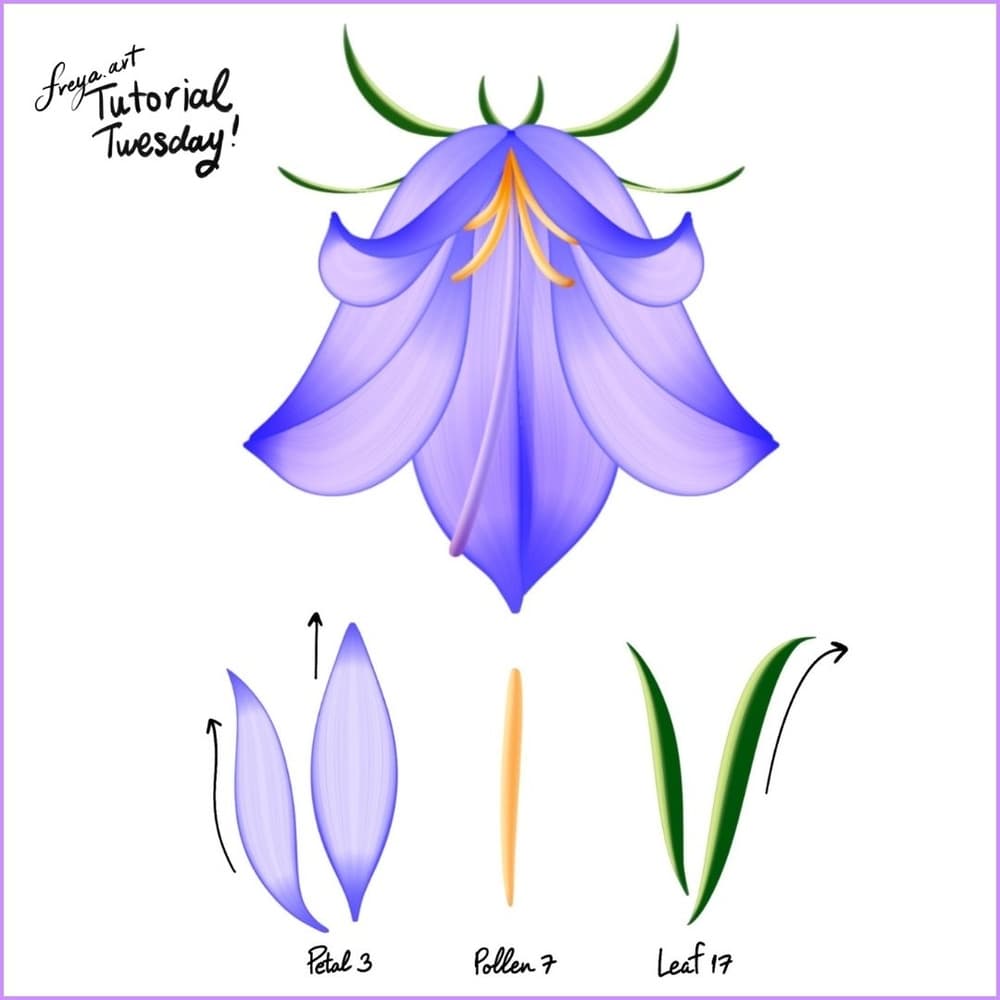
Creating Dainty Harebells - Tutorial
Hello! In this tutorial we are going to use premium brushes from Effortless Flower Brush Set to recreate these dainty harebell flowers!
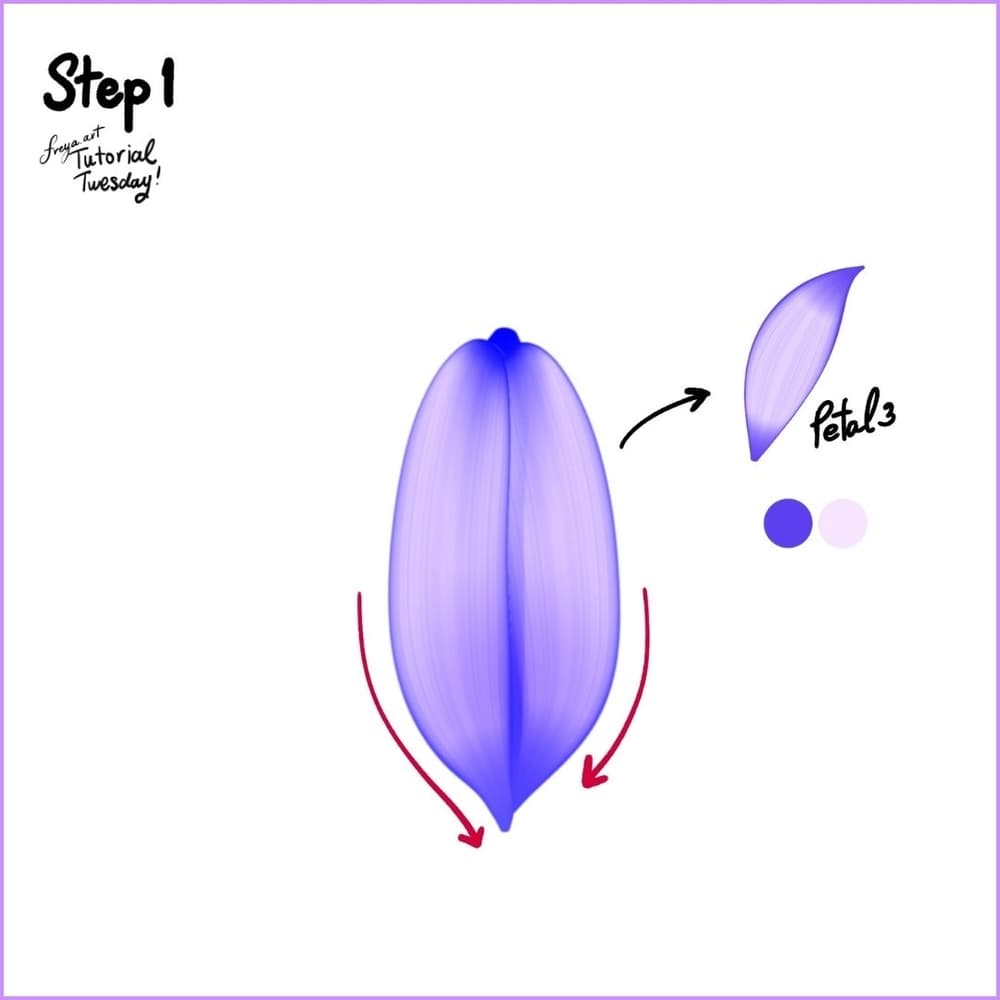
Step 1: Practice Strokes
Let's practice with the Petal 3 brush first.
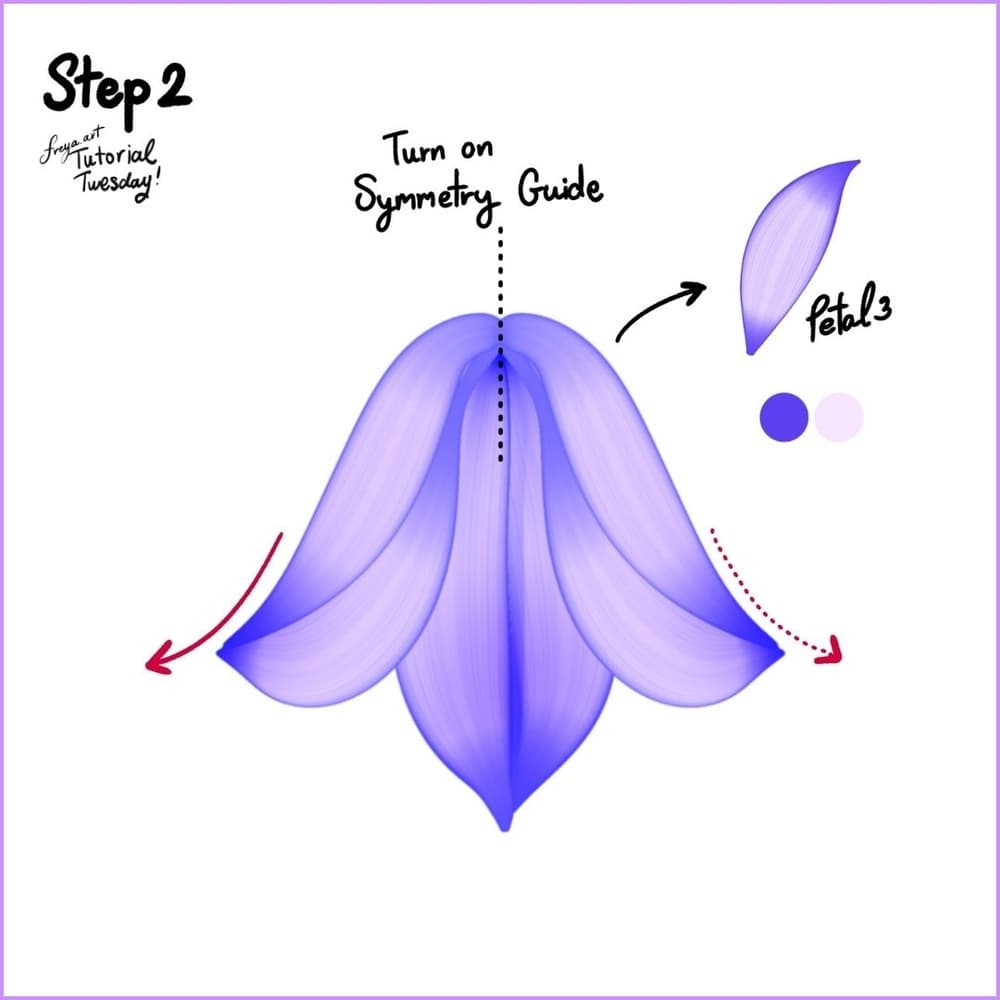
Step 2: Setting Up Symmetry
Turn on Symmetry Guide:
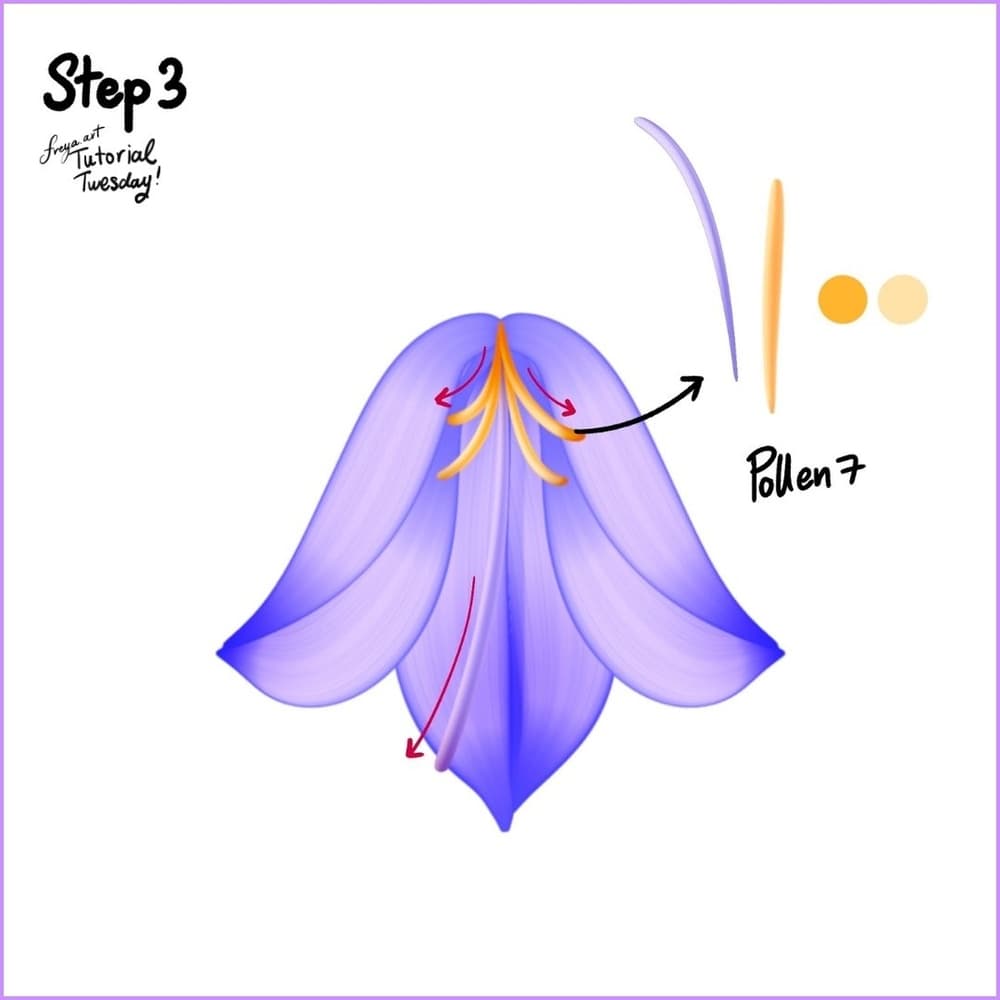
Step 3: Adding Pollen
- Use Pollen 7
- Set new color duo
- Add new layer (no drawing assist needed)
- Draw pollens downward with outward flick
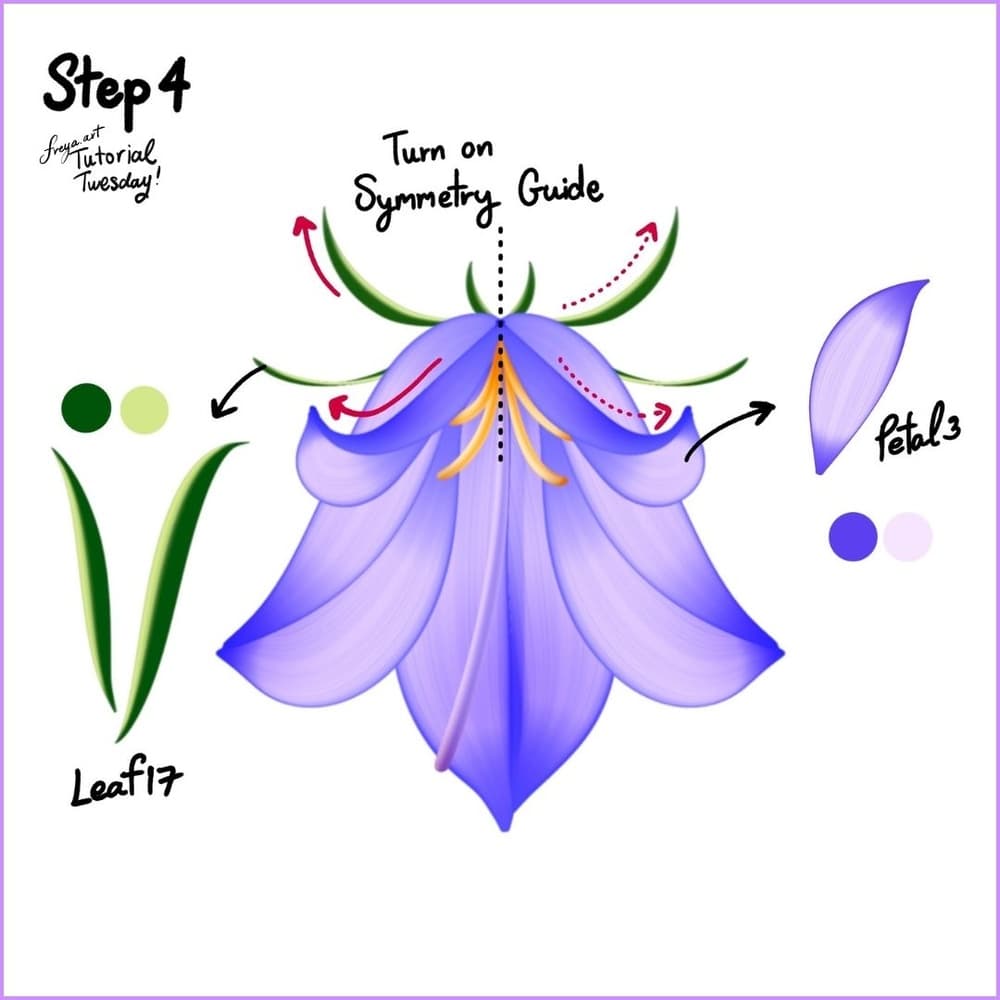
Step 4: Layering and Leaves
For additional petals:
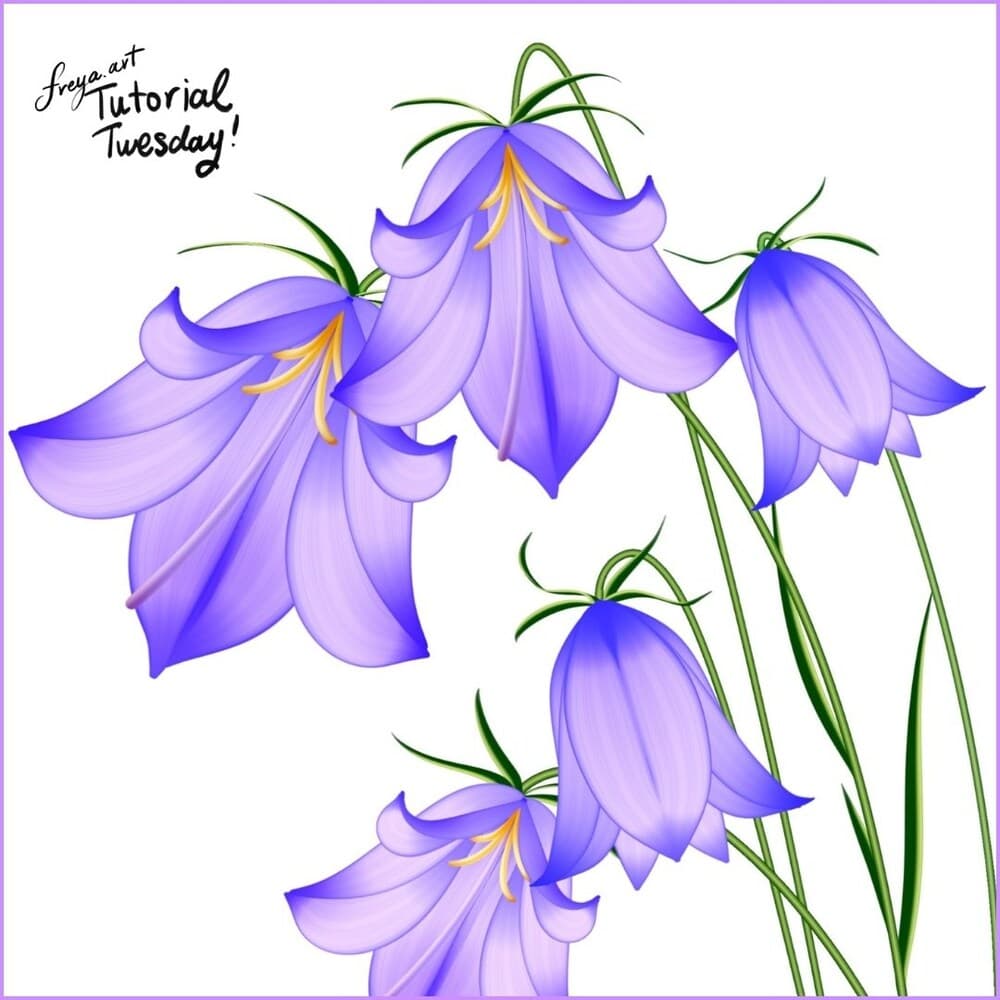
Final Notes
Repeat the process for a whole set of harebells. Try drawing some with pollens hidden behind leaves.
You finished the harebell. Keep the file layered for future edits, then pick another botanical tutorial from the Twotap blog.
Keep building florals with the Effortless Flower Brush Set and more free lessons on the Twotap blog.