Éclair Gouache Tutorial for Procreate
Paint a soft gouache éclair in Procreate with free files and a paced video. Food illustration that shows opaque edges clearly.
Download the free files
Procreate-ready, yours to keep
Food studies are perfect for learning opaque gouache edges in Procreate. This free éclair tutorial includes downloadable files so you can follow shape, icing, and shadow without inventing the sketch.
Use the video as your pacing guide. Prefer a ready gouache pack? Browse the Gouache Brush Set.
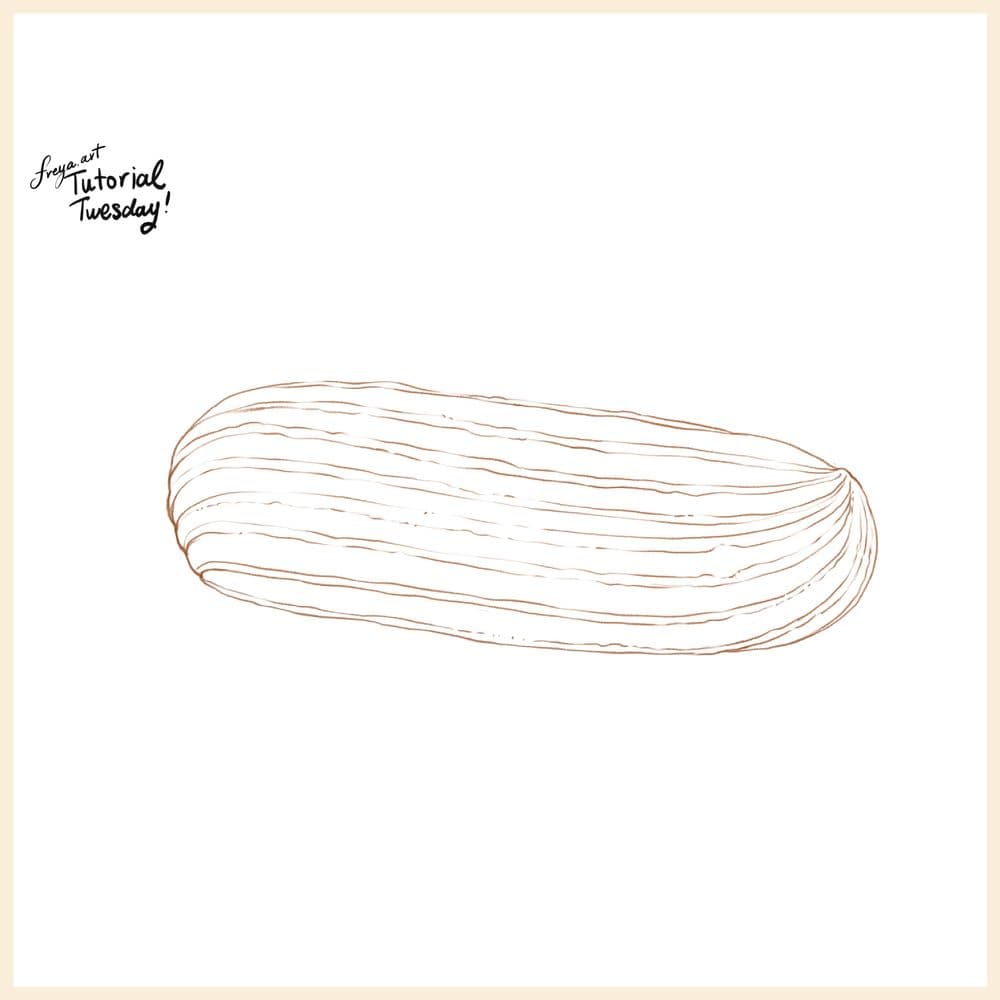
Step 1: Let's begin by sketching out our composition using a 6B or Peppermint Brush. They're part of Procreate's default brushes. Once you're done, lower the opacity of this layer and lock it.
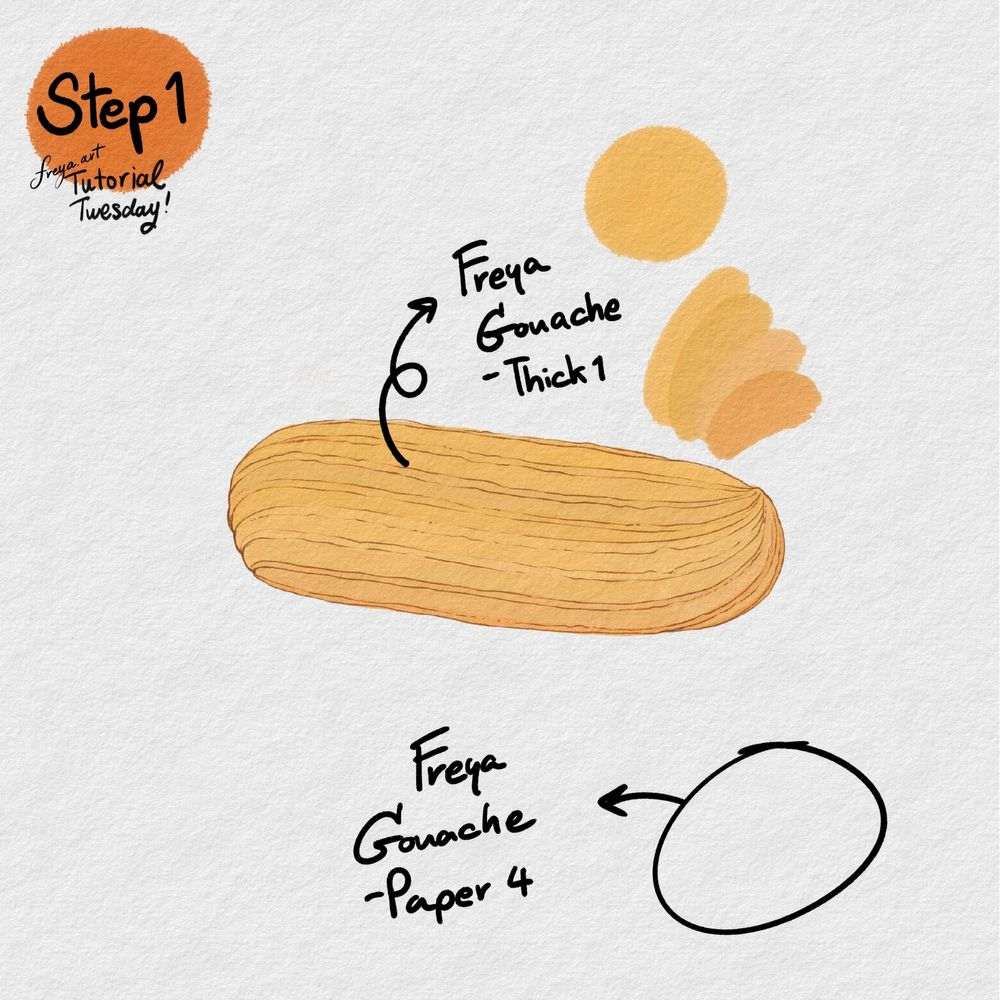
In another layer, use the Twotap Gouache Paper No. 4 to add the paper texture. Place this on top of all the layers that you will make. Change the Color mode by clicking n the "N" in the layer's panel. Then set it to Linear Burn, lower the opacity and then lock this layer. Then in a new layer, begin building the éclair's base color using Twotap Gouache Thick No. 1.
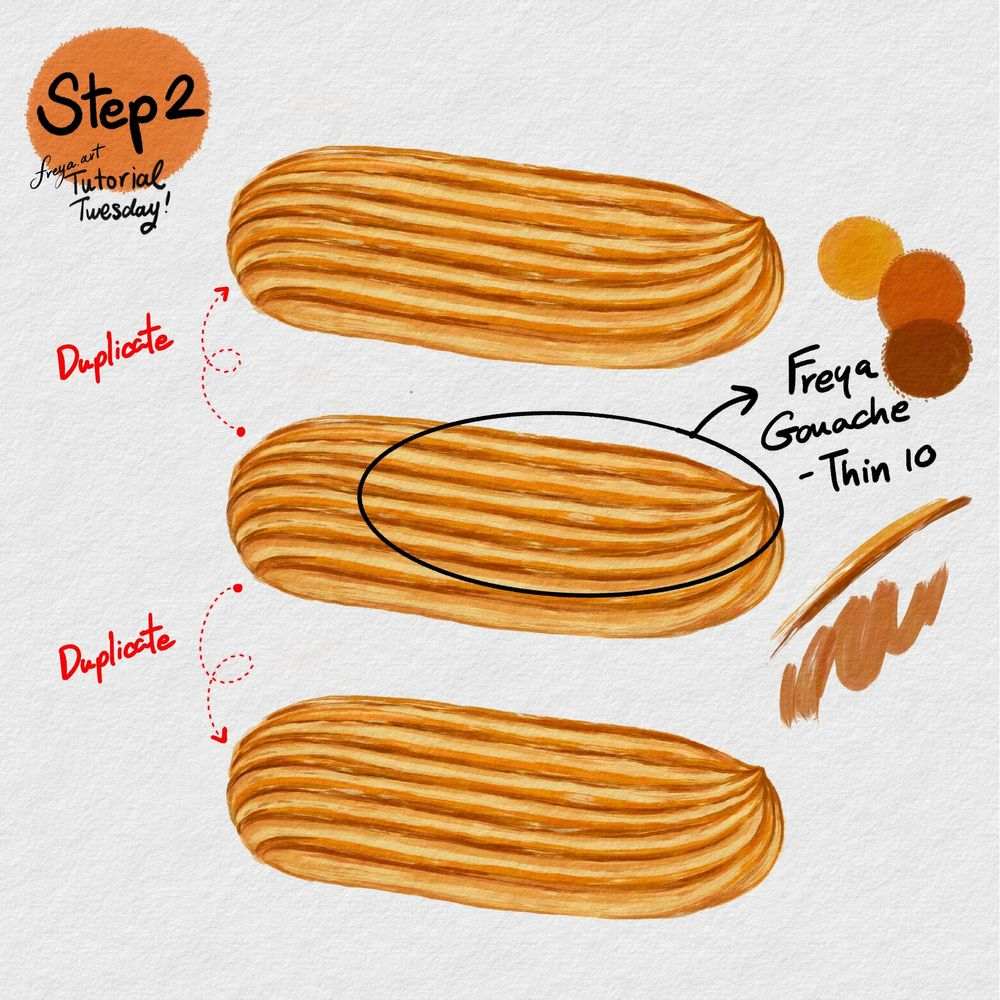
Step 2: Add another layer and set it as a clipping mask. Then with the Twotap Gouache Thin No. 10, slowly create the baked ridges of our éclair. When you're done, group these layers. Then duplicate the groups twice so that you'll have 3 éclairs in your canvas.
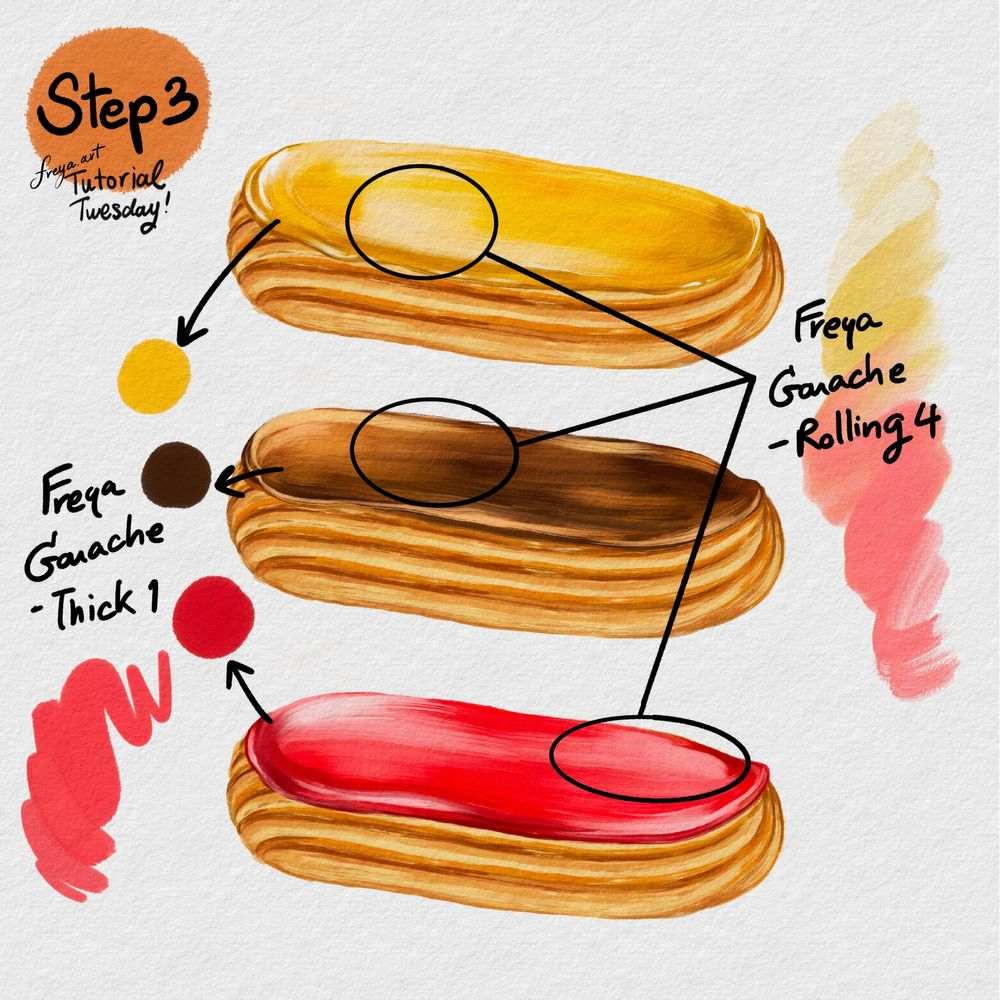
Step 3: Now for the fun part! We're going to decorate our éclairs with different flavors. Add another layer for each éclair. Then use Twotap Gouache Rolling No. 4 for the base color and Twotap Gouache Thick No. 1 to add texture.
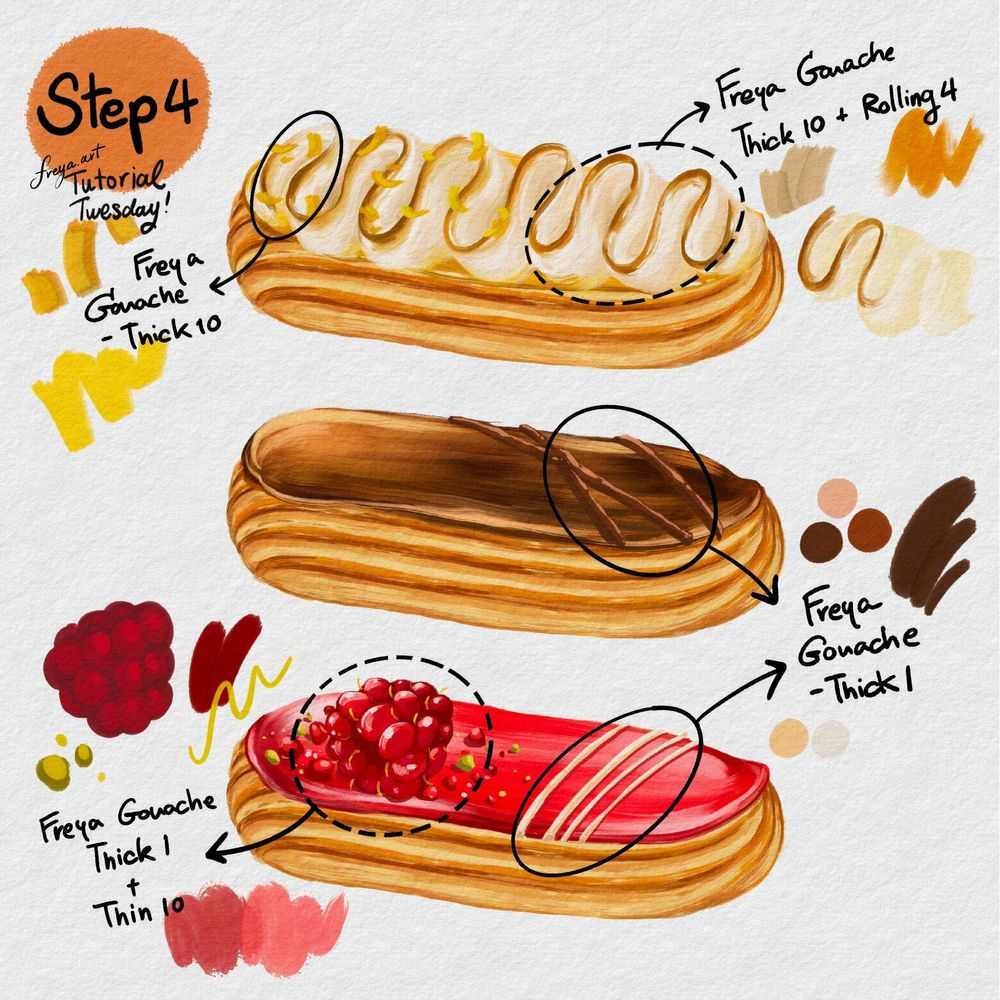
Step 4: You can choose to add more details like icing, syrups, and fruits using Twotap Gouache Thick No. 10, Twotap Gouache Thick No.1, Twotap Gouache Thin 10 and Twotap Gouache Rolling No. 4.
Your éclair is ready to share. Try a second pastry with a new icing color, then explore more Twotap free tutorials on the blog.


