The Free Procreate Art School
The Procreate Art School You Would Happily Pay For. Today It Is Free for You.
- 80,000students taught
- 53lessons
- $81in gift packs
- 194spots left
Free spot · No card needed
53 step-by-step lessons take you from never opening Procreate to a finished painting like this one. The same teaching 80,000 Twotap students learned from, plus 5 gift packs worth $81.
- An iPadAny model that runs Procreate
- Apple PencilOr a compatible stylus
- ProcreateA one-time app purchase
Group 7 is open
194of 897 free spots left
The course and 5 gift packs are free for this group. When the spots are gone, the free offer closes.
You'll learn Procreate by making real pieces
You didn't buy an iPad to hunt through menus or sit through long videos that skip the important parts. You bought it to create.
Most beginners struggle because they only mimic a tutorial. Here you won't just copy steps. You'll learn how light works, how layers are organized, and why each stroke matters.
That's the difference between copying one apple and knowing how to paint fruit, flowers, or faces on your own.
Why this is not another YouTube tutorial
What you get here that free videos never give you:
You start from zero, and nothing is skipped
Lesson 1 opens an empty gallery. Every tool, every setting and every stroke is shown, at a calm pace.
Your painting actually looks like ours
No timelapses. You see which brush, which colour and why, so your canvas matches the one on screen.
A course in order, not a random playlist
Twelve chapters that build on each other, so you never need something you have not been taught yet.
Five minutes a lesson, real results
Every lesson is short, so a coffee break still ends with something new on your canvas.
Your path through the Art School
Five steps from a blank screen to a finished painting. No timelapses, nothing skipped.

Step 2
Make brushes do what you mean, and finally understand layers.

Step 4
Choose colours on purpose and add the touches that make work look finished.

Step 1
Set up Procreate the way working artists do, and find every tool without hunting.

Step 3
Finish your first small piece, with masks so nothing you make gets ruined.

Step 5
Paint the apple from a blank canvas, then export it to share or print.
Step 1
Set up Procreate the way working artists do, and find every tool without hunting.
Step 2
Make brushes do what you mean, and finally understand layers.
Step 3
Finish your first small piece, with masks so nothing you make gets ruined.
Step 4
Choose colours on purpose and add the touches that make work look finished.
Step 5
Paint the apple from a blank canvas, then export it to share or print.
Your mentor
For over 15 years I've been doing illustrations for brands like Louis Vuitton, Tiffany & Co. and Sephora
I'm Freya Kotchakorn. My digital illustrations have been used by Louis Vuitton, Tiffany & Co., and Sephora, and I've spoken at Apple Store events to teach Procreate techniques.
Yet my favorite work isn't for big brands, it's helping complete beginners surprise themselves with what they can create. My favorite feedback is when they tell me: "It felt very geared towards beginners wanting to learn Procreate... it felt like it was attainable even for someone like me who has very little experience."
That's exactly what I designed this course to do. Make the "impossible" feel completely achievable.


Speaking at an Apple Store event about Procreate techniques
Why digital art fits real life
Traditional painting often means a dedicated workspace taking up half a room, plus brushes, watercolors, paper, a scanner, and software that can run well over $1,000 before you even start.
With Procreate, all you need is an iPad and an Apple Pencil. Everything is a few taps away: undo, layers, color, and brushes that behave like the real thing.
And when you're done for the evening, just close your iPad. No cleanup. No drying time. Pick up right where you left off tomorrow.


Plus 5 gift packs worth $81
Brushes, step-by-step tutorials and templates to paint with while you learn. They come with your free spot.
Free bonus #1
The Viral Reel Brush Collection
Value:
$17Free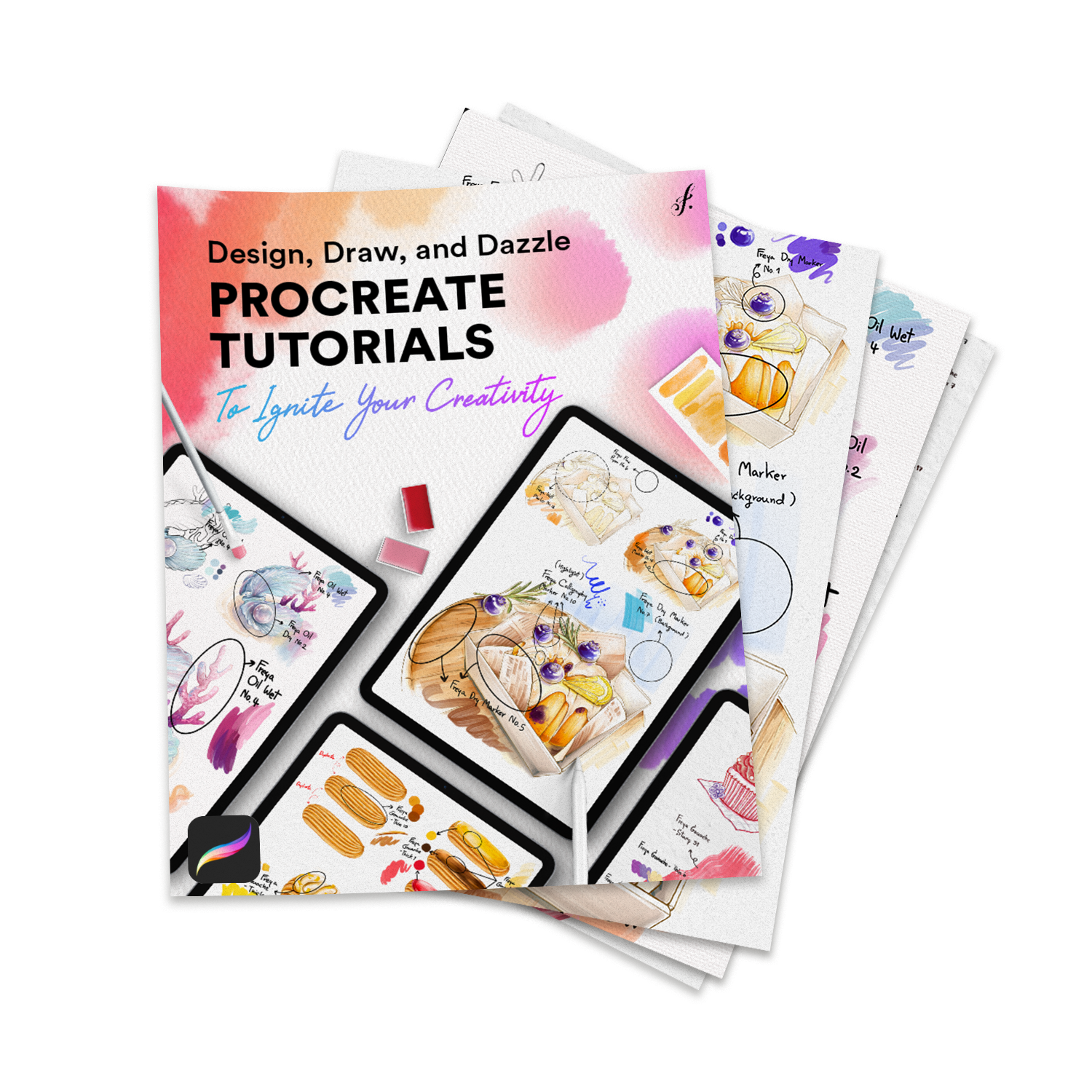
Free bonus #2
30+ Step-by-Step Procreate Tutorials
Value:
$29Free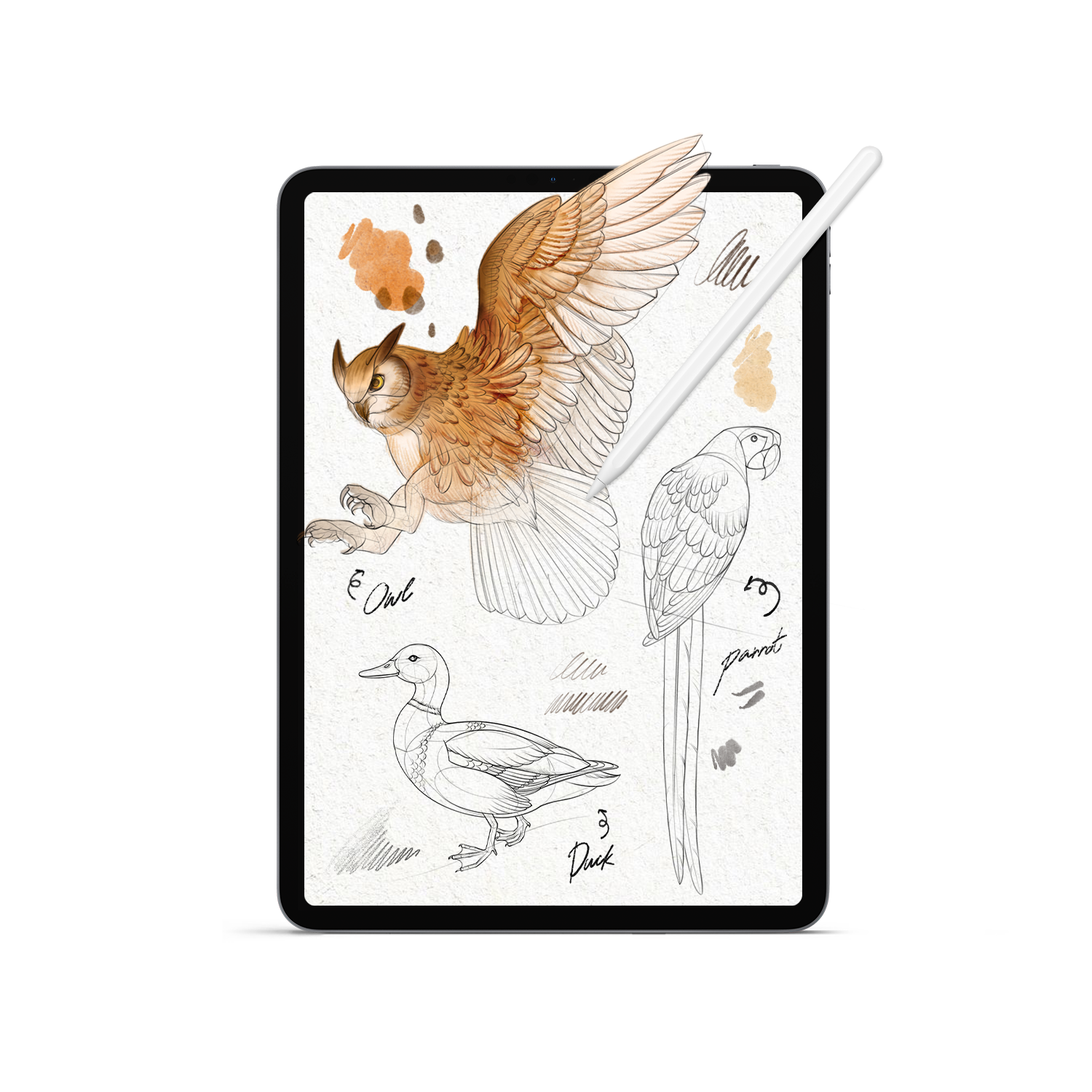
Free bonus #3
Wildlife Drawing Templates
Value:
$9Free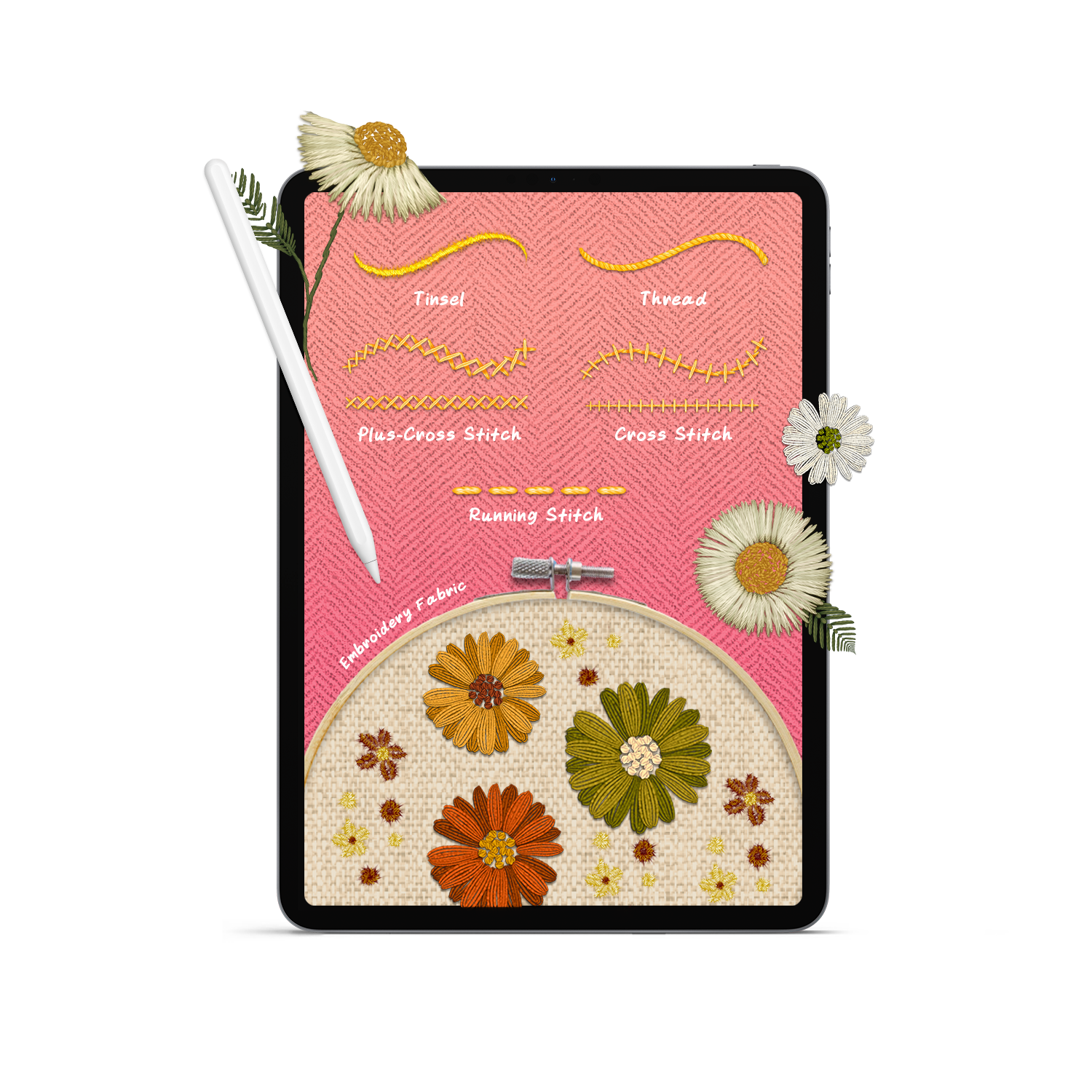
Free bonus #4
Digital Embroidery Brush Set
Value:
$9Free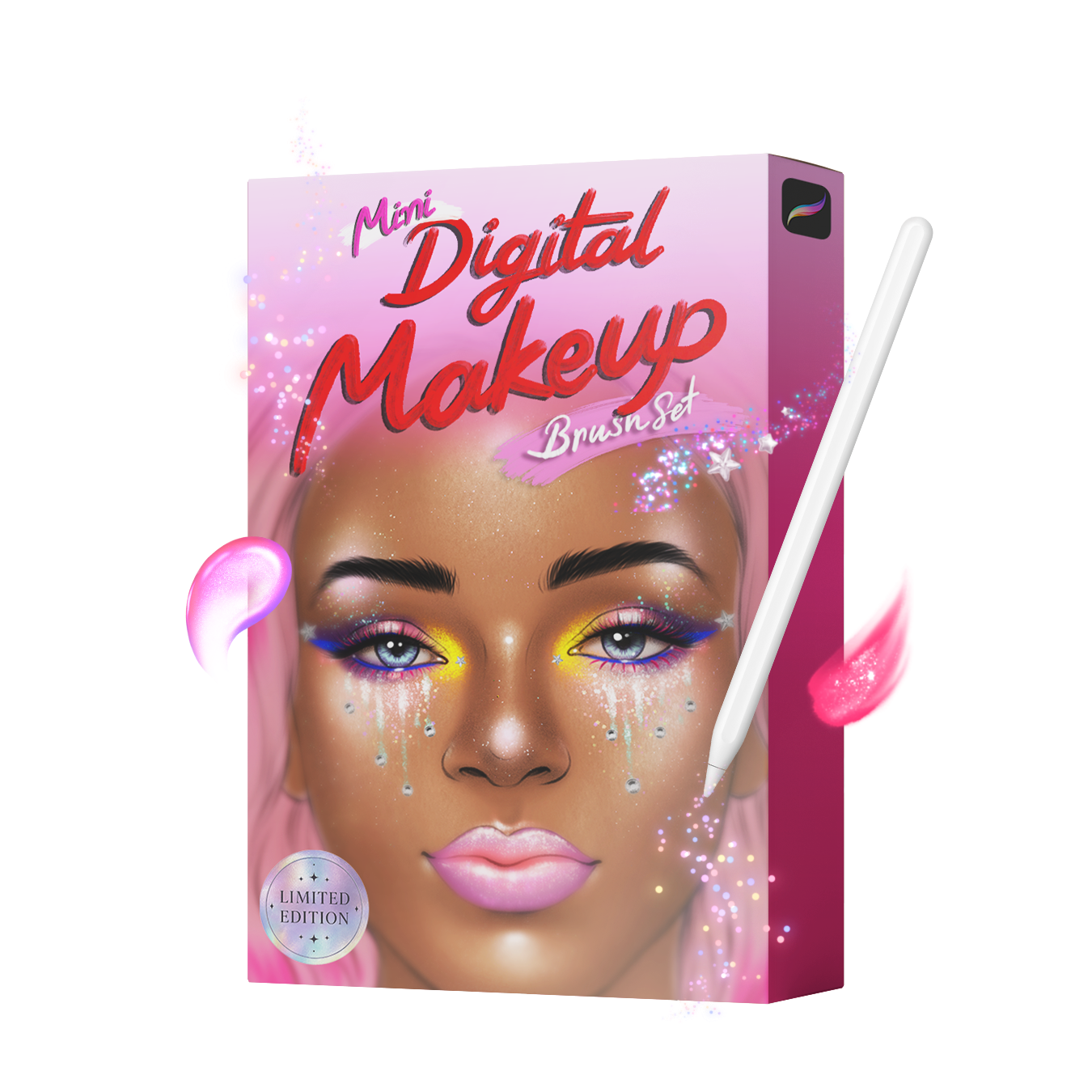
Free bonus #5
Digital Makeup Artist Kit
Value:
$17Free
Free Bonus #1
The Viral Reel Brush Collection
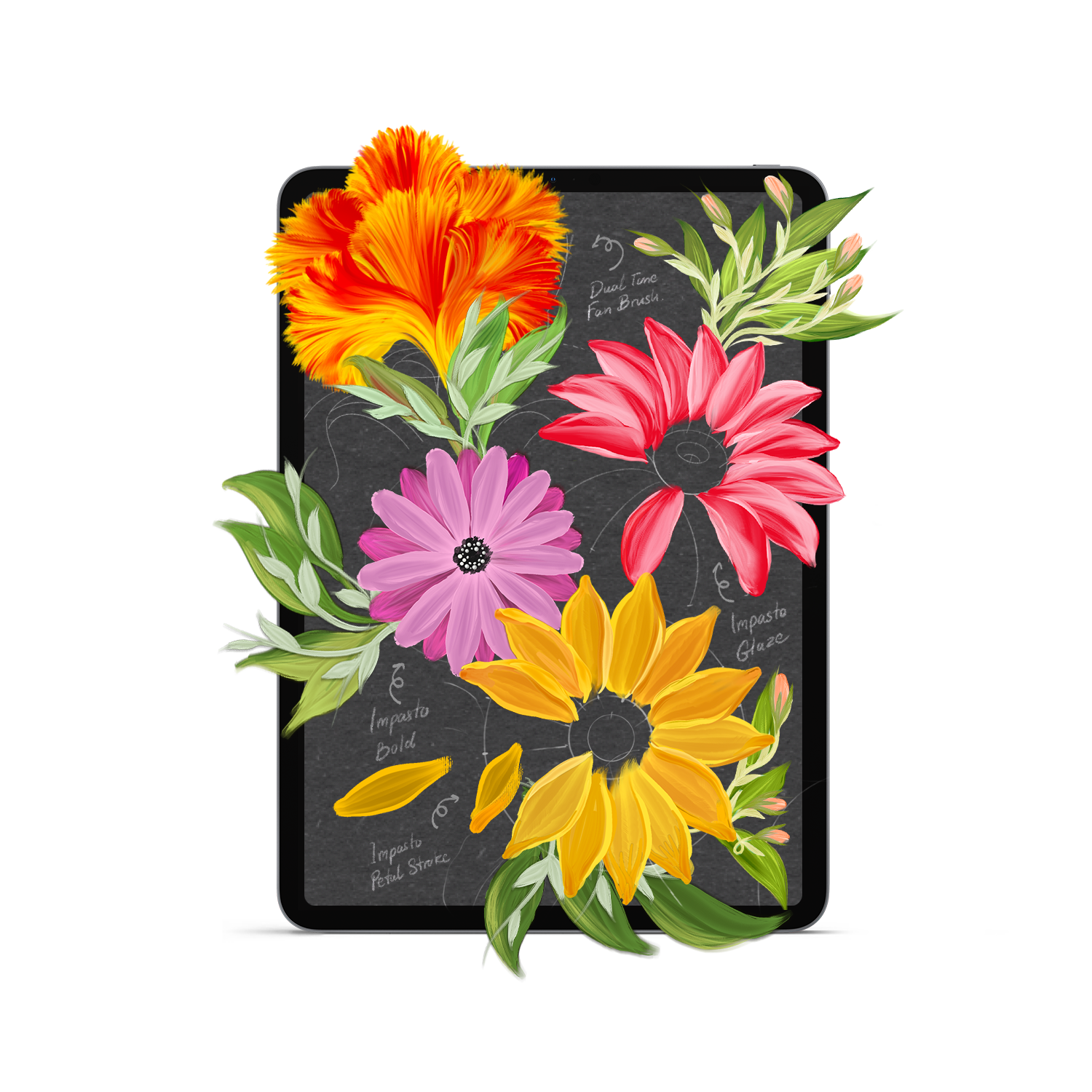
14 Professional Brushes. You have seen these flowers blow up on Instagram. Now get the exact brushes. This collection includes the Dual Tone Fan Brush, Impasto Bold, Impasto Glaze, and Impasto Petal Stroke. Paint botanicals that stop the scroll.
Value: $17 Free
Free Bonus #2
30+ Step-by-Step Procreate Tutorials
Complete PDF Guides with Sketch Files. Six brand new tutorials: Calla Lily in Oil, Cherries in Watercolour, Harebell with Effortless Flower brushes, Milkshake in Gouache, Sea Shell in Gouache, and Rainbow Hair with Fur Brush. Each PDF walks you through every single stroke from blank canvas to finished piece.
Value: $29 Free
Free Bonus #3
Wildlife Drawing Templates
3 Professional Animal References. Skip the frustrating sketch phase. These three professional templates (Owl, Parrot, and Duck) drop straight into Procreate so you can focus on what matters: painting. Perfect for portfolio pieces or daily practice.
Value: $9 Free
Free Bonus #4
Digital Embroidery Brush Set
6 Realistic Textile Brushes. Make digital art that looks hand-stitched. This set includes Tinsel, Thread, Running Stitch, Plus-Cross Stitch, Cross Stitch, and Embroidery Fabric texture. Your followers will swear it is real needlework.
Value: $9 Free
Free Bonus #5
Digital Makeup Artist Kit
8 Brushes + Face Template. Paint hyper-realistic beauty portraits. Includes Skin Texture, Eyelashes Stamp, Eyeliner, Eyeshadow, Matte Lin, Eyebrow, Contact Lens, and Face Accessories brushes. Plus a professional face template so you can start immediately. Limited edition.
Value: $17 Free
Every lesson in the Art School
12 chapters, 53 lessons. Open a chapter to see every lesson in it.
Set Procreate up the way working artists do, so nothing gets in your way.
 Your gallery, and how to keep it tidy2:02
 Setting up your first canvas2:57
 The workspace, and where everything lives2:38
 Make Procreate fit your hand2:50
 Gestures that save you hours8:43
 Getting art in and out5:30
 Turn on the brush cursor0:37
 See a selection before you commit1:47
 Keep your brush the same size at any zoom1:59
Pick the few brushes that matter and make them behave.
 The brushes you actually need3:05
 Build your own brush set3:36
 Pressure and smoothing6:20
 Stabilisation, for clean lines3:38
 Save your favourite brush sizes2:50
 Change size and opacity without looking3:04
Layers explained by using them, so they finally make sense.
 How layers work2:13
 Tidy layers, calmer head3:57
 Rename, select, fill, clear2:01
 Group and merge3:15
 Blend modes, in plain english3:03
 Opacity1:38
Paint your first small piece start to finish.
 Four ways to make a gradient9:42
 An iridescent background6:17
Masks: change anything without ever ruining what you made.
 The three masks, and when to use each17:04
 Invert2:08
 Reference layers and colour fill3:56
Choose colours on purpose instead of hoping they work.
 The colour panel5:15
 Build a palette you will reuse1:22
 Hue, saturation, brightness, curves4:14
 Fill a selection with colour1:20
 Colour several areas at once2:47
Select, move and reshape parts of a painting cleanly.
 Perfect shapes with QuickShape2:07
 The smudge tool3:00
 The eraser1:10
 Move, resize, rotate3:02
 Selections5:35
The finishing touches that make a piece look done.
 Blur, for depth and air2:57
 Noise, for texture2:48
 Sharpen1:35
 Clone stamp2:07
 Liquify, and a marble pattern4:56
 Gradient map, bloom, glitch, halftone7:14
Bring in photos, add text and draw with guides.
 Bring in a photo1:34
 Draw from a reference without leaving the canvas1:50
 Crop and resize3:03
 Add text6:16
 Drawing guides: grid, isometric, perspective3:28
 Symmetry3:46
The main painting: everything so far, in one finished piece.
 Painting an apple37:30
Export, share and print your work the right way.
 Share your image2:29
 Export your layers1:44
 Record your process2:56
What the latest Procreate update changes for you.
 What is new in Procreate 5.420:01

 Free while this group’s 897 spots last, no card
- 5 gift packs worth $81
- Opens in your free Twotap account
The Free Procreate Art School
12 chapters, 53 lessons, 4 hours of video, plus 5 gift packs
Everything you get today
- The Free Procreate Art School12 chapters, 53 lessons, 4 hours of video, plus 5 gift packs
- The Viral Reel Brush Collection$17
- 30+ Step-by-Step Procreate Tutorials$29
- Wildlife Drawing Templates$9
- Digital Embroidery Brush Set$9
- Digital Makeup Artist Kit$17
One-time purchase · Lifetime course access
 Secure payment


No card. You get a free Twotap account with the course and the gift packs in it.
Before you claim your spot
Yes. No card, no trial, nothing to cancel. We open the Art School free to a group of 897 students at a time, and when the spots are gone the free offer closes.
It is made for you. Lesson 1 starts on a blank screen, and you finish by painting a real apple you would be happy to show people.
An iPad with Procreate and an Apple Pencil. Any iPad from 2018 on works.
Most lessons are under five minutes. You paint your first small piece in chapter 4 and the full apple in chapter 10.
We email you a one-click link that opens lesson 1 in your free Twotap account. We also show you a couple of optional offers for our longer courses and brushes; press No thanks on each to go straight to your lessons.
The Viral Reel Brush Collection, 30+ Step-by-Step Procreate Tutorials, Wildlife Drawing Templates, Digital Embroidery Brush Set, Digital Makeup Artist Kit. Worth $81 together, and they come with your free spot.
Still have questions?
We're happy to help, whether it's a tech hiccup, a sizing question, or you're just not sure which Twotap course fits. Reach out anytime.
Contact